Asterisk-stat!
Pretty CDR Analyser, easy way to analyze your CDR records!
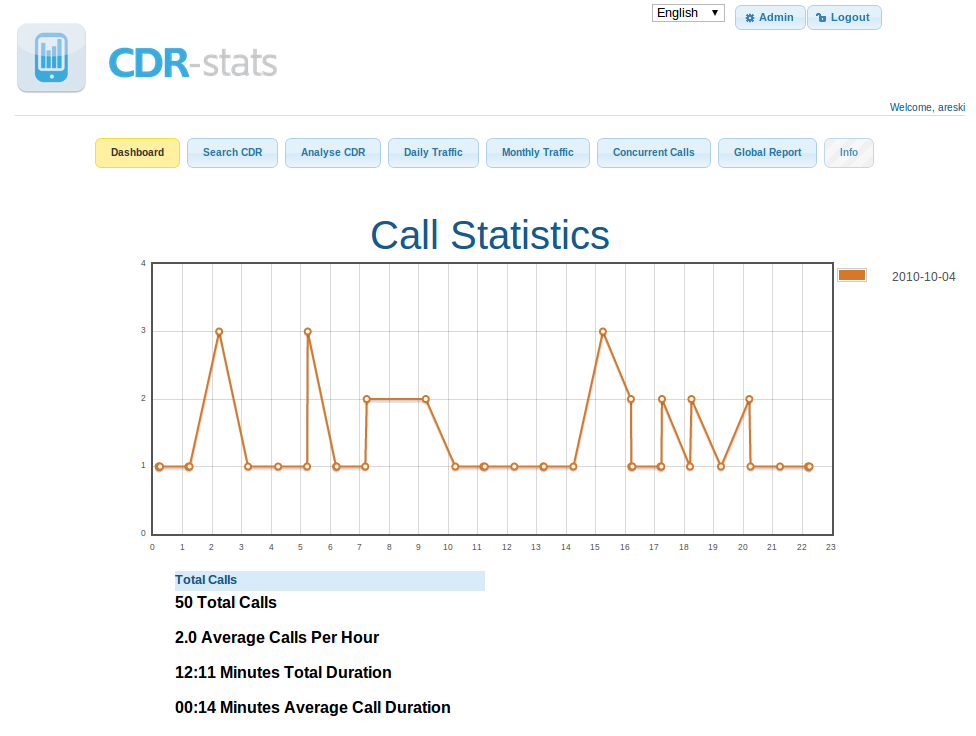
Asterisk-Stat is providing different reports & Graph to allow
the Asterisk-admin to analyse quickly and easily the traffic on their Asterisk server.
All the graphic & reports are based over the CDR database.
LAST RELEASE:
* V2.0 (03 March 2005)
FEATURES:
* - CDR REPORT (MONTHLY or DAILY)
* - MONTHLY TRAFFIC
* - DAILY LOAD
* - COMPARE CALL LOAD WITH PREVIOUS DAYS
* - MANY CRITERIAS TO DEFINE THE REPORT
* - EXPORT CDR REPORT TO PDF
* - EXPORT CDR REPORT TO CSV
* - SUPPORT MYSQL & POSTGRESQL
* - MANY OTHERS :)
REQUIREMENTS:
* - APACHE / HTTP SERVER
* - PHP
* - POSTGRESQL OR MYSQL
* - PHP-PGSQL OR PHP-MYSQL
* - NEED GD LIBRARY
* - JPGRAPH_LIB (included)
ADVICES:
* - IMPROVE SPEED RESULT WITH INDEX:
POSTGRESQL: CREATE INDEX calldate_ind ON cdr USING btree (calldate)
MYSQL: ALTER TABLE `cdr` ADD INDEX ( `calldate` )
* - OPTIONAL:
POSTGRESQL: CREATE INDEX dst_ind ON cdr USING btree (dst)
POSTGRESQL: CREATE INDEX accountcode_ind ON cdr USING btree (accountcode)
MYSQL: ALTER TABLE `cdr` ADD INDEX ( `dst` )
MYSQL: ALTER TABLE `cdr` ADD INDEX ( `accountcode` )
MORE INFO:
DOWNLOAD:
INSTALL:
Edit defines.php files
* WEBROOT: This is the root URL of the application.
Example: http://youdomain.com/asterisk-stat/
* FSROOT: This is the server path which contain the application.
Example: /home/users/asterisk-stat/
* HOST: This is the Database host name.
Example: localhost
* PORT: Database port.
Example: 5432
* USER: Username to access to the database.
Example: username
* PASS: Database password of the user.
Example: password
* DBNAME: Name of the Database.
Example: asteriskcdr
* DB_TYPE: Database type.
support: mysql and postgres
* DB_TABLENAME: Table of the database containing the CDR.
Example: cdrtable
* appli_list: PHP array used to associate extension to a name. This can be useful if you want to give more signification during the CDR browsing
$appli_list['4677']=array("Voicemail");
$appli_list['6544']=array("Conference-MeetMe");
Finally:
Go to http://yourdomain.com/asterisk-stat/cdr.php
or you can do a symlink from cdr.php to index.php (ln -sf cdr.php index.php) and the URL would be:
http://yourdomain.com/asterisk-stat/
Tested with:
PHP Version 4.3.1
- psql (PostgreSQL) 7.2.4
- mysql Ver 11.18 Distrib 3.23.58,
Install on Fedora
To install depedencies under Fedora Core 4 use :
yum install php-gd
yum install php-mysql
yum install jpgraph (gmalsack could not find this in the default fedora yum repo. I downloaded it from DAG Wieers)
Contact : areski ($alt) gmail ($d.ot) com
Tiny bug in export_pdf.php
If you are having problems exporting to PDF, you need to change line 5 of export_pdf.php from:
include_once(dirname(FILE) . "/lib/fpdf.php');
to:
include_once(dirname(FILE) . "/lib/fpdf.php");
See also
- Asterisk | Tips & Tricks | FAQ

Page Changes
Re: Watch Call Graph Problem
Call Monitor add-on
<p>
<a href="http://insightsys.com/freepbx/">http://insightsys.com/freepbx/</a>
bug in call-log.php
I find this package a GREAT utility.
small bug: if the name of billing table is different than "cdr" then utility fails, while in one place "cdr" is hardcoded.
To fix it just change the line:
$QUERY = "SELECT substring(calldate,1,10) AS day, sum(duration) AS calltime, count(*) as nbcall FROM cdr WHERE ".$FG_TABLE_CLAUSE." GROUP BY substring(calldate,1,10)";
to
$QUERY = "SELECT substring(calldate,1,10) AS day, sum(duration) AS calltime, count(*) as nbcall FROM $FG_TABLE_NAME WHERE ".$FG_TABLE_CLAUSE." GROUP BY substring(calldate,1,10)";
Watch Call Graph Problem
WP
Incoming Calls Only?
Bug in time counting
Answer
Wait(10)
Dial(somewhere)
And in Areski CDR you will see call length ~= actual call + 10s
Because this app counts not real call time between call parties, but the time between caller ant the system.
Fix:
In files:
call-comp.php
call-daily-load.php
call-last-month.php
call-log.php
In line:
$FG_COL_QUERY='calldate, channel, src, clid, lastapp, lastdata, dst, dst, disposition, duration, userfield, accountcode';
Change 'duration' to 'billsec'
Mindaugas
Bug in export_pdf.php
There is a little bug in export_pdf.php provide in v2.1 package (I don't know if that bug was in other version)
To fix it, just correct that line in export_pdf.php file :
include_once(dirname(FILE) . "/lib/fpdf.php');
to
include_once(dirname(FILE) . "/lib/fpdf.php");
Hope this help....
Re: Excellent....
Thanks
Brilliant!
I'm using it on Debian GNU/Linux 3.1 for i386 w/TDM400 cards at two offices.
Thanks!
Postgresql 7.4.x
edit call-comp.php and call-log.php
replace this line:
$list = $instance_table -> Get_list ($FG_TABLE_CLAUSE, $order, $sens, null, null, $FG_LIMITE_DISPLAY, $current_page*$FG_LIMITE_DISPLAY);
with this line:
$list = $instance_table -> Get_list ($FG_TABLE_CLAUSE, $order, $sens, null, null, $FG_LIMITE_DISPLAY, OFFSET, $current_page*$FG_LIMITE_DISPLAY);