


Astman
(note: this is deprecated and the instructions herein no longer apply in Asterisk 1.2.x and newer)
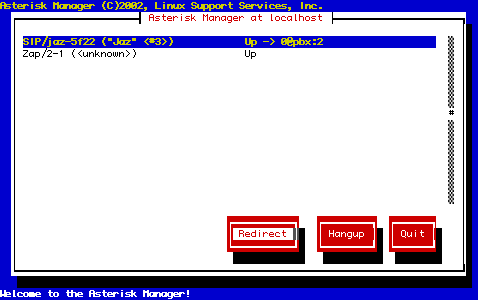
Astman is a text mode Asterisk manager API for Asterisk, included with the Asterisk package. Astman connects to Asterisk by TCP, so you can run Astman on a completely different computer than your Asterisk computer.
Installation
The astman executable is normally installed to /usr/sbin/astman. If you don’t have it, it may be because you didn’t have the libnewt package installed on your system when you compiled Asterisk. Try this:
cd /usr/src/asterisk/astman
make
If it results in an executable binary, you can simply copy that binary to /usr/sbin yourself, rather than running the whole of Asterisk’s “make install” just for that purpose. If you get complaints about missing newts, then you’ll need to install the right library package from your Linux distibution repository.
Usage
You will need to edit the manager.conf file to enable Manager capability, to give yourself a username and password, to set which IP addresses you can connect from. See Manager Configuration.
To start Astman, get a shell prompt and type
- astman localhost
then feed it the username and password you defined in manager.conf.


 April 7, 2023
 Phone System