login | register
Fri 04 of Jul, 2008 [20:05 UTC]

voip-info.org

Search with Google
Search this site with Google. Results may not include recent changes.
 
Google Ads
Shoutbox
  • Samuel, Thu 03 of Jul, 2008 [13:41 UTC]: ok thank you
  • Mats Karlsson, Thu 03 of Jul, 2008 [13:37 UTC]: Nice Samuel, will look forward to rad it.
  • bwl_fernstudent, Thu 03 of Jul, 2008 [09:08 UTC]: Your blog shows some usefull code
  • Samuel, Thu 03 of Jul, 2008 [08:04 UTC]: I'll translate it, for sure
  • Mats Karlsson, Wed 02 of Jul, 2008 [20:46 UTC]: LOL, in french! Translate it to English and I will read it.
  • Samuel, Wed 02 of Jul, 2008 [08:07 UTC]: Hello, i wrote a blog about Asterisk, speaking about installation,programming and more http://sambranche.blogspot.com/
  • Nick Barnes, Tue 01 of Jul, 2008 [17:46 UTC]: Steve - Asterisk doesn't 'fit into linux' - it's an application which runs on top of Linux.
  • Steve, Mon 30 of Jun, 2008 [18:07 UTC]: anyone know where I can find a block diagram of how asterisk fits into linux. my f'ing bosses want me to draw something up.. ugh.
  • akbar, Fri 27 of Jun, 2008 [10:37 UTC]: marley_boyz@yahoo.com how to configure call forward, call back, call pick up using TDM and asterisk 1.2.13... please help me.. thx...
  • Matthew Williams, Tue 24 of Jun, 2008 [22:37 UTC]: We are looking for Tier II VoIP Support Technicians in St Louis. Send resumes to mwilliams AT voxitas DOT com.
Server Stats
  • Execution time: 0.80s
  • Memory usage: 2.94MB
  • Database queries: 89
  • GZIP: Disabled
  • Server load: 1.42

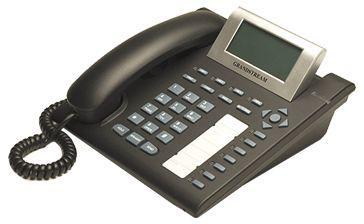
GXP-2000


Come visit us sometime #Asterisk on irc.freenode.net...

The Trixbox forum has a Grandstream thread that is moderated by a Grandstream technican. The thread relates especially to Grandstream phones and Trixbox version of Asterisk. http://www.trixbox.org/forums/grandstream - emdan (Feb16/07 updated Mar19/07.)

This Wiki page has expanded rapidly in the last year, and has successfully encouraged Grandstream to implement several feature requests and fix several bugs. Unfortunately, this expansion has made this page cluttered and harder to navigate for those who are simply looking for some basic information about the latest status of this product. In an effort to add some organization to this page, I have moved all of the legacy firmware notes to another page: GXP-2000 Legacy Firmware Notes. I have also seperated Feature Requests from firmware notes, as they are not tied to any particular firmware version, and they remain outstanding requests until Grandstream implements those features or ones adequately similar.
I encourage others who post useful, yet specialized information (e.g., how to use the GXP-2000 with a Nortel PBX) to place it on a page of its own and link to it from here. This will help make finding important information easier for everyone.
Thank you.
- thetatag (Feb05/06)

So we can continue to make an effective Wiki, please move any bugs that you previously posted to the most recent firmware if it is still a bug. We don't want Grandstream to assume that because it is not in the list of bugs for the latest firmware that it is fixed and no longer an issue. I have tried to move any bugs that are out there to the latest firmware if I know for a fact that they are still an issue, but there's a lot of them I don't know about and it would be better if the owner would move them. Thanks - ninthclowd (Jul18/06)


Firmware Summary


The following table attempts to summarise the Grandstream firmware versions released to date. Grandstream has released software in a variety of states - from stable, to very beta.

Using beta release software is tempting, but can be a risk. Many people enjoy using the more stable releases without comment. If you choose to try beta release software, read the detailed firmware notes below and add any useful findings.
Firmware release summary
Version Date Status Notes
1.1.6.16 3/18/2008 StableAvailable for download from the official releases page also available is the Language pack
1.1.5.15 11/23/2007 StableAvailable for download from the official releases page also available is the Language pack
1.1.5.10 11/07/2007 BetaAvailable for download from the Beta downloads site
1.1.5.3 10/04/2007 BetaSpotted at Grandstreamsucks.com
1.1.4.22 08/31/2007 BetaAvailable for download from the Beta downloads site
1.1.4.18 07/18/2007 Stable? Available for download from the official releases page
1.1.3.2 03/15/2007 Beta First beta of 1.1.3.x
1.1.2.27 01/30/2007 Stable? Most recent "stable" release, though not publicly available. Email support@grandstream.com for a copy.
1.1.1.14 10/11/2006 Stable Current official stable release available for download (broken link ?)


Link to Grandstream's official firmware download page
Link to the unofficial Grandstream firmware download page, which contains unreleased beta versions.

Note: Grandstream's 'Resources and Downloads' page on their Web site does not display correctly in Firefox and you cannot see all the tabs that take you to the support pages for individual phones/items.

Firmware Notes 1.1.6.16:

Release Notes:


Build 1.1.6.16 (03/14/2008)
• Fix GXP 4+ way conference does not terminate correctly when an incoming call comes in
• Fix IP fragmentation memory alignment cause memories overwritten
• Fix Ethernet MTU is not sufficient causing memories overwritten
• Fix Incoming INVITE contains "image" media (T.38) causes the GXP2000 to reject the call.
• Fix web page access issue after ethernet loopback test abnormal exit
• Change "Cancel" to "Back" in menu->config->upgrade for consistency
• Fix gxp2020/2010 register fail by LCD setting for account 2+
• Fix Picking up incoming call using handset while the phone is in busy tone will not pick up the call
• Fix Pressing Send to dial when a phone is sounding the busy tone will cause undefined behavior
• Fix PageUp/Down key not take effect under some LCD option
• Fix gxp2020/2010 register fail by LCD setting
• Fix Softkey automatically switch to onhook mode and GXP1200 "backspace" display issue
• Fix Blind transfer Delete invalid issue
• Fix Canceling blind transfer after input issue
• Fix New line in IM will cause the IM display list to be incorrect
• Fix Periodic Phonebook download cause incall audio interruptions
• Added Feature request : support URI in phone book
• Forced Redraw of phonebook synchronization status for GXP2000 and GXP1200
• GXP2020: XML Phone book download cause freeze
• Forced Redraw of phonebook synchronization status
• Fixed we fail to retransmit TCP packets (the retransmitted packet is malformed)
• Fixed DHCP client does not comply with the 300 bytes minimum UDP payload requirement
• Fixed false link-down report causing intermittent firmware upgrade failure
• Added display for current time in WEB UI Status Page
• Added HW revision to WEB UI Status Page in the Model section
• Added backspace soft key for text boxes in MENU
• Added GXP2010/2020 allow DND to be activated during ringing state via DND mode
• All GXP2010/2020 MENU textboxes use soft key control for OK/Cancel instead of the GUI buttons which require you to navigate and press MENU key.
• Fixed GXP re-SUBSCRIBE uses To-tag from wrong server response
• Fixed GXP fails to comply with 412 response for PUBLISH
• Fixed non-GXP2010 model may fall into reboot-loop when the configuration file contains parameters for speed dial keys 8-18
• Fixed BT200 does not show middle dot in IP address display mode
• Fixed remote disconnect an auto-answered call causes no dial tone when handset goes off-hook the next time
• Fixed on-hook dialing used wrong account when it goes off-hook
• Fixed blind-transfer fail problem when server is in the same LAN
• Fixed call park problem with Pingtel platform
• Fixed BT200 drops call after 30 seconds of “Call-On-Hold/On-hook” state
• Fixed Venezuela time zone change (from GMT +4:30) to GMT -4:30
• Fixed we send DNS request to invalid address (IP address) for NTP server
• Fixed we do not send NTP request if no NTP server is configured but "Allow DHCP Option 42 to override NTP server" is set to Yes and Option 42 is present
• Fixed GXP auto answer issue
• Fixed GXP will crash when new instant message arrives if system ran out of memory
• Added we will reject MESSAGE requests that have Content-Type other than "text/plain"
• Fixed GXP display bug when trying to save contact item in Call History to phonebook and edit Account selection
• Fixed one-way audio after a failed transfer
• Added support for call-pickup without call tags
• Added Ethernet packet filter to protect against flood lock up
• Fixed GXP2010/2020 LCD backlight issue after setting to 8/8
• Addressed the memory leak issue associated with the notify messages for call pickup
• Added softkeys to handle call-waiting
• Fixed we sent SUBSCRIBE as "Anonymous" incorrectly when Account 1 has Anonymous on
• Fixed GXP2010 does not support fonts f13h, f13b, f16, f16b in customized idle screen
• Fixed *50 invalid issue
• Decoupled key scanning from DTMF tone playout
• Added support for new Venezuela time zone
• Fixed GXP2010 BLF pick up does not work with multipurpose key 10-18
• Fixed GXP2010 web UI missing "Disable Missed Call Backlight" option
• Fixed a few memory leaks in XML application
• Fixed call-pickup cannot pickup multiple calls
• Added configurable headset gain
• Enabled broadcast storm protection, fixed out-of-memory problem associated with GXP1200/2010 and network down issue
• Fixed GXP2010 one-way audio problem
• Fixed BT200 attended transfer holds/refers wrong party
• Added support for half attended transfer for BT200
• Support for mute in 3WC, also fixing a muted session gets unmute by remote party hold/unhold
• Fixed call ring back tone disappears in specific scenario
• Fixed phone will crash if selected ring file in MENU is over 64k
• Fixed GXP2010/2020 in-call DTMF display over-run when "#" is used
• Fixed Call-Info header value not compliant to RFC3261
• Fixed SRTP issue when receiving 183 before 407
• Fixed we do not include To-tag in SUBSCRIBE renewals, fixing Out-of-memory on GXP2010
• Fixed we will not release SIP channels when SUBSCRIBE requests gets timed out without response eventually exhaust all available channels
• Fixed GXP2000 does not allow WEB UI EXT1/EXT2 page access when logged in as end user
• Increased parser limit from 800 to 32768 for tone generator values
• Support for displaying missed calls during customized idle screen
• Fixed syslog sends "deletion of invalid timer" each time NTP response is received during NTP resync.
• Removed ":" in MENU->Config->SIP->SIP Proxy/SIP Transport
• Fixed we will crash when phone is configured to use SIP over TCP and server does not respond
• Fixed GXP2020/2010/1200 Mute Speaker in Headset Mode
• Supports Intercom Button
• Changed multi language configuration interface


Post your experiences here:
  • Major : After picking up a call using the gxp-2000's "Busy Lamp Feature", a subsequent transfer of this call will fail (under asterisk). This is due to the gxp-2000 incorrectly leaving the "replaces" header from the initial pickup in the sip re-invite to put the call on hold as the transfer takes place.
  • Minor : Accents in language packs don't work in the menu - Snipe Foo
    • confirmed: the italian language pack is unusable, all accents are with strange characters. For example the days of the week are full of errors. And i think is not a minor bug, but a mayor. The first thing that a user look on a idle phone is the display...- francesco_r
      • resolved: the last language pack available in http://www.grandstream.com/DOWNLOAD/FIRMWARE/BT200_GXP1200_GXP2000_GXP2010_GXP2020/Language_Pack.zip correct this issue. - francesco_r
      • resolved: the last language pack corrected the issue for French too. For me it was a minor bug because users could still use English language, as they did for almost 3 years...- Snipe Foo
  • Major : If i stop and restart the asterisk server, the BLF subscriptions are not update after the registration period. I must also reboot all the phones to make BLFs work again.- francesco_r
    • The comment above is not true, obiovusly this user does not how to configure asterisk and this phone...- AntonioGallo
      • Antonio you are wrong. I have retested and i can confirm this bug, but -only- with Asterisk 1.4.19. 1.4.18.1 instead works well. So there is an incompatibility with asterisk 1.4.19. Other phones, like Aastra, Snom and Thomson on the same server with asterisk 1.4.19 works well. Also GXP2000 with version 1.1.4.18 and asterisk 1.4.19 works well, so there is something wrong with this release. - francesco_r
      • UPDATE 19/04/2008: the BLF get lost after some days without the asterisk restart. And the Asterisk version is not relevant. If i enable a sip debug in the log i can see "481 Call/Transaction Does Not Exist". Phones with version 1.1.5.15 are not affected by this bug. Also other users not using asterisk have the same problem: http://www.3cx.com/forums/gxp-2020-blf---bug-in-firmware-4929.html . - francesco_r
        • resolved: i have installed the unofficial release 1.1.6.22 and no more issues with BLF. - francesco_r
  • Minor : Having occasional sound blackuots 5-10 seconds one way or two way (not sure yet if both) and also more than normal cut off calls. Suspect sound cut off only (RTP stream something). I would like to downgrade back to 1.1.4.14 which has worked well (HW1.1A) but when trying, the phone requests boot55e.bin which is not there in the previous release. Haven't had the guts to just copy that file over (from 1.1.6.16) as I can't afford to brick my phone...- Carlottoo
    • Update: I haven't had any cut off calls for a while, but the blackouts are there. I can't hear the other party for about 5 secs, i think they can hear me in most cases. I might have hung up in the past believing the call was cut off. Doesn't happen that often so I can live with it for now...-
    • I've noticed that setting type=peer and qualify=no seems to help - Pennywell
  • Major : A 16 months old GXP2000 phone stopped to work after upgrading to this firmware. Now the phone is locked into a constant rebooting, sometimes it start up but when you connect it with the PC cable it start rebooting again. Most recent phones are working perfectly and we're moving all the phones to this firmware soon. - AntonioGallo
    • I had the same issue with about half of my phones, but you can stop the rebooting cycle after the firmware has been applied and uploaded by disconnecting the phones for about 30 seconds. The phone normally seems to perform the update in two parts, so at a minimum the phone should restart twice before this will work. Since then I haven't had any major issues with them yet. - Carmen
  • Comment: This firmware rocks. After waiting impatiently for years all of my problems (even the minor ones) from previous firmwares seem to be gone. HV 1.1A. -p
  • Minor : If I set the default callerid in sip.conf to something with a space in it (such as callerid=CallerID Unavailable) then call a GXP-2000 from the Asterisk console, the GXP-2000 cannot transfer the call. If I remove the space (such as callerid=Unavailable) the same call transfers fine. I have tried both dialling the destination extension manually and using the BLF keys - same problem. - drew_w
  • Minor : As in version 1.1.5.* there is some MTU problem and I can't access phones via VPN (OpenVPN). Older releases worked fine. Error in OpenVPN log is '"write UDPv4 EMSGSIZE Path-MTU=1500: Message too long (code=90)"' - Dusty
  • Minor : French language pack contain a lot of wrong words. For example : "Bottin" should be "Annuaire" and "Nouvel entrée" should be "Nouvelle entrée". - Snipe Foo
  • Comment: This firmware really rocks. I've been following Grandstream firmware developpement since a long time and after waiting impatiently for years all of my problems (even the minor ones) from previous firmwares seem to be gone.
  • Minor :Early dial does not work with asterisk 1.2.13 with GXP-2000 (HV 0.4A) and GXP-2020 (HV 0.2C) on 1.1.6.16 firmware
  • Minor : If phonebook exeedes 16kB, sh*t happends. Confirmed by Grandstream. Suggested workaround: Delete some entrys - Bad2Dbone
  • Major : A 2 year old GXP2000 phone reboots every time I hit the MSG key (code *1) after upgrading to this firmware. If I dial *1 then the mailbox is accessed correctly. Reducing the XML phonebook size to about 8k didn't make any difference. - adw


Firmware Notes 1.1.5.15:

Release Notes:

Build 1.1.5.15 (11/19/2007)
• Fixed GXP display "Not Registered" for accounts that does not require registration
• Fixed GXP1200 LCD display corrupted
• Fixed AEC divergence during call waiting tone
• Fixed default router gets changed under static IP mode incorrectly
• Fixed GXP1200/GXP2010 out-of-memory problem/idle screen crash. Note: A hard power-cycle is REQUIRED after the new firmware is loaded.
• Fixed softkey problem with onhook dial
• Fixed softkey problem with direct IP call
• Fixed GXP2010 color LED blinking issue
• Fixed GXP2000 EXT issue
• Fixed BT200 redial problem after deleting called log. Fixed GXP missed call cannot be removed by LEFT key completely
• Added support for padding bit in RTP
• Fixed GXP2010/GXP2020 LCD backlight does not function correctly
• Fixed BT200 change codec from UI MENU will also change Voice Frames Per TX incorrectly


Post your experiences here:
  • Major : Phone crashes whilst on mains power, leading to situation where phone will only boot without a patch cable plugged in, has happened to 30% of our handsets within 18 months. Changing power and/or network cables does not fix the issue.- SummerIT
  • Major : Here's a new one for you to puzzle over... the phone is registered OK, shows the IP address, clock is correct, clock cursors flash, but when picking up handset, or pressing "speaker" there is no dial tone - but the speaker symbol appears at the top of the screen, I can enter numbers, they appear in the in the display, I can hear tones when pressing numbers, but pressing "send" or waiting for it to time out has no effect - the speaker symbol shows, but it doesn't dial. HV1.1A, FW1.1.5.15. PITA2.0 - olly
    • Confirmed. I'm also having this issue... EXTREMELY annoying, because people can't reach me, although for me everything seems all right. - mirak
    • Note : I have had this same issue with a GXP2010 running FW1.1.5.15. The phone still shows as registered to the PBX and receives MWI updates. It will not receive or make calls. When trying to place a call, the LCD screen shows some incorrect formatting, such as words written on top of one another. Seems to happen once the phone has been up for about three to four days. - rconner1890
  • Major : Why oh why do I try? Busy tone at exactly 2 minutes into the conversation, then disconnects at exactly 2.5 minutes. Nothing seems to make this piece o crap happy! :( - indesignfirm
  • Major : My phone (GXP2000) just rebooted in the middle of a conversation. - doesn't seem to be deterministic, but it's quite annoying, as my phone's in production use - and not test use :( - is the previous 'stable' version still available somewhere, so I may try and downgrade? Random reboots of the telephone are just unacceptable... :( - kodomo
    • Note : Me too! two out of five GXP2000 with this software restart at random, approx every 24 hours - olly
    • Note : Kodomo and Olly, please state the Hardware Version of your phones. I have seen that older HW versions seem to have a lot of issues with modern firmwares. Check hardware verison by entering phone menu, selecting "status", then scrolling all the way to the end and looking for a string that starts with "HV:" - Kurgan
      • Note : GXP 2000 HV1.1A - olly
      • Note : To me, it seems completely random (not even the 24h) I haven't been able to reproduce it yet - HV:v0.4 - kodomo
        • Note: Kodomo/Olly, please contact Grandstream for this, this issue should be addressed. Before that, you can try "gray"s magic, disable watchdog and see if it works
          • Question: How (may) do I disable watchdog permanently? - GMaoret
          • Note: After their spontaneous rebooting in days 1,2 and 3, my phones have not rebooted now for between 6 and 10 days - could it be that they download extra bits of firmware in the first few days, which requires a reboot? - olly
          • Note: For me it's the same, although I don't believe it's a download, since I disabled downloads again immediately after my update. I'm quite puzzled by this, but I've been unable to reproduce the reboot issue (even trying 2-3day long calls - incoming and outgoing)... I guess it's a rare race condition in my case(?) - kodomo
      • Note : HV:1.1A No problems with the call disconnection - nonsequitir
    • Note : Me too, reboots spontaneously on or off call ~once per day. disabling watchdog under factory settings seems to have an effect. HV:1.1A -p
  • Major : Two identical GXP-2000 + EXT stopped showing extension status on the EXT module. Transfers originating from the EXT module buttons where also triggering another extension to ring in addition to the desired extension. Don't know what triggered that condition but a reboot of the phones settled the problem. Both phones were up for 8+ days (since install) before this happened. Will wait another 8 days to see if this returns. HV is 1.2b - jflaplante
  • Major : GXP2000 (Hardware 1.1A) Call self-terminates after about 30 seconds when on HANDS FREE with MUTE enabled (Ticket#: 2007121199000214) - nonsequitir
    • Note: Grandstream support have recommended that I set "NAT Traversal (STUN)" as "No, but send keep-alive" - nonsequitir
    • Note: gray, you may want to check if the call gets established, from console, if still not working, check with Grandstream Support.
    • Note: Me too! This has been driving me nuts for as long as I've had this phone. I do a lot of conference calls, and inability to mute on speakerphone sucks. HV:0.4 - mjmac
  • Minor While this is not a new issue, it should be addressed. When logging into the web interface with the end user account, the Ext modules cannot be accessed. I believe setting button number options is an end user feature, not one for an admin. - bmullins
  • Feature Request : Add the ability to adjust microphone volume level. I thought this use to be a feature, maybe i got it confused with my snom 360 which allows this basic feature. Some gxp-2000 are way to loud to the other caller. - mike240se
  • Major : Language Pack 1.3 is unusable. Language file is named gxp2000.lpf instead, and if renamed to gxp.lpf the phone cannot write it. Phone's syslog shows: "ERROR write gxp.lpf" - Alex
  • Major : I have two GXP200s which have been rebooting quite often since I installed 1.1.5.15, mostly seemingly randomly during calls, but recently one started rebooting every time I woke my adjacent MacBook Pro from sleep, which I think I narrowed down to happening when the Airport wifi adapter was enabled and not otherwise. I've just disabled WDT and if that doesn't fix the rebooting I'm getting ready to throw the phones out. Any recommended replacements? adw 2008-02-03 Disabling WDT may have been a red herring. The ethernet out cable for connecting PCs seems to be a major contributor to the random reboots. Without that cable, the phones are less susceptible to random reboots, but still not completely reliable. And it's a pain not to be able to use that port, so still looking for a replacement adw added 2008-02-21
  • Major: After upgrading to 1.1.5.15 I have a few different issues. We are experiencing call dropouts after a couple of minutes (crackle/screech then dropout) MinorOn the interface, I cannot change optional rule in ntp, it always comes back to the default - annoying as it means I cannot make it display the correct time for South Australia - even though it is configured by both DHCP and NTP. Also I cannot get it to always use the lcd backlight. again, it just wont change the setting via the interface tmcruisin 04-03-2008


Firmware Notes 1.1.5.10 (Beta):

Release Notes:

Build 1.1.5.10 (11/01/2007)
• Fixed audio stack overflow crash (A1000 crash problem found on GXP1200)
• Fixed GXP2010/2020 LCD contrast MENU OK/CANCEL soft key
• Fixed onhook-dialing account selection bug
• Fixed GXP1200/2010 TFTP display incorrect model name and remove hyphen in all model names
• Adjusted MWI flash interval to 1 second between on/off
• Removed eventlist URI settings from account pages as GXP1200 does not have BLF keys
• Added "LCD Backlight Always On" and "Disable Missed Call Backlight" to GXP1200 Basic Settings page
• Changed GXP20xx speed dial key modes and GXP2000 EXT key modes from "Asterisk BLF" to "Busy Lamp Field (BLF)"
• Fixed BT200 redial problem after deleting called log
• Fixed GXP1200 does not reject 3rd incoming call correctly leading to display problems
• Fixed GXP1200 web page problem after 3 concurrent calls
• Fixed GXP1200 busy call forward not working
• Fixed GXP1200/2010/2020 setting DHCP mode in GUI MENU when already in DHCP mode causes it to toggle to static IP mode
• Fixed GXP2010/GXP2020 provisioning screen display not aligned/missing in 1.1.5.6
• Implemented HEADSET key logic so it works similar to SPEAKER key
• Improved handset duplex performance


Post your experiences here:

  • Major : Provisioning using a full template file (as supplied by Grandstream) sends the phone into a constant reboot cycle until the provisioning file is removed, removing P342 (Display Language) as reported below (and a number of similar values) does not fix. The provisioning file does not crash earlier firmware versions such as 1.1.2.25 - Grandstream Ticket 2008020799000203. - Rob
    • Grandstream support indicated that this issue has been fixed in firmware versions 1.1.6.7+. As a temporary workaround they suggested removing the 'P' values for multipurpose keys 8-18 in the template, which worked for me. They further recommended only specifying the 'P' values you wish to change from factory defaults in the template file. - charkins
  • Major : BLF does not work with Asterisk 1.07 from Debian Sarge. Every version past 1.1.1.14 does not work. This is annoying, since I cannot upgrade every Asterisk server I manage. - Kurgan
  • Major : BLF is still not working with asterisk 1.4. In other words BLF is not working on asterisk 1.4 for all GXP-2000 firmware. That's really, really annoying. - Dusty
    • Note : No BLF problems here with Asterisk 1.4 with GXP2000 and GXP2020 with this version. I think you have a problem with asterisk (are call-limit and limitonpeers set in your sip.conf?) - francesco_r
      • For francesco_r: Yes I tried those options like 100 other combinations, no way to show a peer unreachable/unregistered. Please contact me at dustyATnibblesDOTit if you can help, I'll share experience if solved - Dusty
        • This is a bug in asterisk, not grandstream: i have opened an issue one month ago in the the asterisk bug tracker: http://bugs.digium.com/view.php?id=11025 - francesco_r
    • Note : BLF has always been working with Asterisk 1.4. You're probably not setting call-limit and limitonpeers. See: http://www.grandstream.com/documents/GXP2000BLFwithAsteriskConfiguration.pdf, bottom of page 2.
  • Major : no dial tone after sip server not responding for long time, if i call the phone asterisk say "internal server error", i must reboot the phone (the changelog of release 1.1.5.6 report that was resolved but i still have this problem with both gxp2000 and gxp2020) - francesco_r
  • Major : Still unabled to change the GXP2020 Gateway IP if the phone is set with a static ip address. This was supposedly fixed in 1.1.5.6. The address still revert back to 192.168.255.0 even if I set the IP in the config file - Matt Gorecki
  • Major : Phone keeps rebooting after getting provision file if option P342 (Display language) is set. This problem is seen on all version from at least 1.1.4.x. - Bad2Dbone
  • Minor : The italian language pack is wrong, it's german! - francesco_r
  • Minor : Be nice if TRNF key could be edited. - ymartin
  • Minor : Just my gxp2000 was rebooting at least twice a day on this firmware seemingly at random. Never had this problem before and all of our other phones are on the same firmware with no problems. Tried factory reset but did not help. I solved the problem by disabling the watchdog timer. My phone has now been up for 4 days with no problems. I spoke too soon, after 4 days wigged out (all lights strobing very quickly) during a call (ulaw).. Went back to 1.1.4.22 -p
  • Minor : on GXP-2020 the Dialed calls display 24 times the last call !!- furio
    • Note: I cannot reproduce this issue, my 2020 shows dialed calls correctly - Kurgan


Firmware Notes 1.1.5.6 (Unreleased Beta):

Release Notes:

Build 1.1.5.6 (10/22/2007)
• Slow key response fix
• Added GXP1200 LCD Contrast Control
• After Onhook dial the # key and default 4 seconds send number feature cannot work
• keep the PPPOE setting cause the static ip mode setting fail
• Periodic NTP Re-sync not working properly
• 3-way-conference under Notrl MCS mode is not working
• Added syslog if we are unable to allocate anymore channels
• Fix if the server in DNS form is configured, the provision will start two times
• Added "LCD contrast" into the language string
• Updated the new bootloader application status messages to show tftp download and writing messages.
• Implemented vertical status line for gxp1200 for three line display when offhook + softkey.
• For gxp2020 and gxp2010 - cannot change Gateway IP address in static ip mode
• Ported RFC call pickup to be enabled in all GXP
• Changed "Asterisk BLF" string to "BLF"
• Added new menu to reset VLAN under "config"
• GXP2020 offhook screen clears the whole main display area
• Fixed phonebook does not Re-Download atthe specified interval
• BT200: Mute ringer in headset does not work in 1.1.4.20
• Fixed turn off speaker remote disconnect feature for BT200.
• Added two menus to set VLAN tag and priority from the phone
• Fixed: Check SIP User ID for incoming INVITE" checks To header instead of Request URI
• Devices behave incorrectly while in call on receiving NOTIFY (Event: check sync)
• Fixed an issue when the call is on hold, the SOFTKEY is still in OFFHOOK mode.
• Added LCD contrast menu under preference for gxp2020 and gxp2010.
• LCD contrast setting will cause no change if it is not exited properly.
• Added ok and cancel SOFTKEY support for LCD contrast menu.
• GXP2000 1.1.5.3, no dial tone or LED on line key, after the SIP server not responding.
• Presence/BLF button also function as SPEEDDIAL button when idle
• 200 OK for video 'm' line contains an extra space character at the end of the line
• Fixed gxp1200 LED flicker issue


Build 1.1.5.3 (Beta):

Release Notes:

Build 1.1.5.3 (09/20/2007)
• Audio issue on GXP2020
• Added on-hook dialing
• Decoupled registration and subscription intervals
• Fixed we do not re-transmit 200 OK for reINVITE
• Fixed call history time not adjusting to DST
• Support dialing from phonebook with SEND key
• Support for disable backlight when there is missed calls
• Support for BLF call pickup using dialog automatically if XML contains sufficient information
• Support XML application for GXP2020
• Enhanced GUI including reversed MENU, larger fonts for GXP2020
• Integrate my new HLC code + handset gain tricks to reduce ambient noise picked up by handset and eliminate clipping of loud audio
• Remove extraneous lock around packet dequeue loop
• To stop network flood from preventing call setup (tx path works fine in this condition, rx path stutters due to current ne2000 receive buffer overflow handling).


Post your experiences here:

  • Added page up/page down buttons in menus
  • Increased size of all screen elements (less whitespace)
  • New option in 'Basic Settings': 'Disable Missed Call Backlight:'
  • Phonebook Alpha Scroll: Push the corresponding number on the keypad and it will jump to that letter in the list. i.e. press 6 twice to get to the N's in the phonebook! - Shane Steinbeck
  • Audio Quality: I'd say the handset sounds about as good as it has in the last year or so. I think the speakerphone still sucks...I've pretty much given up on that ever working. I bought Aastra 57i's and the speakerphone is flawless. Did I mention I bricked a GXP-2000 and lost more in a flood? Only 4 GXP's remaining :-) - Shane Steinbeck
   * NOTE: Audio quality is improved, I can hear everyone clear with using G729 codec (mnam)
  • On-hook dialing - bcheath

Major : (10/11/2007) On one phone the display is all wrong, the main page is a bit wrong, but the other pages are unreadable. - Richard
    • Note : I can confirm the display problems on my GXP-2000 with build 1.1.5.3, HV: 0.3. I was able to downgrade to version 1.1.4.25 - Knut-Helge
    • Note : I could not confirm any display problems.National characters shows correctly, I have HV:0.4 - Mnam

Major : (10/13/2007) Phone hang ups sometimes without any reason. (ping accessible,but no web + no response from display) - mnam

Major : (10/23/2007) Phone was locked up when I arrived in the office this morning. rebooted. Phone started booting on its own several times later on. It took several minutes to register. Finally it would not register at all. I reinstalled FW 1.1.4.18 - it seems back to normal. (HW=0.4) - - notoncloudnine

Major : (10/24/2007) DTMF RFC2833 stop to works after a transfer. I must set asterisk to INBAND to make DTMF work reliable. The other previous versions worked well. (HW=1.2B) - - francesco_r

Major : (10/24/2007) BLF still unreliable. Sometimes the led is blinking or red when an extension is not in use, and asterisk show correctly the hint idle (HW=1.2B) - - francesco_r

Minor : (10/25/2007) "No Key Entry Timeout" stop to works after the first Onhook dialing (HW=1.2B) - - francesco_r


Firmware Notes 1.1.4.22 (Beta):

Release Notes:

Build 1.1.4.22 (08/31/2007) ----

  • Fixed RTP fails when VLAN is used
  • Handset improvement + packet handler optimization
  • Add Syslog message for off-hook/on-hook notification
  • Fixed we incorrectly drop URI parameters in Refer-To header
  • Fixed GXP2020 one-way audio problem
  • Fixed we incorrectly turns on media when received 18x from caller
  • Fixed we incorrectly turns on media when received INVITE with Replaces and the call its replacing is still in RINGING state
  • Fixed when configured to use STUN and no server is configured we would be re-registering every 30 seconds
  • Added support for early attended transfer (A talk to B, A put B on hold and call C, while C is running A transfer to B) ----
  • Added a "*" suffix to User-Agent field if provider lock is enabled
  • Added audio soft-clipping in TX path
  • Fixed GXP2020 MENU problem reported (Upgrade menu)
  • Fixed BT200 crash on off-hook reported
  • Fixed GXP SIP passwords not stored correctly on additional accounts
  • CN packet handler and generation
  • Fixed random crash problem found in 1.1.4.x ----
  • Changed all GXP to use gxp.lpf to share multi language file
  • Fixed custom idle screen some BMP displayed reversed color
  • Fixed GXP display incorrect EXT key event in factory diagnostic mode
  • Fixed GXP cannot use speed dial key as line keys when all line keys are in use
  • Fixed we turn off speaker on remote disconnect regardless of the setting
  • Added option to change SIP Transport in MENU
  • Added option to configure SIP settings for additional accounts on GXP
  • Added validation check for subnet mask, we will ignore invalid subnet mask
  • Fixed iLBC, G.722, and G.729 problems
  • Fixed out-of-order packets when calling Asterisk voicemail
  • Eliminated the idle screen crash and occasional boot up crash I was still seeing (on 1.1.4.17/1.1.4.18)
  • Fixed AGC does not update TX digital gain, enabling speaker phone to work at longer ranges
  • Louder maximum volume for AER
  • Fixed when a value of 256 or higher is specified in one of the octets for subnet mask, it will be treated as 255. If anyone octet is invalid, the entire address is ignored. This is applicable to Preferred DNS server, IP address, default gateway, DNS Server 1, and DNS Server 2 fields.
  • Changed if invalid (outside 96-127) iLBC payload type is specified we ignore the invalid value (we use to set it to 98)
  • Support for provider lock option
  • Added BT200 display calling number for offhook auto dial
  • Changed Upgrade MENU so changes are saved immediately when OK is pressed instead of needing to choose another Save option
  • Fixed headset volume issue


  • Major : (Oct30/09) BLF is not working with asterisk 1.0.7 from Debian Sarge (old stable). - Kurgan
  • Major : (Sept24/09) BLF is not working with asterisk 1.4.7+ - Dusty
  • Minor : (Jul25/07) DND and BLF broken If DND is activated on a phone using the MUTE/DEL button and the phone is phoned from any another extension also GXP2000, the BLF corresponding to the extension dialed keeps on flashing RED on all phones including the one dialed even after going on-hook. - theobresler
  • Major : (Sep21/07) __Random Lockup. We've had one lockup in 2 weeks and keep the phone sending data to syslog. No message in the log and had to cold boot the phone. Better than previous firmwares, still not perfect. - InDesign Firm
    • Note : (Sept21/07) I can confirm the Random Lockup. I am seeing intermittent (twice in as many weeks) lockups on one GXP2000 that had been perfectly reliable running 1.1.1.4. Oddly, only one of our three phones ever "froze" (requiring a cold reboot / power cycle to restore operation) with 1.1.4.18. The same phone is now locking up under 1.1.4.22 (I never installed 1.1.4.20). The phone that's locking up is the newest hardware of the three and is very seldom used. For this reason, it seems as though this lockup symptom may somehow be related to hardware or the usage (or lack thereof) pattern.- engineerdan
  • Minor : (Sep/07) G.722 problems GXP-2000 using G.722 still has audio glitches. Transmitted audio (from phone) drops out or mutes. Tested with Asterisk and Polycom G.722 - andrew
  • Minor : (Oct/07) BLF does not function when Send Anonymous set to YES under Account - justind


Firmware Notes 1.1.4.20:


This firmware can be downloaded from http://www.bobbyspad.com/

Bug Fixes:


  • Minor : (Jul27/07) Custom Screen Reversed We have built a logo and custom screen for one of our customers. Loaded the firmware and now the screen is reversed.. - InDesignFirm


Firmware Notes 1.1.4.18:

This firmware can be downloaded from the official firmware page http://www.grandstream.com/firmware.html

Build 1.1.4.18 (07/17/2007)
  • Note: Firmware known to lockup on boot if SIP set to use TCP instead of UDP - see notes below

Bug Fixes:

  • Fixed BT200 does not return to idle screen upon attended transfer complete
  • Fixed GXP line number display bug when line number >= 10
  • Fixed GXP2020 WEB UI displays incorrect default SIP port number for Account 5/6
  • Fixed choppy GSM audio quality
  • Fixed G729/G723 may crash in-call

  • Major : (Oct30/07) BLF is not working with asterisk 1.0.7 from Debian Sarge (old stable). - Kurgan
  • Major : (Sept24/09) BLF is not working with asterisk 1.4.7+ - Dusty
  • Major : (AUG17/07) Firmware Release Problems So in 2 weeks worth of conversations with Grandstream Technical support, I finally had them tell me that 4.18 has many known problems and that they have sent it back to their development team for changes. According to the rep I spoke with on the phone, they do not have any new available beta firmware, as they are trying to fix tooo many big problems... I was also provided with a newer version of the firmware for my GXW4104, but was warned that if I installed it, and it didn't work, I couldn't downgrade. Good to see I'm being presented with so many options. On a side note, purchased an Aastra 57i and a Cisco phone. Their is no comparison on how much better their sound quality is. They are absolutely the shizzle. I guess you get what you pay for. - InDesign Firm
  • Major : (Jul31/07) Lockups & Bad Sound Quality We've upgraded several of our GXP2000's only to find that we had a horrible echo when using it with the GXW4104 gateway. We've rolled back to 17 still have it, so rolled back to 4.14 and it has gone away. We've also noticed that in 18 if you set the packets from UDP to TCP the phone just locks up on the next reboot and won't let you get in at all... Had to disconnect from network, reboot, and try to type in the MAC address before it locked up again to reset to factory, just to be able to reload new firmware... I think I'm gonna try an Aastra phone! This is frustrating... - InDesign Firm
    • Note :(Aug20/07) SIP TCP Lockups Configuring to use SIP over TCP will cause the phone to lockup/hang while trying to connect over SIP. DO NOT change SIP over TCP. InDesign's instructions for fixing a locked phone follows. - Tim Smith
      • Note :(Aug23/07) SIP TCP Lockups Unlocked, KINDA The way we were able to recover the phone was to unplug the network cable. Reboot the phone, and then use the on screen menu's to reset to factory settings. At that point, plug back into network, get address, program. If we left it plugged into the network, the second it tried to register, the phone would just freeze. We were never able to get it to work with TCP. You really shouldn't use with TCP unless you are having routing issues, but we were just trying all buttons and options when we found it killed the phone. - InDesign
    • Note :(Aug2/07) Lockups We have 5 GXP2000's, upgraded over the past week to firmware 18, and experience random lockups when idle. Some of them locked after installing the upgrade (from 14), all of them have locked at different times of day - sometimes during office hours, sometimes middle of the night, but only ever one at a time. When they lock the screen appears as normal, the only clue to the lockup is the clock showing the wrong time, and, of course, unresponsive to any keys or incoming calls. Solution is to pull the power and reboot. - olly
    • Note :(Aug5/07) Bad Sound Quality We've upgraded 3 phones to 4.18 and have the same echo problems with GXW4104. I tried all different echo and TX silence settings to no avail. I'm sick of battling and rolled back to 4.14 as well. I must admit that, for future phones, I am also definitely removing Grandstream from my list of possible phones or FXO gateways. - theobresler
  • Minor : (Jul27/07) Ringtones distorted I've made custom ringtones that are bits and pieces of songs. With this firmware, they sound distorted. They sound much better in previous firmwares. (is this because the speakerphone echo canceller?) (HW=0.4).- Joe M
  • Minor : (Jul26/07) Ringtone volume is much louder now. Even at the minimum level it is way too loud when you're sitting just a feet away from it. It's disturbing to others in the same office too. - forsen
  • Minor : (Jul25/07) If DND is activated on a phone using the MUTE/DEL button and the phone is phoned from another extension also GXP2000, the BLF corresponding to the extension dialed keeps on flashing even after going on-hook. - theobresler
  • Major : (Jul24/07) Phone disconnects after 5 minutes after Mute has been actived (HW 0.4). Use case: Listening to a presentation on speakerphone through a conferencing provider. Not sure if the provider disconnects because of 5 minutes of absolute silence from my side? - kam - Disable VAD on your phone. Mute+VAD=No RTP. Most VoIP servers will disconnect because of lack of RTP. - andrew
  • Major : (Jul23/07) Phone freezes in call Using PCMU, HW 0.4 - ninthclowd
    • Note : (July24/07) I have not seen this problem at all on 30 phones. How do you reproduce it? (HW=0.4).- anthony
      • Note : (July26/07) Anthony, as I said, it "happens in call" which indicates that it "randomly happens in call without any sort of catalyst". If you are a GS tech then give me a call (Bill Zhang has my number) and I will get you my config files and screen bg image - ninthclowd
    • Note : I can confirm that the GXP2000 does freeze while in a call using G729, HW 0.2 - bjefferys
  • Major : (Jul26/07) Phone freezes while idle Using PCMU, HW 0.4. I never had this happen before in 1.1.14.17 but it just happened today- ninthclowd
  • Major : (Jul20/07) Breaks BLF light on GXP2000 BLF light is blinking after a call for up to 30 minutes.
    • I can confirm this, i had the problem with both GXP2000 and GXP2020 - francesco_r
    • I have the same problem with the GXP2000 and Asterisk BLF. Other than this the phones rock. -p
  • Major : (Jul23/07) Speakerphone still useless Using PCMU, HW 0.4. various buzzing and volume changes during call - ninthclowd
    • Note : (July24/07) My experience is that speakerphone is vastly improved over 1.1.3.X series, , and I am quite happy with it. You must make sure that you dont mix f/w versions among your phones, as this screws up speakerphone. (HW=0.4).- anthony
      • Note : (July26/07) Anthony, phones should connect to a server and then to another phone in most environments, not by direct IP. This being the case, feedback,buzzing, hissing, etc. are present when doing an echo test to the asterisk server, but only when on speakerphone. This indicates a problem with the phone or the server. In my installation I have many different makes and models dialing outbound through my server with none of these feed back problems. This indicates that I do not have a problem with my server, which makes sense since I am running the latest stable distro of asterisk/zaptel/etc and have tuned my gains to the local telco test line. So the problem is with this particular phone sitting on my desk. Unlike you, I have no desire to move my entire user-base to a beta firmware(that you can't downgrade from) just to fix my speakerphone issues. In the future I would appreciate you keeping your opinion to yourself instead of policing my opinion of whether or not there is something wrong with my phone, newb - ninthclowd
        • Note : (August12/07) After upgrading to .18 from very old firmware that came preinstalled on phone, the speakerphone is much improved. Previously, callee could not hear, while caller could. Now, I have had several successful calls using the speakerphone. And, touch wood, no other problems. However, my setup is very simple, just direct connection to four VOIP providers. - rmclaren
  • Minor : (Jul23/07) Phone volume changes randomly Using PCMU, HW 0.4. While in call, person on the recieving end will hear my voice get spontaneously louder and softer. I believe it's from the new echo canceler
- ninthclowd
    • Note : (July26/07) G726 occasionally sounds quite harsh. This may be the same issue. Not sure about the other codecs. - chewi
  • Minor : (Jul22/07) Some language translations are not viewing menu properly (missing characters in menu).
    • Slovak language is affected. - mnam
  • Note : (July20/07) Receptionist (with extension unit) at 75 phone location reports this is "Perfect".- diver
  • Minor : (Aug10/07) My call history time stamps are off by -1 hour. The time display is set to the correct time. Anybody else seeing this? - Shane Steinbeck
    • Note : (Aug13/07) yup, mine too - olly
  • Note : (Aug13/07) It would be handy if the status page showed the time/date on the phone so that these settings could be checked via the Web interface without having to visit the phone or asking someone to look.- Linker3000
  • Minor : (Aug13/07) The LCD backlight turns itself off during calls - I'm sure that in previous version, the light was illuminated all through the call. - olly
  • Minor : (Sep 4/07) Time of call does not include DST (daylight-saving time) - When you check call history, the time of call is displayed wrong. - bad2Dbone
  • Minor : (Sep 4/07) Phone keeps restarting with language pack if you are using provisioning with preseted language (tested with german) - bad2Dbone
  • Minor : (Sep 4/07) Noise in headset is much lower than in previous version, but it's still there. (professional headset with amplifier) - bad2Dbone
    • Note : (11.9.07) Noise appears sometimes after hanging up. It lasts for a while- bad2Dbone
  • Major : (11.9.07) Transfer sometimes doesn't work A calls B. B answers, picks new line and calls C. Than B picks back line with A, presses TRNF and line vith C. C hears silence, and cann't be picked up again - bad2Dbone


Firmware Notes 1.1.4.17:

This firmware can be downloaded from http://www.grandstreamsucks.com or http://www.idlex.net/?p=10

Build 1.1.4.17 (07/13/2007)

BugFixes:

  • Fixed LCD backlight switched off at inconsistent interval after off hook
  • Fixed GXP2000/2020 do not prompt user in dialing screen if account is not registered
  • Fixed incoming direct IP calling will not work if no accounts are configured
  • Fixed GXP2000/BT200 handset overdriving in TX path
New Features/Changes:
  • Changed we will place the phone on-hook after transfer is completed

  • Major : (Jul20/07) Breaks BLF light on GXP2000 BLF light is blinking after a call for up to 30 minutes.


Firmware Notes 1.1.4.16:


Build 1.1.4.16 (07/06/2007)

BugFixes:

  • Fixed GXP2000 noise on call hang up
  • Fixed GXP does not allow change network settings when "Lock Keypad Update" is set to Yes
  • Fixed GXP2020 screen does not clear cleanly when going offhook (some pixels left over from the date string at idle screen)
  • Fixed GXP2020 does not show SRTP icon when making an SRTP call
  • Fixed GXP2000 increased handset background noise in 1.1.4.14
  • Fixed BT200 does not play ring tone after call-waiting came in and onhook
  • Added BT200 onhook call-on-hold reminder message (port from BT100)
  • Fixed BT200 HOLD issue: hanging up the handset while having a call on HOLD will terminate the call
  • Adjusted GXP2020 GUI line info display for multiple call scenarios
  • Fixed handset ringer level too loud for GXP2000
  • Disabled silence suppression for G723/G729 to bypass the crash the problem
  • Fixed we will default to PCMU regardless of configured codec when incoming SDP contains video
  • Added option to disable use of multiple media attribute in SDP to workaround some platforms not supporting it. Provisioning parameters P137/487/587/687/1787/1887, takes immediate effect without reboot.
  • Fixed GXP2020 does not show "Sync Phonebook XMLâ?¦"
  • Fixed we use ";user=phone" in BLF SUBSCRIBEs even when "User is phone" is not selected
  • Fixed we will only update the first BLF/Presence status
  • Fixed GXP2000 high pitch sound when offhook using the handset
  • Fixed we do not honor session-timer refresher party when other the parameter contains a space between semicolon and "refresher=" parameter
  • Added support for Nortel MCS server-side conference
  • Added provisioning status on BT200
  • Added GXP offhook auto dial
  • Added support for BT200 provisioning display (Bugzilla #748)
  • Added support for new factory parameter section (to be removed for external release note)

  • Major : (Jul11/07) Line remains off hook after transfer After successfully transferring a call and hanging up, line1 remains illuminated red and off the hook. (HV .4). This is a real annoying bug. - JoeM <- FIXED IN 1.1.4.17 (iDLEx)

Firmware Notes 1.1.4.14:

Although not available as an official download as of Jun26/07, Grandstream support is mailing this firmware to people who request it.
This firmware can be downloaded from http://www.grandstreamsucks.com/ No pun intended!
Changelog 1.1.4.14:

Bug Fixes:

  • Fixed SRTP broken in 1.1.2.1
  • Fixed SRTP sequence number wrap around bug
  • Fixed we include "application/xpidf+xml" in Accept header for SUBSCRIBE
  • Fixed GXP-2000 Accounts 1 and 4 "SIP T1 Timeout" last option incorrectly labeled as "1 sec" instead of "2 sec"
  • Fixed we stuck at provisioning when receives a 200 OK with 0 content-length
  • Fixed DoS issue by WWW-Authenticate header
  • Fixed a crash issue with 489 Bad Request caused by Proxy-Authenticate header
  • Fixed we cannot parse DST string via configuration file correctly
  • Fixed ring tone download goes to incorrect TFTP server
  • Fixed we still claim an IP address after receiving DHCP NAK
  • Fixed description for "Enable Call Features" in web UI
  • Fixed we incorrectly formed the qop param without the quotation
  • Fixed we incorrectly parsed the nonce param
  • Fixed we incorrectly handled presence NOTIFY
  • Fixed we incorrectly handled dialog NOTIFY
  • Fixed we incorrectly responds 481 to refer NOTIFY when BYE arrives first
  • Fixed we accept broadcast SIP messages
  • Fixed phonebook download account index incorrect
  • Fixed GXP-2000 crash with EXT board
  • Fixed GXP-2020 always sends signal=2 in DTMF via SIP INFO regardless of the actual DTMF
  • Fixed the in-call timer does not tick when a call is on MUTE
  • Fixed the offhook status line disappears between DTMF digits and in-call
  • Turn MWI off when phone is offhook
  • Fixed phonebook download account index incorrect
  • Fixed CBCOM mode results in no audio
  • Fixed we display "HV: 0.4.255" on some old GXP-2000 hardware
  • Fixed Sylantro interop issue
  • Fixed we do not honor maddr parameter in SIP Contact header
  • Fixed we used the cached "realm", "nonce", or "opaque" parameter if they are 0 length
  • Fixed we do not display correct IP address after DHCP NAK
  • Fixed GXP2000 crash if you add entry to phonebook from call log and edit name/number field
  • Fixed we cannot authenticate using auth-int
  • Fixed a TCP interface bug and a HTTP server bug which should speed up web UI and fixes some display issues

New Features/Changes:

  • Improved audio quality
  • Changed description for "Enable Call Features" in web UI
  • Changed we use 408 instead of 487 for ringing-no-answer
  • Added wrap-around support for MENU UI
  • Added speed searching phonebook and other list box items
  • Added option to support mute speaker ring in headset mode (P336) --Note that this option does not exist for GXP-2000 HW 1.0
  • Added we will clear new missed calls display message after viewing Missed Calls menu without visiting details of each entry
  • Support for concurrent multiple DTMF schemes
  • Changed: We will bypass unregister and move forward to register if we received a non 2xx final response for the the (un)-REGISTER
  • Added we will clear new missed calls display message after viewing Missed Calls menu without visiting details of each entry
  • In web UI, the "if set to Yes, "#" will be function as the "(Re-)Dial" Key" is removed
  • Add display "Preparing to write" and "This may take a while" between the period of firmware download complete and firmware flashing begins
  • Disabled iLBC (iLBC is not working well and will be fixed later)
  • Added support for XML encoded in UTF-16
  • New dialing string display-old scheme will only show the last 11 digits dialed; new scheme will automatically scale down to a smaller font to display up to the last 42 dialed digits. Old scheme does not show line and account info while dialing digits, new scheme will.
  • New centralized GUI control allowing showing multiple call information simultaneously including:
  • Still show account information while dialing (previous version only show dialed digits)
  • When 2 calls are present, we will split screen in half vertically (3 lines per call) and display both calls
  • When 3 calls are present, we will split screen in 3 sections vertically (2 lines per call)
  • When 4 or more calls are present, we will split screen in multiple sections (1 line per call) and display as many calls as we can. If there is an active call, that call will occupy 2 lines.
  • Select scenarios will occupy the entire screen for the active call (such as when TRANSFER key is pressed, or when CONFERENCE key is pressed)
  • When TRANSFER key is pressed you will still see the current calling info along with the prompt or the transfer target number you are dialing
  • When CONFERENCE key is pressed you will still see the current calling info along with the prompt
  • When call forward are requested (such as *73), you will still see the account information along with a prompt and the forward target number as you enter

  • Upgrading to this firmware can take several reboots - be patient and wait for them to all be completed before logging back in to your phone/s.

  • Major : (Jun30/07) Incoming call on second line - no voice after pickup call (headset or speaker), first line is OK Incoming call on first line worked well, the only way hot to enable sound on second line afte pickup call is to hold the line and resume call, before that there is no sound on both calling parties . - Pteppic

  • Major : (Jun27/07) Speaker always on Speaker hisses even if no call active (HW v2.0). - Tigs

  • Major : (Jun27/07) Line remains off hook after transfer After successfully transfering a call and hanging up, line1 remains illuminated red and off the hook. This is unacceptable! - JoeM
  • Note : (Jun28/07) confirmed. HV=0.4 - ampster

  • Major : (Jun26/07) Breaks HOLD button on BT200 It has been reported in the Trixbox forums that this firmware stops the HOLD button from working on the BT200 model. GXP-2000 not affected. - Linker3000

  • Question : (Jun26/07) I'd like to know, whether the new firmware policy will be to issue upgrades only upon request, whether this firmware is considered stable or not (I don't get the point in the question marks behind the word stable... shall this be considered 'beta, although (of course) it's hoped to be stable'?). and whether there will be new official stable images distributed via the official site (as opposed to 'only upon request')? - kodomo
    • Answer: (Jun29/07) One of the engineers at Grandstream contacted me and asked me to post this response to some of the questions about the firmware and these pre-beta versions we keep seeing. I think he addressed this situation very well, and I will summarize by saying: "Of course it's broken and there are bugs with it. It's pre-beta. Grandstream appreciates all of the feedback on problems, but it does not make sense to expect the pre-beta firmware to be stable or even have all of the functionality one would expect from a stable release or full beta release candidate." Upgrading is a one way street, and they warn time and again against doing it in production environments before the firmware is released as stable. Anyway...back to the engineer's response: - thetatag
      • We did a lot of hard work to get to 1.1.4.14, especially with the audio fix. That is not an easy one given that we cannot change the hardware case to maximize the physical sound path. Initial internally rolling testing seemed fine, but we did find some test phones needed some time to get stabilized (they will freeze after f/w upgrade) and the chirp sound in on/off the handset. Also the BT200 HOLD key is broken (although the FLASH key can do a similar thing as HOLD). That is why we halted it in pre-beta and did not even go to beta as we try to nail down these issues before publishing into beta, because the update is a one way train.

  • Note : (Jun28/07) Yes, I have some background hissing (white noise) but the firmware is so much better than any before. THANKS.- richard
  • Note : (Jun28/07) I have always had some slight but barely noticeable hiss (white noise). HV=0.4 - ampster

  • Note : (Jun28/07) some improvement in speaker phone also. but there is an initial burst in speaker mode. HV=0.4 - ampster

  • Note : (Jun28/07) Overall, the firmware keeps on improving. HV=0.4 - ampster
  • Note : (July04/07) First version in a year or more that DOESN'T BLANK THE SCREEN (HV0.3). That is very good, it has worked very well for 2 days since installing the new FW. Less good though - POSSIBLE WARNING - My phone died today, it is now a flashing brick. I can't rule out that it has to do with this new firmware that has been on for 2 days.- carlotto


Firmware Notes ("Beta" 1.1.3.2):

Moved to http://www.voip-info.org/wiki/view/Grandstream+GXP2000+Firmware+Archives


Firmware Notes ("Stable?" 1.1.2.27 01/30/2007 - Not yet available for public use):

Moved to http://www.voip-info.org/wiki/view/Grandstream+GXP2000+Firmware+Archives


Firmware Notes ("Alpha/Beta" 1.1.2.26 - Not yet available for public use):

Moved to http://www.voip-info.org/wiki/view/Grandstream+GXP2000+Firmware+Archives


Firmware Notes ("Beta" 1.1.2.25):

Moved to http://www.voip-info.org/wiki/view/Grandstream+GXP2000+Firmware+Archives


Firmware Notes ("Beta" 1.1.2.23):

Moved to http://www.voip-info.org/wiki/view/Grandstream+GXP2000+Firmware+Archives


Firmware Notes ("Stable" 1.1.1.14):

Moved to http://www.voip-info.org/wiki/view/Grandstream+GXP2000+Firmware+Archives


Feature Requests

Moved to http://www.voip-info.org/wiki/view/GXP2000+Feature+Requests

Download Firmware

Moved to http://www.voip-info.org/wiki/view/Grandstream+GXP2000+Firmware+Archives


Instructions to Upgrade a GXP-2000 to Firmware version 1.0.2.3 using Linux - gammacoder


Watch out for upgrading via HTTP. Although it worked for me, I've heard of a continual reboot loop until the .bin files are removed from the HTTP server. I've had success upgrading via TFTP following these steps:

  • On your Linux Box (Make sure you have a tftp server installed, the package for Fedora/Redhat is 'tftp-server')
    • cd /tftpboot (or your tftp server root directory)
    • wget http://www.grandstream.com/BETATEST/GXP2000/Release_1.0.2.3_GXP2000.zip
    • unzip Release_1.0.2.3_GXP2000.zip
    • /usr/sbin/tcpdump port tftp (to watch tftp requests from the phone)

  • Point your webserver to http://ip.add.dr.ess from the phone's front panel
    • Login with the administrator password
    • Advanced Settings: set Firmware Upgrade: Via TFTP Server and set the IP address to your TFTP server
    • Click Update
    • Click Reboot

  • Watch tcpdump, you'll see requests for
    • boot55.bin
      • If it hangs here for more than 10 seconds, pull power and reboot.
      • On the phone's Web Interface, under Status, you'll have Bootloader-- 1.97.1.99
      • Reboot the phone from the web interface one more time
    • boot55a.bin
    • boot55a.bin (again)
    • gxp2000a.bin
    • cfgxxxxxxxxxxxx (where xxxxxxxxxxxx is the MAC address)
    • cfg.txt

  • The phone boots up, then runs through the new provisioning code. In tcpdump, you'll see:o
    • cfgxxxxxxxxxxxx (again)
    • boot55a.bin
    • gxp2000a.bin
    • ring1.bin
    • ring2.bin
    • ring3.bin


GXP-2000 central updating TFTP server (GXP-2000 firmware v1.0.1.9)


  • The first time you have to enter the TFTP server-IP in your phone through the web interface, as of then it will always look for the cfg file on the TFTP server.
  • On grandstream.com you find the Configuration Tool, you need this to convert the config file to the correct format. A config template can be found on that page also.
  • My cfg file is called cfg<mac-addr> and is placed in the tftp dir. If you have multiple phones, you need multiple cfg files.
  • Here is what I have changed from the default template:

# SIP Server
P47 = <SIP-server-IP>
  1. SIP User ID (200 is used as an example!)

P35 = 200
  1. Authentication ID


P36 = 200
  1. Authentication password

P34 = 200
  1. NAT Traversal. 0 - yes, 1 - no
P52 = 1
  1. TFTP Server (for remote software upgrade and configuration)
  2. For firmware version 1.0.5.22 and above)
  3. P213 =
  4. make sure you choose the next one:
  5. TFTP Server (for remote software upgrade and configuration)
  6. For firmware version below 1.0.5.22)
P41 = <TFTP-server-IP>
  1. "Account Name" in the webinterface for the 1st account
P270 = My Account Name
  1. SIP Registration. 0 - no, 1 - yes
P31 = 1
  1. Unregister On Reboot. 0 - no, 1 - yes
P81 = 1
  1. NTP Server
P30 = <NTP-server-IP>
  1. Time Zone. Offset in minutes to GMT (780 = brussels/paris/..)
P64 = 780
  1. Daylight Savings Time. 0 - no, 1 - yes
P75 = 1
  1. User Caller Name (John Doe)
P3 = Firstname
  1. Send DTMF. 0 - in audio 1 - via RTP 2 - via SIP INFO | set to 2 for Grandstream!
P73 = 2

  • After creating your config file, you need to convert it with the Configuration Tool and make them available on your TFTP server. (filename syntax: cfg000b8201XXXX)

Configuration Files Generator Tool for WINDOWS http://sourceforge.net/projects/provisioning/

The generator tool may create encrypted files. If you should need to convert these back into readable files, use this perl script:
In case it should be of any use to anybody, here's a perl implementation of the config file generation:


Update and Modify a GXP-2000 from the command line


(Jun/06), there is a sourceforge web site
http://handhelds.freshmeat.net/projects/gsutil/
which contains a perl script for manipulating all aspects of a GXP-2000 phone from the command line
knowing only the phone IP number. It is relatively easy to change the perl script as the firmware is upgraded.

Modifying the script

  • Here is a modified perl script gsutil.txt that I believe works with firmware up to and including 1.1.0.16. It has a .txt ending since the wiki does not accept .pl

  • (Jul 19/06) It works with 1.1.1.7 also but does not have the new bells and whistles for the extension unit, or some info to make adjusted parameters such as BLF presence work.

  • (Jul 26/06) Here is a modified gsutil.txt with the added info needed for the extension unit and firmware 1.1.1.7

Configuring the GXP-2000

To use the perl script in conjunction with the configuration template, you can use
a shell script such as:
and an edited template file such as
The command to generate a configuration file for an extension is then:

/bin/bash genxxx.txt XXX

where XXX is the extension number. It is assumed that the extension number is the same
as the last numeric part of the ip number.

The edited template file uses an asterisk server ip of 192.168.0.199
and a router ip of 192.168.0.15. You may change to suit your taste.

Configuration template files

Configuration template files for:

  • Firmware Version 1.1.1.7 -ninthclowd

  • Firmware Version 1.0.1.12

  • Firmware Version 1.0.2.13

  • These were emailed to me directly from Grandstream some months ago. Others may find these useful.

  • I would really like to make each of the firmware version configuration templates files available here, but I do not have them. Can anyone provide more?

- Anthony


Daylight Savings Strings

The GXP models (later firmware) support a 'daylight savings' string that defines when clock time should be automatically adjusted. The common strings to use are:

USA: 4,1,7,2,0;10,-1,7,2,0;60
UK: 3,-1,7,1,0;10,-1,7,1,0;60
Italy: 3,-1,7,2,0;10,-1,7,3,0;60


Custom Ring Tones and Distinctive Ring

Configuration of custom ring tones is nearly identical to configuring BT1xx series phones.
Custom ring tones are sent to the phone via TFTP. Up to 3 ring tones can be used at one time. You must first download the Custom Ring Tone Generation Tool, which is a modified command-line version of the SOX audio utility. (No source code appears to be available, which may be a GPL violation.) Use it to generate your grandstream ring file. Place this file in the tftp root folder as ringX.bin, replace X with 1-3.
For those seeking more information about the ring tone format, see this script: Budgetone makering5. The tones are mostly 8bit 8khz ulaw files, but with a few special headers. Ring tones do have some form of scripting allowed (for example, the GXP comes with a ring tone that reads off the caller-ID of the incoming call), however this has not been documented or reverse engineered yet (that I know of, -helix).

For classic ring tones: http://http://www.tikalnetworks.com/ rename the files to ring1-3

In FreePBX this can be accomplished by going to the ring group or dial plan and adding the following information to the field called alert-info.

In the field, enter ;info=ring1 be sure to include the semicolon
on the grandstream phone under advanced options, scroll down about 1/2 way and in the custom ring fields for ringer 1 type ring1 no space.

Apply changes on FreePBX, Reset Phone, Make Call, Hear new ring tone. Hope it works for ya!

To use distinctive ringing(v1.2):
Set on Advanced Settings Page of phone web interface,
Distinctive Ring Tone: Custom ring tone 1, used if incoming caller ID is:<ring name>
In Dialplan,
Use SIPAddHeader(Alert-Info:\;info=<ring name>)


End User Instructional Videos

The followhing videos provide end users with basic instruction on how to operate the GXP 2000.
They are posted on Youtube with comments subject to approval. All were done on a Trixbox based system.
.- greg


Place a Call: http://www.youtube.com/watch?v=KiArH3AFgFw
Reject a Call: http://www.youtube.com/watch?v=D1TvIctR3JI
Redial and Hold: http://www.youtube.com/watch?v=WKDCajANlXU
Do Not Disturb: http://www.youtube.com/watch?v=z8sRp5UEEXg
Check Messages: http://www.youtube.com/watch?v=zrXPSj0QIFM

Attended Transfer: http://www.youtube.com/watch?v=VpEVpr-4y-U
Blind Transfer: http://www.youtube.com/watch?v=3azUzDrcfe4
Transfer a call to Voice Mail: http://www.youtube.com/watch?v=s76ZWdxQIZA
Call Park: http://www.youtube.com/watch?v=U5XlrBfznqk

Set speed dials: http://www.youtube.com/watch?v=TpyEUkioRE0
3-way conference call: http://www.youtube.com/watch?v=hlZ6JqE1MT4
Call Forward Activate: http://www.youtube.com/watch?v=e63UCUKQJr4
Call Forward Deactivate: http://www.youtube.com/watch?v=sxqM0sjvwpI


Hardware Notes (GXP-2000)


Hardware revisions

This section should be used to collect information about HW revisions, new features and bugs that are hardware-related.- Kurgan

For HW v0.4 internals see GXP-2000 Firmware Hacking

  • 16 Sep 2006: Some newer units that I have bought recently have dual color (green/red) LEDs for line buttons and speed dial/BLF buttons, but it seems that current firmware does not use this feature at all. In these units LEDs glow green at boot, then always red during normal operation. These units came with firmware 1.1.0.14 preloaded. - Kurgan
    • The 1.1.0.x series firmware does not utilise the green LEDs, however, the 1.1.1.x firmware does. - RobH (au)
    • How? I only see them green when configured as BLF, and then red or blinking red when line is in use/ringing. It seems that the only difference is that leds are green instead of not lit, when line is not in use. What's the purpose of the green light? Kurgan

Hardware faults and problems:


Blemish in LCD screen
- These are hardly noticeable and are impossible to see with the BL on.
- This can be easily fixed without voiding your warranty. there are 4 screws on the back of the lcd, try loosening the screw(s) closest to the blemish by about half a turn. :)

Handset Static

- Pickup the handset punch any digit there will be a light hum but it shouldnt be noticeable, if there is loud static or crackling you have a problem...

- RMA this one

Speakerphone Mic Static
- Go to the menu and turn on the Audio Loop Back Test with out any noise in the room there will be a light hum but it shouldn't be noticeable, again, if there is loud static or crackling you have a problem...
- RMA this

Phone Frequently Crashes on POE
- Every 15minutes to 2 hours the phone will just lock up when using POE

Phone Doesnt Hangup
- Basically if you can set the handset down without the phone hanging up you have a problem.
- if you like having a warranty do an RMA otherwise, take the 4 screws out of the back of the phone separate the 2 halves and place about 5mm worth of sticky tape on top of the blue part of the switch shown below, this is the switch that is pressed down when you set down the handset.

Image

Phone Resets on Static Discharge
- Grounding may be inadequate on these phones. It doesn't seem too hard to zap the phone in a static-prone environment. Instead of properly grounding anything that could be shocked so the phone is unaffected, most static discharge that is significant enough for you to feel it will cause the phone to lock or reboot.
- Perhaps related to poor grounding, we have a Plantronics wireless headset in use with one of our GXP-2000s. More often than not, when the user places their headset in the charging station, their phone locks up. I have switched his phone with another phone, and he still gets the same behavior.

Plugging in Headset Physically Disconnects Phone's Speaker
See - GXP-2000-Hardware-Mods

Speaker phone isn't very clear or loud
See - GXP-2000-Hardware-Mods

Build your own headset adapter

I've build my own headset adapter (2x3,5mm -> 1x3,5mm) for my Grandstream. If you're interessed in it I documented it on my Grandstream GXP-2000 page.

Buy a headset adapter for the GXP-2000

The GXP-2000 should work with almost any standard 2.5mm headset by using a 2.5mm to 3.5mm (aka 3/32" to 1/8") audio adapter (Radio Shack #274-397).


Headset Adapters now included in GXP-2000 packaging.


DC power connector central pin on phone is wrong size for plug on power adapter
- These connectors come in different sizes and it looks like the plug and socket are not matched. It is only the spring pressure of the outer contact that allows the phone to work at all as it presses the plug to one side and the central pin then touches the inside of the plug at one point. If the spring pressure of outer contact reduces after time and use, then the phone will fail to power up.
  • Have to agree: I have often found that moving GXP2000s causes them to reboot due to a 'loose' power connector. - Linker3000


XML Phonebook

I started a page for the XML Phonebook to discuss this function on its own.
http://www.voip-info.org/wiki/view/GXP-2000+XML+Phonebook -Shane Steinbeck (Jul17/06)

XML Idle Screen

Started web page to discuss idle screen configuration.
http://www.voip-info.org/wiki/view/GXP-2000+XML+Idle+Screen - mikeB (Jul18/06)

Label Template

Here is a quick and dirty Excel file to print out labels for the BLF buttons. - Shane Steinbeck (Nov06/06)

Here is a Photoshop template with all the appropriate guide lines of the label for the BLF buttons. - Sebastian Hegarty (Jan12/07)


Buying a GXP-2000 (Alphabetical by country then domain name)

Entries not in order will be deleted


Reviews:


See Also: