


Come visit us sometime #Asterisk on irc.freenode.net…
Recovering from busted flash upgrade
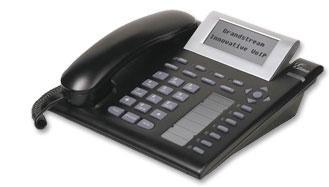
Ok, you’ve attempted to upgrade your GXP-2000 firmware and something went wrong.
Bricked phone? Maybe. Maybe not!
Power it on. If the MWI light is blinking, it may be recoverable.
Connect your phone to a PC back-to-back. Run tcpdump or ethereal to capture packets. Power your phone on. Hopefully you should see dhcp requests, and tftp requests. Look for the IP address the phone is trying to tftp from. Assign this ip address to your PC, and enable tftp server on it. Put the boot55.bin and gxp2000.bin files in the tftp directory.
Reboot the phone. If all goes well, you should see the phone retrieve the files via tftp, flash itself, and you should have a working phone again!
Note: I recommend putting a switch or hub between the phone and the computer, otherwise, each time you reboot the phone the network link on the computer is reset ( media sensing ).
Thanks to _Sam– on #asterisk for the info.
Andrew’s experience
I have found that you need to set your PC’s IP address to 168.75.215.188 with a netmask of 1.0.0.0 since the phone is sending packets from 192.168.0.160.
The above procedure worked flawlessly when the phone was unplugged during a flash upgrade.
All this came about because a call came in at the exact moment that the phone was upgrading itself (firmware shouldn’t have allowed that in the first place) and the speaker started howling a god awful noise, so the user unplugged it!
Edgar’s experience
I have a phone doing this for no apparent reason – just started doing it. Doing the above steps did not fix the situation even though the phone
downloaded all the files! Probably going to RMA the phone.
cuncun’s experience
The first procedure to recover the phone is right, but lost some instructions:
-Put your computer with IP address requested in the sniffer program, by default is: 72.172.83.110
-Netmask is 255.0.0.0
-Gateway is: 192.168.0.160
Worked for me.
Recovering from ‘locked’ voiptalk firmware with lost password
The VoipTalk firmware does not include the config/factory reset menu, so if you’ve lost the admin password you’re kinda stuck…unless…
This procedure upgrades the phone to a position where you can get back into it and also install the latest firmware (if you want to). You have to go through several firmware updates to give the phone sufficient ‘intelligence’ to ‘see’ the file names used by the latest firmware releases (as of Sept 2008). Use at your own risk etc. It worked for me – but I am not you!
1) Setup a tftp server if you haven’t already got one running. Here’s a great, free, Windows-based one
2) Download the 1.1.2.27 firmware from grandstreamsucks
3) Edit the phone’s tftp server setting to point to the one you setup & reboot the phone and confirm that it updates its firmware. NB: Your screen display may go ‘mirror imaged’ – bear with it – we’ll correct that later!
4) You should now be able to find the config menu and do a factory reset by entering the phone’s MAC address
5) Yay! You can now login with the default ‘admin’ password!
6) Re-setup the IP address of your tftp server (the factory reset will have changed it)
7) Download the 1.1.3.2 firmware from grandstreamsucks, delete & replace the 1.1.2.27 firmware on your tftp server with this one and update the firmware again.
8) Download the latest firmware (or whatever version above 1.1.3.2 you want – don’t stick on that version as it’s not that good!) from grandstream (or grandstreamsucks), replace the 1.1.3.2 firmware on the tftp server with this version, reboot your phone and wait for it to update. Your phone’s screen should be the right way round by now!
You should now have a fully functioning, accessible phone! – Linker3000


 April 7, 2023
 Phone System