


List of features of the Polycom phones
- User can add/change their directory on the phone
- Config change /ringtone/directory is uploaded to server
- Configurable of different ringtone on the phone PER line
- Have a tone warning if call is on hold, or have MWI waiting (configurable)
- Intercom, be able to set the delay between no ring, ring and auto answer (configurable)
- The phone can shorten the name of incoming callers, EX Marc Roger Oliver Chouinard, will show M R O Chouinard
- have the LAMP indicator
- be able to configure different voicemail server for each line
- can modify the location of the buttons on the phone
- you have a lot of dedicated function keys
- do not disturb feature
- be able to access quickly directory, miss call, made call… using the arrows
- you can Dial a number on the phone, and after pickup the handset. You don’t have to pickup a line or taking the handset before be able to enter the number on the phone
- on incoming call, you can refuse the call, so it stops ringing and goes to voicemail (if no other device is available to ring)
- you can test audio quality of the phone using internal recording system.
- configuration is EXTREMELY EXTENSIVE, using a XML interface, and uploaded via a FTP or TFTP server (BR 2.6/SIP 1.4) or HTTP, HTTPS, or FTPS server (BR 3.0/SIP 1.5)
- the phone uploads its log file to the boot server; you can force a logfile upload also
- Internal switch doesn’t reset when rebooting the phone (it keeps its VLAN settings)
- Have different dialplan for every Line
- The IP 600/601 supports a XHTML browser and a custom static XHTML idle screen
- Supports shared lines (but asterisk does not) – Anyone having details on the specifications used for Shared Call / Bridged Line Appearances (SIP-B), Please post details!!
- SIP and MGCP supported on the IP300, IP500 and IP600
Page Contents
- Requested Features
- Provisioning & General use Tutorial (A REQUIRED read!!!!)
- Models
- New phones:
- Firmware
- Electronic Hook Switch Support
- SIP 3.2 and BootROM 4.2
- SIP 3.1
- SIP 3.0
- SIP 2.2 and BootROM 4.0 information
- SIP 2.1 information
- SIP 2.0 and BootROM 3.2 firmware information
- SIP 1.6 and BootROM 3.1 firmware information!!
- SIP 1.5 and BootROM 3.0 firmware information
- Clarification on firmware/bootrom compatibility!!
- Asterisk sip.conf example for Polycom phones:
- Another sip.conf example:
- Default Passwords:
- Polycom DHCP settings:
- Polycom FTP discussion:
- Polycom Config Files:
- DND (Do-Not-Disturb)
- Polycom Phone directory script
- Caveats
- Additional Configuration options:
- Converting from MGCP to SIP:
- Setting the time / NTP floods:
- Setting Australian Call Progress Tones
- Setting UK Call Progress Tones
- Polycom IP600 Ringtone Audio WAVE Files:
- Digitmap reference
- PoE and Power Requirements:
- Support:
- Pictures
Requested Features
- More Key Remap Flexibility, Asked to be able to do more than just remap the button. I would like to be able to emulate more than 1 digit.
Please submit any suggestions to Polycom
For features request, here is the form:
http://eknowledge.polycom.com/media/Forms/Enhancement_Requests/FER_emailform.html
Provisioning & General use Tutorial (A REQUIRED read!!!!)
Installing polycom firmware version 3.0 and auto provisioning with trixbox
Database driven Polycom provisioning with Asterisk RealTime
Models
Polycom Worldwide offers several SIP-capable phones:
| Description | Part Number | List Price |
|---|---|---|
| SoundPoint IP 100 (NA PSU) | 2201-11500-001 | Shoreline Rebranded IP500 |
| SoundPoint IP Pro SE-220 | 2201-11500-001 | $155.90 |
| SoundPoint IP Pro SE-225 | 2201-11500-001 | $189.86 |
| SoundPoint IP 300 (NA PSU) | 2200-11330-001 | Discontinued |
| SoundPoint IP 301 (NA PSU) | 2200-11331-001 | $180 |
| SoundPoint IP 301 (IEEE PoE) | 2200-11331-025 | $200 |
| SoundPoint IP 320 (IEEE PoE) | 2200-12320-025 | $139 |
| SoundPoint IP 321(IEEE PoE) | 2200-12360-025 | $139 |
| SoundPoint IP 330 (IEEE PoE) | 2200-12330-025 | $179 |
| SoundPoint IP 335 (IEEE PoE) | 2200-12375-025 | $139 |
| SoundPoint IP 331 (IEEE PoE) | 2200-12365-025 | $179 |
| SoundPoint IP 400 (NA PSU) | 2200-11000-001 | Discontinued |
| SoundPoint IP 430 (NA PSU and PoE) | 2200-12430-001 | $239 |
| SoundPoint IP 450 IEEE PoE) | 2200-12450-025 | $214 |
| Polycom SoundPoint IP 500 (NA PSU) | 2200-11530-001 | Discontinued |
| Polycom SoundPoint IP 500 (NA PSU) | 2200-11531-001 | $270 |
| SoundPoint IP 501(IEEE PoE) | 2200-11531-025 | $295 |
| SoundPoint IP 550(IEEE PoE) | 2200-12550-001 | $369 |
| SoundPoint IP 560 (GigE) | 2200-12560-025 | $469 |
| SoundPoint IP 600 (NA PSU and PoE) | 2200-11630-001 | $399 |
| SoundPoint IP 601 (NA PSU and PoE) | 2200-11631-001 | $399 |
| SoundPoint IP 601 Expansion Module | 2200-11700-025 | $239 |
| SoundPoint IP 650 (NA PSU and PoE) | 2200-12651-001 | $449 |
| SoundPoint IP 650 Expansion Module | 2200-12750-025 | $279 |
| SoundPoint IP 670 Color (NA PSU and PoE) | 2200-12670-001 | $629 |
| SoundPoint IP 670 Color (PoE) | 2200-12670-025 | $599 |
| SoundPoint IP 670 Color Expansion Module | 2200-12770-025 | $319 |
| NA PSU for 30x,50x,600 Qty 5 | 2200-07496-001 | $35 |
| IEEE PoE cable for 30x,50x | 2200-11077-002 | $35 |
| Cisco PoE cable for 30x,50x | 2200-11014-002 | $35 |
| Wall Bracket for 50x,600 | 2200-11611-001 | $20 |
| SoundStation VTX1000 | $975 | |
| SoundStation2W Cordless Conference Phone | 2200-07880-160 | $460 |
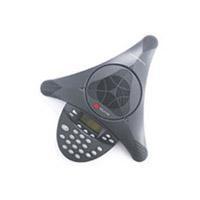
| SoundStation2 Expandable Conference Phone | 2200-07880-160 | $419 |
| SoundStation2 Avaya 2490 Conference Phone | 2200-07880-160 | $679 |
| SoundStation IP 4000 with NA PSU | 2200-06640-001 | $1099 |
| NA PSU for 4000 | 2200-06686-001 | $95 |
| Extension Mic for 4000 Qty 2 | 2200-07155-002 | $299 |
| Soundstation IP 5000 | 2200-30900-025 | $419 |
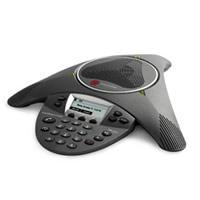
| SoundStation IP 6000 PoE and NA PSU | 2200-15660-001 | $999 |
| SoundStation IP 6000 PoE only | 2200-15600-001 | $899 |
| SoundStation IP 7000 PoE and NA PSU | 2230-40300-001 | $1399 |
| SoundStation IP 7000 PoE only | 2200-40000-001 | $1299 |
| Polycom Voicestation 300 Analog Conference Phone | N/A | $120.60 |
| Polycom Voicestation 500 Analog Conference Phone with Bluetooth | N/A | $320.76 |
| VVX1500D | 2200-18064-025 | $1199 |
There are other part numbers for phones with MGCP and with no software. While the 30x, 50x, and 600 can be converted between SIP and MGCP, but this is unreliable and thus not recommended. In particular, the 50x has different keycaps, which makes this doubly difficult. See below. Also, there are different part numbers for regions other than NA due to power differences.
The IP 500 used to support H.323, but Polycom has discontinued H.323 support on their phones.
The new Polycom SoundStation IP 4000 supports SIP and uses the same SIP software as the SoundPoint IP 30x/50x/60x phones.
New phones:
VVX1500D is a touchscreen videophone that supports SIP and H.323 video. It can inter-operate with other Polycom IP video conferencing units using the H.323 stack and also act as a SIP for voice calls.
SoundPoint IP 670 looks like a color version of the 650 with added gigabit ethernet support. There is also a color expansion module.
SoundStation IP 6000 and 7000 support G.722 wideband speech and PoE. The 6000 looks like an upgrade to the 4000 (just as the 650 was an upgrade to the 601). The 7000 is a larger phone can be linked to a second unit for huge conference tables. Both have better pickup range then before and support additional microphones. Both require SIP 3.0.2 software.
SoundPoint 560
The SoundPoint IP 550 is an upgrade to the 500 line. It includes additional features including: LCD backlight, G.722 wideband codec. Also supports 802.11af PoE.
The SoundPoint IP 320/330 2 line IP phones were recently released. The 330 has a built in 10/100 switch were as the 320 does not. Full-Duplex Speakerphone, 2 lines, IEEE 802.3af.
The SoundPoint IP 650 is an upgrade to the 600 line. It includes additional features including: LCD backlight, USB port, G.722 wideband codec, metal faceplate accents, 6 additional SIP registrations when used with the expansion module (12 lines total). It still has all the 600 features including POE and 10/100meg ethernet support.
The Polycom SoundPoint IP 430 is a new 2-line desktop speaker phone that fits in the product line above the 300 (no speaker phone) and below the 500 (3 lines). It’s about the size of the 300 but has more features and keys like the 500. PoE is supported. See also Polycom 430 Notes
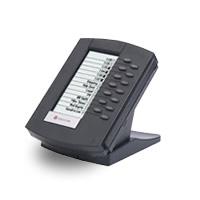
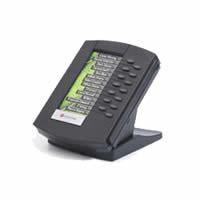
The SoundPoint IP 601 is now released and has been shipping September 2005. It is mostly the same as the 600 but with the addition of the side slide connector with power and IrDA for the expansion console. The expansion attendant console supports 14 additional line keys using SIP software from the 601. It has it’s own LCD display with line keys and dual-color LEDs. Power and network are directly connected from the 601 phone on the side connector. Up to three attached expansion modules are supported. The 601 and expansion unit require SIP software 1.6.2. For configuring the expansion module, see SoundPoint IP 601 Expansion Module.
There are now updated models of the SoundPoint IP: 301 and 501. These are the same price as the 300 and 500, but they have more memory to accomodate growing SIP image sizes. The 600 already has this extra memory. So far, the feature differences between the 300/500 and 301/501 are minimal, however the 300/500 may not get some of the “heavier” new features. SSL/TLS (HTTPS and FTPS) will not be supported on the 300/500, for example. Be very sure you are buying from (or become) a certified reseller or you will not be able to get support, software, or documentation for your phones.
The SoundPoint IP phones are very similar to the Cisco 7912, 7940 and 7960, but cost much less from $140 to $290 including power supply. Polycom also includes the software license with the hardware, whereas Cisco requires you to pay extra.
WARNING: The IP 30x and IP 50x models do not have on-board Power Over Ethernet chips. Although the phone claims to support 802.3af and the Cisco POE standard (note it says “optional”), the an additional cable (see part list above) is required on these models. This raises the list price to $215 or $305 when used in a Power over Ethernet environment; if you know you’re going to need PoE, buy the part with the PoE cable included (and no wall power brick) to save money. This warning does not apply to the 60x or any future models.
The Polycom phones have a large display and several programmable buttons, and all but the 30x have a very high-quality full-duplex speakerphone. The 30x has a listen-only speaker, which is useful for checking voicemail and listening to boring conference calls.
To set these phones up with Asterisk you need to put configuration files based on the phone’s MAC address on an boot server that the phone downloads from. The phone also downloads it’s firmware from that same location. The phones can also be manually configured without a boot server but not all features are accessible.
Firmware
The full documentation and recent firmware releases are available from the Polycom web site.
Please note that Polycom Corporate will not provide software support for Asterisk installations, but they do provide RMAs for hardware failures.
In order to upgrade the boot ROM code for the phones, you simply need to extract the bootrom.ld and bootrom.ver files into the FTP homedir.
Electronic Hook Switch Support
Polycom supports Electronic Hook Switch (EHS) on the SoundPoint IP 320*, 330*, 430, 550, 560, 650, and 670 (*Requires 2.5mm to RJ-9 adapter, available from Polycom). The 601 is listed as being supported in some documents but it seems the support was never added, or was removed. SIP Version 3.0 supports the Jabra and SIP Version 3.1 adds support for Plantronics.
Jabra has released both a headset and Electronic Hook Switch (EHS) adapter (part number 14201-17) that will allow the answering of calls without a handset lifter. The EHS functionallity is built into model GN9350 and GN9120 EHS. The EHS mode must be enabled on the phone for the feature to work.
Plantronics offers the APP-5 Headset Hookswitch Control. This adaptor supports several different headsets, including the CSxx series. The Plantronics adapter requires Polycom software SIP Version 3.1. The EHS mode must be enabled on the phone for the feature to work.
To enable EHS support on the Polycom phone do the following:
- Plug the EHS cable and the headset cables into the phone
- On the phone go to Menu-> Settings-> Basic-> Preferences-> Headset-> Analog Headset
- Set to “Jabra DHSG” or “Plantronics Mode”
- On the Jabra headset set the mode to DHSG, for the Plantronics the headset lifter is automatic with the adaptor
- Make or take a call using the headset by pushing the button on the headset. No more klunky lifters that fall off!
Functions with the EHS feature working (tested with Plantronics):
- A ringing line will alert the headset (beeping in the headset earphone)
- Pressing the headset key on the phone will activate the headset also (pickup a line/answer a call)
- Pressing the button on the headset will activate the headset button on the phone also (pickup a line/answer a call)
- When the phone ends a call the headset will deactivate automatically
- When the phone auto-answers a call the headset will activate automatically if it’s the default
- You must use the phone’s keys to place a call on hold, resume, transfer, etc
- You must use the phone’s keys to answer the second call when you are already on a line
SIP 3.2 and BootROM 4.2
Release expected in 2009 Q3. New SIP/BootROM software will NOT support the SoundPoint IP 301/501/600/601 and SoundStation IP 4000 (as well as the other older already discontinued phones). See Technical Bulletin 48161
SIP 3.1
- Offers combined and split versions
- Adds Plantronics EHS support
- Adds headset echo cancellation
- Improved browsing support
SIP 3.0
LDAP Corporate Directory, Best Practices When Using https://support.poly.com/support/s/global-search/%40#t=All&sort=relevancy
New Features
- Jabra Headset electronic switch support (Does not work on model 601 phones)
- LDAP and Active Directory Integration (Requires additional License Fee)
- Recording and Playback of Audio Calls
- Voice Quality Monitoring
- Manage Conferences
- Supports the SoundStation IP 6000 and 7000 phones (version 3.0.2 required)
SIP 2.2 and BootROM 4.0 information
New version 2.2 does NOT support the old 300 and 500 phones due to lack of memory, and they are discontinued.
The new BootROM 4.0 supports the older phones and allows the config file to list which firmware to load.
BootROM 4.0 does not support MGCP application software and must not be used on phones running MGCP.
The major new addition with this firmware is support for SRTP voice encryption. If you need to learn about how to configure it though, you must request technical bulletin 25751 from Polycom.
SIP 2.1 information
Main things I saw:
1. Added microbrowser support to the SoundStation IP 4000
2. Added table support to microbrowser
3. Added ability to strip or insert leading digits for outgoing calls
4. Added ability to disable message waiting indication on a line by line basis
5. Increased maximum number of digit map segments to 30
6. Added microbrowser support to the SoundPoint IP 430 & 501 platform
7. Added support for adding phone serial number (Ethernet address) to user agent string in HTTP GET’s used by microbrowser, and modified format of user agent string used during provisioning process and used by microbrowser
8. Added microbrowser support for forms within tables
Fixes:
1. Phone does not update presence status (e.g. to offline) when reboot initiated
2. Phone doesn’t ring if one line has Do Not Disturb enabled
SIP 2.0 and BootROM 3.2 firmware information
These are the main things I saw:
1. Support for the new SoundPoint IP 650
2. Add the ability to set Ethernet link mode on IP430 and IP 4000 products.
3. Added support for NAT keep-alive
4. Added template support in the master configuration file
5. TCP/TLS Encryption of SIP (SRTP encryption of the audiol is NOT supported despite indications elsewhere)
6. Support for a different secondary dialtone (ie. dial 9, hear a new dialtone)
SIP 1.6 and BootROM 3.1 firmware information
This isn’t a terribly interesting release; it’s mostly supported for the new 601 phone and a few UI improvements. If you’re already on SIP 1.5 and BR 3.0 or BR 2.6, don’t bother upgrading unless you already have a bug or want to buy 601s when they come out.
SIP 1.5 and BootROM 3.0 firmware information
BR 3.x supports HTTP, HTTPS, and FTPS boot servers, but once you upgrade to this release you cannot downgrade to versions prior to BR 3.0. If you do not require one of these boot protocols, DO NOT upgrade to BR 3.x and instead stick with BR 2.6.1.
BR 2.6.1 is recommended in all cases for both FTP and TFTP. BR 2.5.0 does not mix well with TFTP, nor is it compatible with SIP 1.5 and later.
There are already a few bugs in 1.5.2, one of which is stutter dialtone not working when you have new voice mail messages. However, there are more fixes and some great new features:
- Up to 24 calls per “line key” on a 600 (8 calls on the 300 and 500). The number is configurable.
- Multiple line keys can be tied to the same SIP registration
- Conference join and split two existing calls on a line (only two calls, not more!)
- HTTP and Secure file transfers (HTTPS/FTPS) for 301/501/600/601/4000
- sip.cfg and ipmid.cfg config files merged; config files from SIP 1.3 and later are forward-compatible, however
- Totally different user menu layout (may cause some confusion), less scrolling, more key presses
- CallerID display problem with earlier firmware (displaying incoming call and number only) has been resolved. Phone now displays full CallerID.
Clarification on firmware/bootrom compatibility
All current BootROMs and Applications (BootROMs 2.6.2 and 3.1.2, Applications 1.5.3 and 1.6.3) will run on all available SoundPoint IP platforms (30x/50x/60x), as well as the SoundStation IP 4000.
The sip.ld image file actually has different software for each model inside; as of 1.5, what loads on a 300/500 is NOT the same as what loads on a 301/501. The differences are minor, but they will grow over time. That said, SIP 1.5 and BR 2.6 (or even SIP 1.6 and BR 3.0 or 3.1) will RUN on a 300/500, but they will be missing features compared to the 301/501.
Asterisk sip.conf example for Polycom phones:
[138polycom]
type=friend
username=138polycom
password=test
host=dynamic
dtmfmode=inband
defaultip=10.0.0.138
mailbox=138
progressinband=no ;Polycom phones seem to have trouble with the default progressinband=never
;;Using 1.4.1 Firmware, DTMF may stop working if it is set to inband.  Change to rfc2833.
Another sip.conf example:
[extension]
type=user
secret=yourpassword
context=default ;your context in extensions.conf
mailbox=fourdigitnumber, ie: 1000

[extension, the exact same as above]
type=peer
secret=yourpassword
host=dynamic
defaultip=123.123.123.123
callerid="Bob" <1000>
mailbox=1000
For more information about why Polycom phones don’t seem to like type=friend, and to explore a fix for a known Polycom bug, the “One Way Communication” issue, where you can hear a person talking, but the Polycom, although connected, still has a ringing tone, please visit:
http://www.southwestfcu.org/tech/polycomsip.html (broken link, archived at http://web.archive.org/web/20050926170148/http://www.southwestfcu.org/tech/polycomsip.html)
If the phones fail to register with Asterisk but can still make outbound calls, you likely need to adjust the digest realm parameter from the default of PolycomSPIP. If this does not solve the problem, please visit:
http://www.csh.rit.edu/~adamf/IP500.html
To use “hint” / presence monitoring under Asterisk, “line 1” on the Polycom must be the last extension for the phone listed in sip.conf if you registering multiple lines for the phone. This is because of how Asterisk authenticates sip SUBSCRIBE requests. To monitor activity for an extension you can create a contact in the phone Directory and enable “Watch Buddy”. The appropriate “hint” priority for that extension must also be defined in Asterisk’s extensions.conf file. Selecting “Buddies” at the main phone menu will then show the current status of the extension(s) you’ve elected to watch.
To get *8 pickup to work with the above example, you need to add the ‘callgroup=’ and ‘pickupgroup=’ to both sections.
Default Passwords:
To get into the web interface, the default username/password is “Polycom”/”456” (Note that this does not work with Safari 1.2.2.)
To get into the Admin interface on the hard phone, the password is “456”. (Prior to v1.3.1, the web interfaces to the phone uses “Polycom”/”SpIp” as the username/password.)
The “user password” (not used much) defaults to “123”.
To reset a lost admin password to default: at phone boot, during the 5 second countdown, push/hold 468* on the phone. Enter the phone’s MAC address as the password. This will reset network info but keep peers loaded. Tested on Soundpoint IP 650.
Tested on SoundStation IP 4000
To reset a lost admin password to default: at phone boot, during the 5 second countdown, push/hold 68* on the phone. Enter the phone’s MAC address as the password (small cap). This will reset admin password but keep peers loaded.
Polycom DHCP settings:
If you decide to use DHCP instead of static IP, make sure to use the latest version of dhcpd and add the following options to your DHCP server:
option domain-name “yourdomain.com”;
option domain-name-servers 192.168.XXX.XXX;
option ntp-servers 192.168.XXX.XXX;
option routers 192.168.XXX.XXX;
option tftp-server-name “192.168.XXX.XXX”;
option time-offset -21600;
The tftp-server-name will direct the phones to your TFTP or FTP server and
the time-offset will set your phones to the right time offset against GMT.
The settings are in seconds and in my case, the Central Time Zone, I am 6
hours west of GMT, so -6 times 3600 = -21,600.
Note that the “tftp-server-name” is misleading, and will work fine with FTP, FTPS, HTTP, or HTTPS properly configured. The default FTP username and password are both “PlcmSpIp”; you may have to tweak stuff to have your FTP server “know” about uppercase used in usernames. For security reasons, it’s recommended you change the username and password.
NOTE from Bill Butler regarding Software Version 1.5.2.0054:
The time-offset option is extremely important and caused me to tear my hair out for a while. I am actually just using a Linksys RV082 as my DHCP server. I spent 4 hours trying to figure out why the phone would boot with the proper offset (acquired from my sip.cfg file on the server, and then suddenly switch to GMT. Apparently, the polycom was getting it’s time info from the DHCP server on my linksys and resetting itself incorrectly to GMT. I solved the problem by manually entering the ip address/gateway/dns into my polycom 501. This forced the phone to adhere to the sip.cfg file and disregard the Linksys DHCP server time zone info. I also had to get the phone to drop it’s local settings so it would get with the program. Advanced Settings -> Admin Settings -> Reset to Default -> Reset Local Config
After some more reading, it appears that there is a 1.6.x version of the Polycom software which allows one to have the sip.cfg file override the DHCP server NTP announcement. That will offer the best of both worlds and is probably the solution of choice.
Here is a sample config to achieve this:
tcpIpApp.sntp.address=”10.10.10.111″ – Set this to a sntp server that the phone can reach.
tcpIpApp.sntp.address.overrideDHCP=”1″ – This tells the phone to listen to Sip.cfg, not DHCP
tcpIpApp.sntp.gmtOffset=”-18000″ – Eastern Standard Time. (NY)
tcpIpApp.sntp.gmtOffset.overrideDHCP=”1″ – Useful if you have phones in multiple zones.
Polycom FTP discussion:
The following only applies to BootROMs prior to 2.6: Polycom phones can use TFTP or FTP. We recommend the latter, because FTP uses timestamps for upgrades, whereas TFTP will need file name changes. You definitely don’t want to deal with file name changes and Polycom strongly recommends against TFTP.
For FTP, put the configuration files and the firmware files in the root directory of the FTP account you use. You can change the user and password provided to the FTP server by choosing setup when the phone first boots up. See the manual at section 2.2.1.2. Some FTP servers can’t handle the mixed-case default username.
Polycom Config Files:
bootrom.ld – latest bootrom file. Needs to be in the download directory
along with bootrom.ver if you want to update your phone. Note: bootrom.ver is not needed if the phone is already running BR 2.6.1 or is not using TFTP.
sip.ld – latest sip firmware image. Needs to be in the download directory
if you want to update your phone with a new SIP firmware.
ipmid.cfg: Main configuration file, also least likely to need modification beyond the initial setup.
One step I found necessary was to modify the SNTP tag to point to my time server, as it appears that this configuration overrides any settings aquired from dhcp. — This is a bug in earlier versions of SIP; 1.5 does not have this problem. Also, SIP 1.5 merges ipmid.cfg into sip.cfg.
<mac>.cfg – This file tells the phone what to load. Note that letters MUST be in lower case. If this file does not exist, bootroms after 4.0 will load 000000000000.cfg. It looks like
this:
<?xml version=”1.0″ standalone=”yes”?>
<!– Default Master SIP Configuration File–>
<!– Edit and rename this file to <Ethernet-address>.cfg for each phone.–>
<!– $Revision: 1.10 $ $Date: Jan 29 2003 14:19:22 $ –>
<APPLICATION APP_FILE_PATH=”sip.ld” CONFIG_FILES=”phone7001.cfg, sip.cfg, ipmid.cfg” MISC_FILES=”” LOG_FILE_DIRECTORY=”log/”>
The phone7001.cfg points to the individual config file for the phone that
matches the mac address of this file; you can call it whatever you like.
The file sip.cfg gives the base configurations for the sip application and
ipmid.cfg configures everything else about the phone.
Any file listed in the CONFIG FILES section of <mac>.cfg needs to exist. Also any file listed in CONFIG_FILES must be correctly parse as XML. That means it needs a <?xml ?> block and a <sip> or <phone1> block.
I have created a basic set of config files with the defaults changed to better suit asterisk.
There was a previous note that these configs do more harm than good. I have never been contacted by anyone with problems, and I have never had a problem myself. IF you have a problem, please contact me at
[email protected]
They have MWI stuff turned on, and some tips taken from Auto Answer and Ring Answer sections on the wiki, Let me know if you have any problems or suggestions.
The file 000000000000-directory.xml is a base contact directory for the phones:
<?xml version="1.0" standalone="yes"?>
<directory>
<item_list>
<item><fn>VMAIL</fn><ct>8500</ct><sd>1</sd></item>
<item><fn>A friend</fn><ct>189</ct><sd>2</sd></item>
<item><fn>Another Friend</fn><ct>108</ct><sd>3</sd></item>
<item><fn>Yet Another Friend</fn><ct>128</ct><sd>4</sd></item>
</item_list>
</directory>
Things to help you adjust set volume(s): re: voice.gain.
- “rx” speaker volume
- “tx” mic volume
- “analog” gain between speaker or mic and the converter chip, change this one
- “digital” the default value for the volume control on the phone
- “chassis” speakerphone
- “handset” handset AND ringer
- “sidetone” the amount of yourself you hear in the earpeice from the mic, makes phone sound “live”
DND (Do-Not-Disturb)
On FreePBX based systems you can enable DND on Polycom phones by adding the following to your phone config (sip.cfg). This enables server side DND by dialing the feature code *76 and sets the DND notification on the phone itself. For config prior to 3.3.0:
<softkey feature.20.name="enhanced-feature-keys"
softkey.3.label="DND"
softkey.3.action="$FDoNotDisturb$^*76$Tinvite$"
softkey.3.enable="1"
softkey.3.precede="0"
softkey.3.use.idle="1" />
For Polycom configuration files 3.3.0 and greater:
<softkey softkey.3.action="$FDoNotDisturb$^*76$Tinvite$" softkey.3.enable="1" softkey.3.label="DND">
    <softkey.3.use softkey.3.use.idle="1" />
</softkey>
Polycom Phone directory script
Please find enclosed a script to manage your XML phone directories. This shell script allows you to add/delete/check extensions in a group of *-directory.xml files, including customized directories.
From now on, you can broadcast any directory change to all Polycom end users.
This script is open to changes or enhancements.
The following format is supported:
<?xml version="1.0" standalone="yes"?>
<directory>
<item_list>
<item>
<ln>Last Name</ln>
<fn>Firstname</fn>
<ct>extension</ct>
......
</item>
Problems? Please contact me at [email protected]
When creating bitmap images for your phone, the file must be a Windows 4-Bit grey-scale bitmap image
8-bit images will not work.
Caveats
SonicWall and transfer
Hold and transfer functions of at least the IP 600 behind certain versions of Sonic Wall routers does not work. A call placed on hold would drop at exactly 5 seconds. Placing and receiving calls works fine. Replacing the Sonic Wall with a later version solved that problem.
Asterisk and NAT
Sometimes Asterisk is not able to reach Polycom phones, especially when the phone is behind NAT. In that case, one can make calls, but cannot receive calls. To fix this, change the default value of reg.x.server.x.expires from “” to some appropriate value in the file phoneX.cfg. For example: reg.1.server.1.expires=”600″ forces the phone to update the registration every 10 minutes.
Manual reboot
To reboot phones manually, press and hold the following keys simultaneously until a confirmation tone is heard or for about three seconds:
IP 300: Volume-, Volume+, Hold and Redial (unknown version)
IP 30x: Volume-, Volume+, Hold and Do Not Disturb (confirmed with BootROM 2.5.0 and sip.ld 1.3.1 and above)
IP 330: Volume-, Volume+, Hold and Speaker
IP 430: Volume-, Volume+, Hold and Messages
IP 50x: Volume-, Volume+, Hold and Messages
IP 60x: Volume-, Volume+, Mute and Messages
IP 4000: Volume+, select, *, #
Note: Holding 4, 6, 8 and * resets all parameters configured on the phone (network and otherwise) and then reboots. It is not just a manual reboot.
Caller ID
It is not possible to use the number presented by caller ID in the form +4612345678 begin_of_the_skype_highlighting +4612345678 end_of_the_skype_highlighting begin_of_the_skype_highlighting +4612345678 end_of_the_skype_highlighting which is stored in the answered and missed call lists to make a new call directly. The Polycom will strip the “+”-sign before sending the signal to the PBX.
Additional Configuration options:
-
- Getting MWI on Polycom Phones to work with Asterisk — That is, Message Waiting Indicator
- http://lists.digium.com/pipermail/asterisk-users/2005-July/115285.html — Getting the “Buddy Watch” and line lights to work
- Polycom auto-answer config
- Polycom Idle Images
- Polycom Microbrowser Browse XHTML pages on the phone LCD display
- Polycom reboot hardphone script
- Special notes on Polycom SoundPoint IP MWI audio — getting rid of that annoying tone
- Polycom Timezone Generator Generates Polycom configuration files to set timezone based on the Olson DB
Converting from MGCP to SIP:
Polycom does not recommend converting phones from MGCP to SIP or vice versa, but it is possible.
When attempting to do it with FTP, we’ve seen -boot.log files like this —
0101001606|cfg |3|00|Removed all log files due to limited space during file update.
0101001607|app1 |6|00|Error, not enough space for configuration.
Or like this —
0101035844|cfg |6|00|Did not have enough room for PolyCom500System.cfg, formatting TFFS.
0101035844|cfg |6|00|FS blocks free 189, block size = 512, file size 0, ftp size 99917.
It appears that the upgrade works better/more often when using TFTP instead of FTP.
BR 2.5.0 is required to do this safely; BR 2.6.1 is recommended (above).
Converting a Polycom Soundpoint IP 300 MGCP to SIP
The MGCP to SIP conversion works flawlessly with an IP 300 (at least) using BootROM 3.2.3 Rev B and SIP software 2.1.2 over an FTP (not TFTP) connection. Simply set up those versions of the Polycom software for provisioning, turn on the phone, and you will see a variety of messages on the LCD screen as it formats the phone’s memory and installs the new SIP software. When the phone finishes installing and rebooting, it will be a fully-functional SIP phone.
Setting the time / NTP floods:
Our firewall reported flooding of NTP requests; the default configuration files include an SNTP server setting for “clock”. If the phone can resolve this via DNS, it will try to get the time from it.
You can use any NTP server to set the time; I’ve used 0.pool.ntp.org with success. You can not set the time manually.
Resetting the Polycom Phone Password if you forget it!
You won’t find this information in the manual. I had to contact customer support.
After pressing 4, 6, 8, and * it asks for the ADMIN password. Obviously, if you’ve lost the admin password you’re out of luck. Instead of the admin password, use the MAC address for a full reset!
Setting Australian Call Progress Tones
To set the call progress indications such as dialtone, busy, ringback, or the stutter dialtone you need to override the defaults from the sip.cfg file. I’ve included the values that are correct for Australia. Following Polycom’s best practices for config file management, don’t edit the sip.cfg directly, add these lines to an override file (e.g. sip_override.cfg) which you list in the macaddress.cfg file before sip.cfg. You have to override both the chord_sets and the patterns. I used the values in the Asterisk indications.conf file as a reference.
 <?xml version="1.0" standalone="yes"?>
 <tones>
   <chord_sets>
      <CALLPROGRESS>
          <DIAL_TONE tone.chord.callProg.1.freq.1="413" tone.chord.callProg.1.level.1="-19"
               tone.chord.callProg.1.freq.2="438" tone.chord.callProg.1.level.2="-19"
               tone.chord.callProg.1.onDur="0" tone.chord.callProg.1.offDur="0"
               tone.chord.callProg.1.repeat="0"/>
          <BUSY_TONE tone.chord.callProg.2.freq.1="425" tone.chord.callProg.2.level.1="-30"
               tone.chord.callProg.2.freq.2="0" tone.chord.callProg.2.level.2="-30"
               tone.chord.callProg.2.onDur="375" tone.chord.callProg.2.offDur="375"
               tone.chord.callProg.2.repeat="0"/>
          <RINGBACK tone.chord.callProg.3.freq.1="413" tone.chord.callProg.3.level.1="-25"
               tone.chord.callProg.3.freq.2="438" tone.chord.callProg.3.level.2="-25"
               tone.chord.callProg.3.onDur="400" tone.chord.callProg.3.offDur="200"
               tone.chord.callProg.3.repeat="2"/>
          <STUTTER_LONG tone.chord.callProg.9.freq.1="413" tone.chord.callProg.9.level.1="-19"
               tone.chord.callProg.9.freq.2="438" tone.chord.callProg.9.level.2="-19"
               tone.chord.callProg.9.onDur="100" tone.chord.callProg.9.offDur="100"
               tone.chord.callProg.9.repeat="6"/>
      </CALLPROGRESS>
   </chord_sets>
 </tones>
 <sound_effects>
   <patterns>
       <CALLPROGRESS>
          <DIAL_TONE se.pat.callProg.1.name="dial" se.pat.callProg.1.inst.1.type="chord"
                   se.pat.callProg.1.inst.1.value="1"/>
          <BUSY_TONE se.pat.callProg.2.name="busy" se.pat.callProg.2.inst.1.type="chord"
                   se.pat.callProg.2.inst.1.value="2"/>
          <RINGBACK se.pat.callProg.3.name="ringback" se.pat.callProg.3.inst.1.type="silence"
                   se.pat.callProg.3.inst.1.value="1800" se.pat.callProg.3.inst.2.type="chord"
                   se.pat.callProg.3.inst.2.value="3" se.pat.callProg.3.inst.3.type="branch"
                   se.pat.callProg.3.inst.3.value="-2"/>
       </CALLPROGRESS>
   </patterns>
 </sound_effects>
Setting UK Call Progress Tones
To set the call progress indications such as dialtone, busy, ringback, or the stutter dialtone you need to override the defaults from the sip.cfg file. I’ve included the values that are correct for UK. Following Polycom’s best practices for config file management, don’t edit the sip.cfg directly, add these lines to an override file (e.g. sip_override.cfg) which you list in the macaddress.cfg file before sip.cfg. You have to override both the chord_sets and the patterns. I used the values in the Asterisk indications.conf file as a reference.
<?xml version="1.0" standalone="yes"?>
<tones>
  <chord_sets>
     <CALLPROGRESS>
         <DIAL_TONE tone.chord.callProg.1.freq.1="350" tone.chord.callProg.1.level.1="-10"
              tone.chord.callProg.1.freq.2="440" tone.chord.callProg.1.level.2="-10"
              tone.chord.callProg.1.onDur="0" tone.chord.callProg.1.offDur="0"
              tone.chord.callProg.1.repeat="0"/>
         <BUSY_TONE tone.chord.callProg.2.freq.1="400" tone.chord.callProg.2.level.1="-10"
              tone.chord.callProg.2.freq.2="0" tone.chord.callProg.2.level.2="-30"
              tone.chord.callProg.2.onDur="375" tone.chord.callProg.2.offDur="375"
              tone.chord.callProg.2.repeat="0"/>
         <RINGBACK tone.chord.callProg.3.freq.1="400" tone.chord.callProg.3.level.1="-10"
              tone.chord.callProg.3.freq.2="450" tone.chord.callProg.3.level.2="-10"
              tone.chord.callProg.3.onDur="400" tone.chord.callProg.3.offDur="200"
              tone.chord.callProg.3.repeat="2"/>
         <STUTTER_LONG tone.chord.callProg.9.freq.1="400" tone.chord.callProg.9.level.1="-10"
              tone.chord.callProg.9.freq.2="450" tone.chord.callProg.9.level.2="-10"
              tone.chord.callProg.9.onDur="400" tone.chord.callProg.9.offDur="200"
              tone.chord.callProg.9.repeat="2"
              tone.chord.callProg.10.freq.1="0" tone.chord.callProg.10.level.1="-30"
              tone.chord.callProg.10.freq.2="0" tone.chord.callProg.10.level.2="-30"
              tone.chord.callProg.10.onDur="0" tone.chord.callProg.10.offDur="2000"
              tone.chord.callProg.10.repeat="1"
        />
     </CALLPROGRESS>
  </chord_sets>
</tones>
<sound_effects>
  <patterns>
      <CALLPROGRESS>
         <DIAL_TONE se.pat.callProg.1.name="dial" se.pat.callProg.1.inst.1.type="chord"
                  se.pat.callProg.1.inst.1.value="1"/>
         <BUSY_TONE se.pat.callProg.2.name="busy" se.pat.callProg.2.inst.1.type="chord"
                  se.pat.callProg.2.inst.1.value="2"/>
         <RINGBACK se.pat.callProg.3.name="ringback" se.pat.callProg.3.inst.1.type="silence"
                  se.pat.callProg.3.inst.1.value="1800" se.pat.callProg.3.inst.2.type="chord"
                  se.pat.callProg.3.inst.2.value="3" se.pat.callProg.3.inst.3.type="branch"
                  se.pat.callProg.3.inst.3.value="-2"/>
      <MISCELLANEOUS>
        <MESSAGE_WAITING se.pat.misc.1.name="message waiting"/>
      </MISCELLANEOUS>
      </CALLPROGRESS>
  </patterns>
</sound_effects>
Polycom IP600 Ringtone Audio WAVE Files:
For ringtones it seems to work well when using ftp. You can edit the ipmid.conf sampled_audio section as follows: <sampled_audio saf.1=”” saf.2=”ringtone/ringtone1.wav” . . .
Documents state you should use the following formats: ” mono 8 kHz G.711 Â µ-Law” G.711 A-Law” L16/160008 (16-bit, 16 kHz sampling rate, mono)
To get the file format correct, use SOX:
sox original1.wav -c 1 -r 8000 -U ../ringtone1.wav (paths vary to your setup)
Suggestion: increase your logging level to see if there are errors on the file format
Digitmap reference
Example: [2-9]11|0T|011xxx.T|91[2-9]xxxxxxxxx|[1-8]xx
It means the following:
-
-
- [2-9]11: 911 rule: x11 are dialed immediately (111 is covered below by [1-8]xx
- 0T: Local operator rule: After dialing “0” the phone waits T seconds and then completes the call automatically
- 011xxx.T: International rule without prefix
- 91[2-9]xxxxxxxxx: LD rule with prefix
- 9,1[2-9]xxxxxxxxx: LD rule with prefix, gives second dialtone after dialing 9
- [1-8]xx: A regular 3 digit extension is dialed immediately (“9” excluded as a prefix)
-
Support:
-
-
- Polycom Hardware Support Forum Moderated by Certified Polycom techs
- Polycom VoIP Support Forum
-
See Also:
-
-
- Polycom SoundPoint IP 501
- Polycom 430 Notes
- Polycom Microbrowser
- Polycom SoundPoint IP MWI audio
- Polycom 2200-07155-002 External Microphone Kit: for IP4000 Conference Phone
- Polycom Communicator C100 USB Speakerphone 2200-44140-001
- Polycom Communicator C100S Grey Wideband USB
- Polycom Communicator C100S Wideband USB
- SoundPoint IP 300
- SoundPoint IP 500
- SoundStation IP 3000
- SoundStation IP 4000
- VOIP Phones
- Database driven Polycom provisioning with Asterisk RealTime
-
Pictures

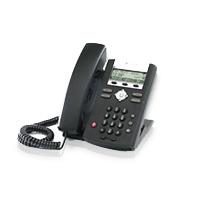
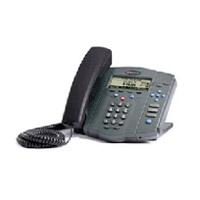
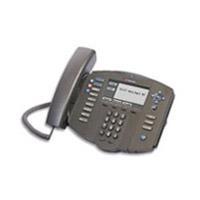
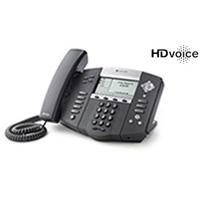



 January 9, 2013
 Phone System