SOLVED CrownCloud failing on fresh install

kameleon

Member
Joined
Jul 22, 2009
Messages
111
Reaction score
15
I just blew away my Crowncloud pbx to try the newer 2027-U install they have. I have tried it 3 times now and every time the User Control Panel keeps saying UCP Node Disabled in Advanced Settings:

root@vps:~ $ fwconsole restart ucp
Running Incredible PBX 2027-U shutdown...

Running Asterisk pre from Ucp module
UCP Node Server is not running

UCP Node Disabled in Advanced Settings.

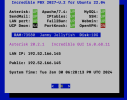
The pbxstatus shows it as "UCP Dmon NA" and of course I cannot get it to load in a browser. Short of going back to the junk that is Rocky what can I do here? I cannot get the UCP to load to get to the "advanced settings" to enable it.
 
UCP node is no longer used so that error is moot and can be ignored. It does not prevent FreePBX or Asterisk from running. Are you also saying you can't access the GUI with your browser or is everything else working OK?
 
UCP node is no longer used so that error is moot and can be ignored. It does not prevent FreePBX or Asterisk from running. Are you also saying you can't access the GUI with your browser or is everything else working OK?
Correct I cannot get the web gui to pull up at all.
 
OK. Just a basic question here but did you ssh into Crown Cloud to install the PBX or did you use the VNC console connection from the Admin portal of Crown Cloud? Remember that the PBX is locked down and only whitelists the IP address you are installing from. You may just need to whitelist (/root/add-ip) the IP address you are accessing from.
 
OK. Just a basic question here but did you ssh into Crown Cloud to install the PBX or did you use the VNC console connection from the Admin portal of Crown Cloud? Remember that the PBX is locked down and only whitelists the IP address you are installing from. You may just need to whitelist (/root/add-ip) the IP address you are accessing from.
After using their 5-minute application installer I used putty to ssh in to the vps. I also added all my IPs I normally use.
 
It may be time to reimage with Debian 11 or Ubuntu 2204 and build from scratch. I'm sure you spent a lot of time trying to make this work that far exceeds the "5 minute install." I have recently built IncrediblePBX 2027 from scratch both Debian on Crown Cloud and Ubuntu 2204 on Oracle VM's without issue. I have not tried the already built image on Crown Cloud.

Its possible that the quick install image on Crown Cloud is somehow corrupted.
 
I thought the issue was the UCP GUI. Is there a problem with the FreePBX GUI as well??
 
I thought the issue was the UCP GUI. Is there a problem with the FreePBX GUI as well??
No GUI loads at all. I can go to the ip address of the server and it just errors out. I am loading Ubuntu 22.04 now and will do a manual install of PIAF 2027-U to see if it is just something in their 5 minute installer.
 
@kameleon: I just reinstalled one of our Los Angeles servers using the Ubuntu 22.04 image at CrownCloud. There were no issues at all. I'm assuming your first login to your server was using SSH from a desktop computer and NOT using the CrownPanel VNC option (which would not whitelist the IP address of your desktop computer). Aside from that, I don't see any issue you would have faced. If it happens again after following the tutorial, let us know.

Screenshot 2024-01-30 at 1.28.38 PM.png
 
@kameleon: I just reinstalled one of our Los Angeles servers using the Ubuntu 22.04 image at CrownCloud. There were no issues at all. I'm assuming your first login to your server was using SSH from a desktop computer and NOT using the CrownPanel VNC option (which would not whitelist the IP address of your desktop computer). Aside from that, I don't see any issue you would have faced. If it happens again after following the tutorial, let us know.

View attachment 5271
I am in the Atlanta datacenter so not sure if that was a difference. I just installed Ubuntu 22.04 and then ran the IncrediblePBX installer manually. Now everything works except asterisk is not found. I am starting to regret messing with this to begin with.
 
@kameleon We have two VPS instances running in Atlanta with no issues. If you'd like to DM us your CrownPanel credentials, we'll be glad to troubleshoot the issue you are having. We have literally hundreds of users on the CrownCloud platform with no reported problems. Obviously something can come unglued, but looking back at your previous posts, it's hard to rule out operator error. But, again, we're willing to help.
 
@kameleon We have two VPS instances running in Atlanta with no issues. If you'd like to DM us your CrownPanel credentials, we'll be glad to troubleshoot the issue you are having. We have literally hundreds of users on the CrownCloud platform with no reported problems. Obviously something can come unglued, but looking back at your previous posts, it's hard to rule out operator error. But, again, we're willing to help.
No problem. Like I said, I have installed fresh Ubuntu 22.04 and did the manual IncrediblePBX install. The web gui works but asterisk foobar'd somewhere and it can't start. I will try the quick install one more time and if it fails I will take you up on that offer to check it.
 
@kameleon There's a complete log in the /root folder. It will tell you why the Asterisk install failed.
 
Finally up and running. One final reinstall of the 2027-U app image and it is working as expected (thus far). Thanks for all the guidance to this point!

@wardmundy In the install log asterisk never failed. It was only after the reboot it failed. So I just reinstalled the 2027-U app image and it works now.
 
I'm using the CrownCloud server in Atlanta, did a reinstall of the IncrediblePBX 2027 twice now and both times I didn't get a Public IP address. I couldn't use putty either time to access the server after the install. Any suggestions?


**Resolved. Support had to give me a new IP address to fix the issue**
 
Last edited:
Get 3CX - Absolutely Free!

Link up your team and customers Phone System Live Chat Video Conferencing

Hosted or Self-managed. Up to 10 users free forever. No credit card. Try risk free.

3CX
A 3CX Account with that email already exists. You will be redirected to the Customer Portal to sign in or reset your password if you've forgotten it.
Back
Top