ALERT Buh-bye CentOS.

@wardmundy , in a different thread I tried following the openvpn instructions to allow access to UCP, but you said OpenVPN shouldn't be done on the IPBX 2020 server you are trying to access. Is that still the case? The post about deploying IPBX 2021 Public says:

"Assign the same FQDN that you use for SIP access to port 80 for the UCP application. Deploy OpenVPN on your server and use the PBX’s OpenVPN IP address for general access to all web applications we listed above. "

Does that still mean deploy OpenVPN on a different server?
 
@wardmundy , in a different thread I tried following the openvpn instructions to allow access to UCP, but you said OpenVPN shouldn't be done on the IPBX 2020 server you are trying to access. Is that still the case? The post about deploying IPBX 2021 Public says:

"Assign the same FQDN that you use for SIP access to port 80 for the UCP application. Deploy OpenVPN on your server and use the PBX’s OpenVPN IP address for general access to all web applications we listed above. "

Does that still mean deploy OpenVPN on a different server?

The article refers to the OpenVPN Client, not the OpenVPN Server. It's preferable to run the server on a separate platform.
 
Just in time for Santa

If you'd like to experiment with Incredible PBX 2021 for Debian 10 and avoid the install hassle, try out the new Incredible PBX 2021 for VirtualBox image coming later today to SourceForge. Details available soon.
 
Last edited:
Just in time for Santa

If you'd like to experiment with Incredible PBX 2021 for Debian 10 and avoid the install hassle, try out the new Incredible PBX 2021 for VirtualBox image coming later today to SourceForge. Details available soon.
Can't wait to play with it! All my attempts to install it on several different machines resulted in the same dashboard loading speed issue (delay at 80-96% for 2 to 3 minutes). Initially I thought it was because of the VPS, but installing to bare-metal hosts (one with mid-range Intel CPU, the other high end AMD) didn't fare much better.
I'm doing something wrong during the install but can't figure out what.
Anyway, hopefully the VM somehow will put me on the right path.
 
Can't wait to play with it! All my attempts to install it on several different machines resulted in the same dashboard loading speed issue (delay at 80-96% for 2 to 3 minutes). Initially I thought it was because of the VPS, but installing to bare-metal hosts (one with mid-range Intel CPU, the other high end AMD) didn't fare much better.
I'm doing something wrong during the install but can't figure out what.
Anyway, hopefully the VM somehow will put me on the right path.
I think this happens because PBX 2021 can't reach incrediblepbx.com. The same thing happens with pbxstatus.
 
I think this happens because PBX 2021 can't reach incrediblepbx.com. The same thing happens with pbxstatus.
I always get rid of the RSS garbage on first install:
Code:
fwconsole setting RSSFEEDS ''
 
I was told about that and I deleted all the RSS feeds from within the advanced settings window. It may have improved the page loading speed just a bit but the bulk of the delay is still there. I thought about an unreachable internet address or unsolvable FQDN causing a long timeout as both my home and business networks are heavily guarded. But I didn't pursue it very far because the very first two machines on which I tried this material were VPS servers, one real cheapo, the other much more robust. Both sat straight on the public Internet with no outbound firewalling (as far as I could tell from my experiments with PBX2021). They both had the delay issue. And if it was an incoming port issue it would be caught by other users too, not just by me.
 
tried on kvm vps with debian 10, vps provider racknerd, initial debian version 10.1
apt update && apt upgrade to debian 10.7
after reboot installation completed however, asterisk does not started, shows red on dashboard.
fwconsole return as command not found.

Edit: I have attached installation logs, can anyone see which step went wrong?
The only failed message I can find is at line 6327,
checking for libgnutls-config... /usr/bin/libgnutls-config
checking for libgnutls - version >= 0.1.0... ./configure: line 21236: /usr/bin/libgnutls-config: No such file or directory
./configure: line 21237: /usr/bin/libgnutls-config: No such file or directory
./configure: line 21238: /usr/bin/libgnutls-config: No such file or directory
no
*** Could not run libgnutls test program, checking why...
*** The test program failed to compile or link. See the file config.log for the
*** exact error that occured. This usually means LIBGNUTLS was incorrectly installed
*** or that you have moved LIBGNUTLS since it was installed. In the latter case, you
*** may want to edit the libgnutls-config script: /usr/bin/libgnutls-config
 

Attachments

Last edited:
Wow I wish I had used the incrediblerestore2021 from the 2020 machine! I didn't think it would work. Oh well, starting fresh is not a bad thing.
 
tried on kvm vps with debian 10, vps provider racknerd, initial debian version 10.1
apt update && apt upgrade to debian 10.7
after reboot installation completed however, asterisk does not started, shows red on dashboard.
fwconsole return as command not found.

Edit: I have attached installation logs, can anyone see which step went wrong?
The only failed message I can find is at line 6327,
checking for libgnutls-config... /usr/bin/libgnutls-config
checking for libgnutls - version >= 0.1.0... ./configure: line 21236: /usr/bin/libgnutls-config: No such file or directory
./configure: line 21237: /usr/bin/libgnutls-config: No such file or directory
./configure: line 21238: /usr/bin/libgnutls-config: No such file or directory
no
*** Could not run libgnutls test program, checking why...
*** The test program failed to compile or link. See the file config.log for the
*** exact error that occured. This usually means LIBGNUTLS was incorrectly installed
*** or that you have moved LIBGNUTLS since it was installed. In the latter case, you
*** may want to edit the libgnutls-config script: /usr/bin/libgnutls-config

We've seen this on the CrownCloud platform, too. Something about the upgrade from earlier Debian releases simply doesn't get all the necessary components or gets corrupted ones. Some providers like CrownCloud let you load your own Debian 10.7 ISO. That works so it's definitely a missing or damaged component during the upgrade process. I'd recommend you press your provider to update their Debian offering to 10.7. What I haven't tested is removing the apt-get upgrade command from the install script which would leave you at 10.1. Not sure whether that would work, but it's worth a try. Vultr and Digital Ocean both offer Debian 10.7 so there's no problem there.
 
Last edited:
We can now confirm that removing the apt-get upgrade line from the installer yields a successful install with the $3.50/mo. Starter platform at OVH which uses Debian 10.6. HINT: $1.10/mo. extra adds a snapshot.

EqAug_1W4AELVXE


And running the following commands to upgrade to Debian 10.7 following a successful install preserves a working PBX.

Code:
apt update
apt upgrade -y

EqAxE73XcAArtHG
 
Last edited:
@ChrisJ I have analyzed the install log and I see several errors. One pertains to a source not being available on the Digium servers at the time you ran the install. It may or may not have tainted your install. Sangoma/Digium has been attacked by malware and the source may not be available until they resolve the ransomware attack.

In future permutations of the install script @wardmundy might want to consider adding code to the script to trap missing or unavailable source on remote servers. The trap could halt the install and notify the user.

I believe the full asterisk compile was aborted when it could not find a source file it needed:
Code:
svn: E170013: Unable to connect to a repository at URL 'http://svn.digium.com/svn/thirdparty/mp3/trunk'
svn: E000113: Error running context: No route to host

Code:
Installing modules from addons...
/bin/install: cannot stat 'format_mp3.so': No such file or directory
make[1]: *** [/usr/src/asterisk-16.15.1/Makefile.moddir_rules:109: install] Error 1
make: *** [Makefile:607: addons-install] Error 2

As to the fwconsole issue, you should see it in these directories after a successful installation.

Code:
/usr/src/freepbx/amp_conf/bin/fwconsole
/usr/sbin/fwconsole
/var/lib/asterisk/bin/fwconsole

I recommend you monitor the status of Digium's ransomware attack and try the install again after a fresh install of Debian on your VPS instance.
 
Last edited:
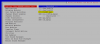
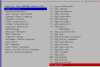
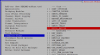
@ChrisJ one other thing you might try is unselecting the format_mp3 and app_mp3 when the make menuselect is run. That might allow the install to continue. Not many people use the mp3 format.

One final resort would be to set the compiler flag for "build native."

1608828167493.png
1608828265795.png
1608828455105.png
 
For the record, nothing is stopping installs from happening. Source is available. The ransonware attack was administrative not code based.
 
@Samot His install log showed the mp3 library was unavailable at the time of his install. I have successfully connected to the link a few minutes ago and can confirm that its working now.
 
Fresh install as of about 3 hours ago on December 24th. (9 PM Pacific Time USA GMT -8). Install went smoothly. Conversion to Public went smoothly.

Having trouble with /root/add-ip: When I allow ssh access, it allows port 22, but I have customized the SSH port during Public setup.

Having trouble with /root/add-fqdn: See previous entry...
 
Hmm. Restored a backup from CentOS version. That seemed to go Okay, but now 'fwconsole ma updateall' fails:

Code:
Installing clearlydevices
Updating tables clearlydevices_extension_mapping, clearlydevices_brand_common_code_translation, clearlydevices_brand_common_codes, clearlydevices_config_files, clearlydevices_config_files_custom, clearlydevices_custom_device_details, clearlydevices_firmware, clearlydevices_firmware_compatibility, clearlydevices_firmware_config_files, clearlydevices_horkey_defaults, clearlydevices_horkey_states, clearlydevices_horkey_states_mapping, clearlydevices_images, clearlydevices_location_details, clearlydevices_location_options, clearlydevices_model_details, clearlydevices_model_options, clearlydevices_model_options_required, clearlydevices_models, clearlydevices_template_details, clearlydevices_template_device_details, clearlydevices_template_devices, clearlydevices_template_options, clearlydevices_templates, clearlydevices_apps, clearlydevices_rebuild...Done
Could not update database. Please contact support.
 

Members online

Forum statistics

Threads
26,687
Messages
174,410
Members
20,257
Latest member
Dempan
Get 3CX - Absolutely Free!

Link up your team and customers Phone System Live Chat Video Conferencing

Hosted or Self-managed. Up to 10 users free forever. No credit card. Try risk free.

3CX
A 3CX Account with that email already exists. You will be redirected to the Customer Portal to sign in or reset your password if you've forgotten it.
Back
Top