

LitleBill
Active Member
- Joined
- May 10, 2023
- Messages
- 146
- Reaction score
- 26
acme.sh has a DNS handler for cpanel.

dnsapi2
A pure Unix shell script ACME client for SSL / TLS certificate automation - acmesh-official/acme.shgithub.com
it will put relevant files in .acme/your,domain.name/
and if you had added
--cert-file <file> Path to copy the cert file to after issue/renew..
--key-file <file> Path to copy the key file to after issue/renew.
--ca-file <file> Path to copy the intermediate cert file to after issue/renew.
--fullchain-file <file> Path to copy the fullchain cert file to after issue/renew.
--reloadcmd <command> Command to execute after issue/renew to reload the server.
where file was started with
/etc/asterisk/keys (copy the fullchain to your.domain.name.crt and the key to .key, the reload command should fwconsole certs import and reload your webserver, then you should be good to go and bypass the FreePBX certificate manager which you should disable when you get it working.
Thank you very much @dicko
This worked really well for ZeroSSL.
So for those who host their domain on
1) a Cpanel hosting
2)and use it as a Nameserver as well,
3) and want to use ZeroSSL the instructions would be simply:
Go to your Cpanel,
create subdomain : pbx.mydomains.com
Go to zone editor: add pbx.mydomains.com with IP address 123.45.67.89
get and API key: CXJ8HRXFNS363RQ71Z51TKM9KTHRFZVE
on your IncrediblePBX server,
login as root and type
Bash:
export cPanel_Username="myadminuseratnordicway"
export cPanel_Apitoken="CXJ8HRXFNS363RQ71Z51TKM9KTHRFZVE"
export cPanel_Hostname="https://cp04.nordicway.dk:2083"


./acme.sh --issue --dns dns_cpanel -d pbx.mydomains.com
No need to add any TXT records, no need to open any ports. just need an API key for your Cpanel.
The cert is valid for 90 days. And hope it will renew automatically with cron job.
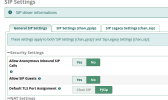
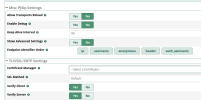
Now that my admin page is secured with SSL I will try to get TLS working for SRTP.

Last edited:


 Phone System