PIONEERS IncrediblePBX for Debian 12, Ubuntu 24.04 or Ubuntu 22.04 with Asterisk-21, FreePBX-17 and PHP 8.2

kenn10

Well-Known Member
Joined
Dec 16, 2007
Messages
4,650
Reaction score
3,015
** Updated 8/4/2024 ** Introducing IncrediblePBX2024!

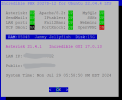
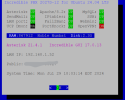
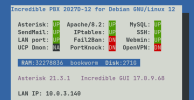
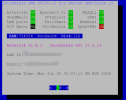
This is a script that will install IncrediblePBX on Debian 12, Ubuntu 22.04 LTS or Ubuntu 24.04 LTS. The script will install FreePBX-17-latest, PHP 8.2 and Asterisk-21-latest on a these operating systems. The parts of IncrediblePBX moved over are the Firewall, OpenVPN, a mail subsystem, GTTS, libraries needed for faxing, and other key elements. Most of the IncrediblePBX add-ons like the Public script have not been tackled at this time. This script gets you a working system with default extensions and trunks. You can also restore a FreePBX backup from earlier systems to assist with setup.

There will be updates over time as issues are found and enhancements are deployed. FreePBX-17 is fairly new and module updates are frequently being released. Remember to do the Admin > Module Admin > Check for updates on a regular basis to insure you get the latest updates.

See instructions from @wardmundy on post #43 of this thread. A lot of the cloud services are not offering Ubuntu 24.04 yet but Debian-12 and Ubuntu 22.04 are readily available now.

Here are "gotchas" that you need to note:
  1. You cannot use an existing IncrediblePBXbackup restore from another IncrediblePBX system or it ruins the whole install. You need to copy over your customized /usr/local/sbin/iptables-custom after the install completes. If you have custom dial plan stuff in the /etc/extensions_custom.conf, you need to copy that over as well.
  2. If you are using a FreePBX backup to restore your old system to the new one, make sure you have not backed up the /etc/asterisk or _ETCASTDIR_ in your backup. This will overwrite the files created by FreePBX-17 in the new /etc/asterisk directory and totally mess things up.
  3. You will need to access the FreePBX GUI after the initial install and reboot. That will let you select your country. That is a one-time setup after installation.
  4. There is no chan_sip and there will be no support for it. Beginning with Asterisk-21 and going forward chan_sip is no longer available or supported. The Asterisk developers have told us this would happen for quite some time. Also any custom dial plan that relies on macros will not work. Macro has also been removed from Asterisk. Chan_sip extensions and trunks are converted to PJSIP if your read in a backup. I'm not sure the results are perfect if you use registration for inbound trunks so check your trunks if you restore a backup from an older system.
This script is designed to move the platform forward with the newest Asterisk, FreePBX and Debian-based operating systems.

After building your OS of choice, then use these commands after logging in as root user:
Code:
cd /root
wget "wget https://filedn.com/lBgbGypMOdDm8PWOoOiBR7j/Debian12/IncrediblePBX2024.sh"
chmod +x IncrediblePBX2024.sh
./IncrediblePBX2024.sh

1722290394736.png
1722290455302.png
1722290622669.png
 
Last edited:
There is no chan_sip support from this version of Asterisk going forward. Extensions are converted if your read in a backup but trunks must be manually reconfigured for chan_pjsip.
FreePBX v17 will expose the chan_sip portion of the GUI if it detects a lower version of Asterisk. Only when it detects Asterisk v21 does it completely hide the chan_sip options or if chan_sip is not a selected driver for lower versions.

The current course of action to restore an older version to FreePBX v17 and continue to use chan_sip is to run the `asterisk-version-switch` script which will allow you to downgrade Asterisk. Once the downgrade is done, you then restore your backup and all the chan_sip configurations will be kept.
 
Also just a note, your initial install commands are installing the same packages at least 3 or more times. The duplications should be removed.
 
FreePBX v17 will expose the chan_sip portion of the GUI if it detects a lower version of Asterisk.
As I said in my post, this is about Asterisk 21.3.1 and forward; not looking backward at older Asterisk and FreePBX versions.

Multiple installs of same packages are from cuts and pastes and will be weeded out going forward. Feel free to assist with editing as a contribution.
 
Last edited:
This
apt install -y build-essential git curl wget libnewt-dev libssl-dev libncurses5-dev subversion libsqlite3-dev libjansson-dev libxml2-dev uuid-dev default-libmysqlclient-dev htop sngrep lame ffmpeg mpg123
apt install -y dialog git vim curl wget libnewt-dev libssl-dev libncurses5-dev subversion libsqlite3-dev build-essential libjansson-dev libxml2-dev uuid-dev expect
apt-get -y install build-essential openssh-server apache2 mariadb-server mariadb-client bison flex php8.2 php8.2-curl php8.2-cli php8.2-common php8.2-mysql php8.2-gd php8.2-mbstring php8.2-intl php8.2-xml php-pear curl sox libncurses5-dev libssl-dev mpg123 libxml2-dev libnewt-dev sqlite3 libsqlite3-dev pkg-config automake libtool autoconf git unixodbc-dev uuid uuid-dev libasound2-dev libogg-dev libvorbis-dev libicu-dev libcurl4-openssl-dev odbc-mariadb libical-dev libneon27-dev libsrtp2-dev libspandsp-dev sudo subversion libtool-bin python-dev-is-python3 unixodbc vim wget libjansson-dev software-properties-common nodejs npm ipset iptables fail2ban php-soap
apt install -y net-tools php-pdo nano libedit-dev openvpn

Can now be this:
apt install -y build-essential git curl wget libnewt-dev libssl-dev libncurses5-dev subversion libsqlite3-dev libjansson-dev libxml2-dev uuid-dev default-libmysqlclient-dev htop sngrep lame ffmpeg mpg123 dialog vim expect net-tools php-pdo nano libedit-dev openvpn
apt install -y openssh-server apache2 mariadb-server mariadb-client bison flex php8.2 php8.2-curl php8.2-cli php8.2-common php8.2-mysql php8.2-gd php8.2-mbstring php8.2-intl php8.2-xml php-pear sox sqlite3 pkg-config automake libtool autoconf unixodbc-dev uuid libasound2-dev libogg-dev libvorbis-dev libicu-dev libcurl4-openssl-dev odbc-mariadb libical-dev libneon27-dev libsrtp2-dev libspandsp-dev sudo libtool-bin python-dev-is-python3 unixodbc software-properties-common nodejs npm ipset iptables fail2ban php-soap

And this can be removed because it only applies to the packaged version of Asterisk being installed on Debian. This is not required when you are doing a source install. The reason being, the Debian package installs the files in different locations than where the source install defaults to and FreePBX wants where the source defaults to.
cd /etc/asterisk
mkdir DIST
mv * DIST
cp DIST/asterisk.conf .
sed -i 's/(!)//' asterisk.conf
touch modules.conf
touch cdr.conf
 
@Samot Thank you! I've changed the script locally and will upload new versions as more corrections get made.
 
Ken I which image should I use for Debian 12 the full blown everything image or the light install?
 
Ken I which image should I use for Debian 12 the full blown everything image or the light install?
The light install is fine. The script will download needed libraries. I used a Rack Nerd VM with Debian-12 which was the light version.
 
I am going to fire up a new VM on Proxmox but I need to update my system to 8.2.

7 is end of life on July 31st. Its going to be a few days before I have that installed again.
 
My script is for Debian-12 with PHP 8.2 so you'll be good if you install on top of a Debian-12 minimal VM instance. After the apt update and upgrade, you'll be at Debian-12.5.
BTW, you can also do this in the install script:

Bash:
apt install -y php8.2 php8.2-{cli,bz2,curl,mbstring,intl,common,mysql,gd,mbstring,xml,bcmath}
 
The symlink to fwconsole in /usr/sbin points to the wrong location at least on the Debian 11 platform I'm using. It should point to /usr/local/src/freepbx/amp_conf/bin/fwconsole or FreePBX won't install.
 
Using the script, I've installed on Rack Nerd D12, Ubuntu 22.04 and on a local VM running Ubuntu 24.04 without incident. I'll try a fresh install again on Debian and see. It is installing from Edge so something might have changed. I don't think it will work correctly on Debian 11.
 
Last edited:
OK. I have several revisions and will upload a new version of the script once I finish the current install in progress to make sure it works.
It might help if you add a version number (or the date) to each iteration of the script so we know we've got the latest version when we go to download it.
 
Just a heads up that I ran into all sorts of issues loading this on CrownCloud. Having not used Debian 11, I was unaware that PHP 8.2 is NOT part of the distribution so you need a private repo to load it. Whose idea was it to standardize on a version of PHP that is not even supported by the underlying operating system?? More great news. Debian 12 is available! So we're deploying an OS out of the starting gate that already has been superceded??????

I'm starting to appreciate the brilliance of calling Incredible PBX 2027 and calling it a day.
 
Yeah. If you just load PHP on Debian-12, it loads PHP 8.3. I haven't tried FreePBX-17 on that but I doubt it will work with PHP 8.3.
 
I need some advice. I have 3 Oracle Cloud pbx instances.
Two of the pbx's are Incredible PBX 2027-U 16.0.40.7 using the image Canonical-Ubuntu-20.04-2023.02.15-0
I want to upgrade one of these to Incredible PBX 2027D-12 using a Canonical-Ubuntu 24.0 image.
Is it possible to upgrade the image without breaking something? I don't want to lose my instances.
 
Why Oracle does not offer a "reimage" function for the VM's is questionable. I have jettisoned my Oracle VM's and opted for cheap Rack Nerd instances for my test bed because I can continually destroy and reimage them with speed and ease..

A manual platform upgrade of Debian or Ubuntu is difficult and can leave artifacts of the original distro if not carefully orchestrated. I would recommend against it as it is easy to wind up with a hybrid combo that will bite you in the future. I'd keep trying to get another Oracle instance and just start from a stable Ubuntu 24.04 version. If you want to try, read this: https://askubuntu.com/questions/151...o-24-04-without-losing-data-or-application-se

From a reliability standpoint, there truly is no rush to move to FreePBX 17 or Asterisk 21 at this point. If you want to proceed, you can backup your FreePBX translations with the FreePBX backup and restore them to the new instance of FreePBX-17. You'd have to manually recreate your firewall settings and any Linux level customizations you have done. Be sure to back up your extensions_custom.conf file if you have made changes but beware of any parts of your custom dial plan that call a macro.

Keep in mind that my script only gives you bare-bones working FreePBX-17 beta system and most IncrediblePBX features, other than the TM3 firewall, have not been ported or tested. The ClearlyIP modules have not been converted for PHP 8.2. The IncrediblePBX module has not been converted for PHP 8.2. The OSS endpoint manager has not been tested.

Proceed with caution if this is the route you want to take for any purpose other than testing and learning. My Ubuntu 24.04 and Debian-12 systems are working just fine but remember that FreePBX-17 is not fully baked at this time. While fewer FreePBX bug reports are being filed, issues will continue to crop up as more people start using it. I've had no issue with Asterisk-21.
 
@kenn10 Thanks. I'll lose that thought and wait and see how FreePBX-17 progresses.
 

Members online

No members online now.

Forum statistics

Threads
26,706
Messages
174,531
Members
20,273
Latest member
rhys96999
Get 3CX - Absolutely Free!

Link up your team and customers Phone System Live Chat Video Conferencing

Hosted or Self-managed. Up to 10 users free forever. No credit card. Try risk free.

3CX
A 3CX Account with that email already exists. You will be redirected to the Customer Portal to sign in or reset your password if you've forgotten it.
Back
Top