SOLVED Latest Incredible PBX for Raspberry Pi

lcsneil

Member
Joined
Sep 21, 2008
Messages
50
Reaction score
4
Sorry for the bleedin obvious question but I have spent all weekend trying to work out the latest version of Incredible PBX.
I have a raspberry pi 4B and want to build the latest incarnation. I have tried the 2027 (from 2023) and that works initially but using the update-asterisk-20 script broke it.
I have also tried using the script to build the 2025 version on the Raspberry pi (using the 64 bit Lite version of the Rasp OS) and again didnt even start up.

Where should I be looking for the latest image for a Raspberry Pi 4b

My head hurts

TIA

lcsneil
 
No RasPi image for IncrediblePBX-2025. The old version on IncrediblePBX-2027 is available here but I don't have a RasPI so I don't know if it supports anything beyond Asterisk 18 or 19.

Let's see if any of the guys with the Raspberry speak up. The point was that you can get a decent system to run IncrediblePBX on that is about the same price as the Raspberry but doesn't have all the quirks and limitations and can run standard x64 Linux loads. Many have just abandoned the RasPI.
 
Last edited:
Epitaph: The RasPi platform has gotten too quirky AND expensive for what you get. See Option 3 for a much more reliable Incredible PBX platform at a bargain price.
 
Thanks Ward. Much appreciated.
Decisions, decision decision :)
 
Trying to follow the directions in post #7, where the mini PC is an Intel/Celeron processor, but the link for Live Server ISO image of Ubuntu 22.04 for amd64 seems to be for an AMD. I tried this link anyway, and the installation "mostly" works, but both Apache2 and MySQL don't load. Webmin runs fine, and can confirm those servers are down.

I tried twice, but same results. Any suggestions?

Thanks
 
Thanks... I feel better knowing I have the correct ISO. I'll give it another try, and watch that I don't miss any steps.
 
Continuing my saga... I started over fresh, and this time Asterisk (including all the modules) did not load, but Apache and MySQL did. I'm wondering if I messed up the storage option during the Ubuntu installation. I chose "full".

Two days later, I decided to download another copy of the Live Serve Ubuntu ISO, in the off chance I had a damaged copy. This time I noticed there was a Ubuntu 22.04-5 image (my first copy was a -4), so I selected this version. This time, the installation, including the ./IncrediblePBX-U.sh script ran fine. I noticed that 'Incredible" script took about twice as long as before.

One issue, was the initial PBX login page was missing the "continue" button. Once running the "fwconsole ma remove incrediblepbx" script, I was able to log in, and configured extensions, trunks, and routes. All good, except for AnveoDirect.

As per: Log into the GUI as admin using a web browser and edit the Anveo-Out trunk in Connectivity -> Trunks. Enable the Trunk. Then click on the custom-Settings tab and replace anveo-pin with your actual Dialing Prefix. Click Submit and Apply Config to complete the setup.

Right... I replaced the "anveo-pin" text with my pin, say "012345". Submit, apply Config. But if I place an outgoing call, the "anveo-pin" text remains inserted in the dial out string: app_dial.c: Called SIP/anveo-pin[email protected]
It's almost like the Trunk Custom setting is not being saved. Has anyone seen this as well, or just me?
 
Last edited:
The problem with the continue button on login was a Sangoma "oops" and is well-addressed on this forum and on FreePBX's forum. https://www.voip-info.org/forum/threads/missing-login-button.28403/#post-181018

Ubuntu 24.04.x continues to cause problems for people installing IncrediblePBX-2025. The safest bet is to stick with Debian-12 until FreePBX will run on Debian-13. There are a number of problems reported with Ubuntu since the dot releases after 24.04.2. Wards Nerd Vittles article specifies the correct release of Ubuntu to utilize. Not to mention the Raspberry Pi is basically dead due to pricing and it has become anachronistic in view of current OS releases. Not much effort is likely to be expended to fix the issue on the RasPi.

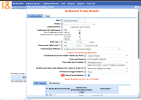
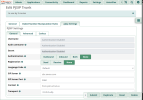
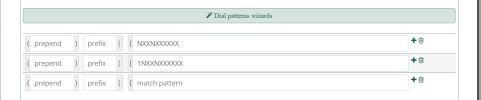
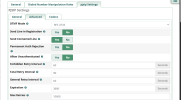
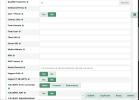
As to the issue of using a PIN with Anveo-Direct, why? Just use IP authorization and drop the PIN. Remember that Anveo requires the number be sent with the leading country code (1 for North America) if different from your own country code. Delete the PIN on the Anveo site, put your PBX's IP there, and delete the originally included Anveo trunk and enter a new PJSIP one like below:
1761909867208.png
1761908274945.png
1761908210437.png
1761908474210.png
1761908614800.png
 
Last edited:
@hecatae
what are you doing on 22.04 when 24.04 is used on the latest install:

I was following the link in post#7 above, which is for IncrediblePBX2027-U on Ubuntu 22.04. Since online links can be updated/changed on a daily basis, I may have been chasing a rabbit down a hole. In any case, my PBX is "mostly working" except for the Anveo-out trunk. The Voip.ms trunk works fine, as well as all other functions, like Extensions, Routes, Conference, Voicemail, etc. But, if there is a better installation for the hardware in post#7, I'm willing to give it a try.

@kenn10: Thanks for your detailed response! The issue with the "Continue" button is not a deal breaker for me, and the solution offered works well enough, so no big deal.

I will follow your recommended Anveo configuration, and hopefully that will get my outbound trunk working, Thanks for that!
 

Members online

No members online now.

Forum statistics

Threads
26,705
Messages
174,510
Members
20,272
Latest member
voipgreene
Get 3CX - Absolutely Free!

Link up your team and customers Phone System Live Chat Video Conferencing

Hosted or Self-managed. Up to 10 users free forever. No credit card. Try risk free.

3CX
A 3CX Account with that email already exists. You will be redirected to the Customer Portal to sign in or reset your password if you've forgotten it.
Back
Top