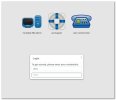
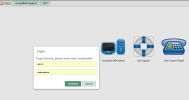
SOLVED Missing Login Button or Login Does Nothing

Yep. That does the trick. Can that be pushed out through the update utility or will each site have to install the module manually?
 
It should still be available in Module Admin -> Check Online as a download and install option. If not, let me know.
I do not see it in there. Is there a direct command line to download and install it?
 
Use Ward's link to download the current module and then do a manual install from the modules page in FreePBX:

I tried that but it said it was a downgrade. I am assuming because 17.0.3 is a lower number than 17.0.19 or 17.0.21 that was installed. Since I am having issues and this is only a new instance as my primary pbx is unaffected I will wait for it to get worked out and I will reinstall the new one.
 
No. Incrediblepbx-17.0.3 is an upgrade to that module and not to the framework module. You also need to upgrade your framework module back to current version before you install the IncrediblePBX-17.0.3 module.
 
For the time being, here is the fix with current version of framework:
Code:
fwconsole ma downloadinstall https://filedn.com/lBgbGypMOdDm8PWOoOiBR7j/IncrediblePBX-Branding-Module/incrediblepbx-17.0.3.tgz
fwconsole reload
 
I had the exact same issue, however mine was because my Virtual Machine ran out of disk space. because of the call recordings. I deleted some, cleared cache in my browser and all working again
 

Attachments

  • 2025-10-20_084540.jpg
    2025-10-20_084540.jpg
    37.2 KB · Views: 4
Just dropping a note to report that I’ve also encountered this issue this morning.

Reverting the framework to version 17.0.19.32 using the following commands:

fwconsole ma downloadinstall framework --tag=17.0.19.32
fwconsole reload

resolved the problem: I’m now able to log in again via the web UI.

However, none of my SIP extensions are responding now, and my SIP trunk also isn’t connecting.
This may or may not be related to the issue above, as both problems were first noticed this morning (everything was working fine on Friday).

Since I just migrated from IncrediblePBX 2021 + SIP to IncrediblePBX 2025 + PJSIP about a week ago, I’m a bit unsure how to start troubleshooting this new issue.

Any pointers would be greatly appreciated.
 
Wow, I forgot about this over the weekend, and was surprised at how much there was to read today.

I logged into ssh, and it updated some things. Tried the UI, and my continue button was back! Thanks Ward, Kenn10 and whoever actually fixed the problematic code.
 
Thank you, @wardmundy! The automatic update resolved the login issue, and I’m now running the latest version of the modules.


Unfortunately, my other issue is still occurring. To avoid taking this thread off-topic, I’ll start a new one.


I really appreciate your quick response and action on this matter. :thumbsup:
 
@wardmundy I had ran the manual upgrade and now even with the automatic update I am getting this error in the web admin:

Module "IncrediblePBX" signed by an invalid key.
Module: "IncrediblePBX", File: "module.sig check failed! Signed by unknown, untrusted key."

Should I be able to just remove/reinstall to fix that or is there another way?
 
@wardmundy I had ran the manual upgrade and now even with the automatic update I am getting this error in the web admin:

Module "IncrediblePBX" signed by an invalid key.
Module: "IncrediblePBX", File: "module.sig check failed! Signed by unknown, untrusted key."

Should I be able to just remove/reinstall to fix that or is there another way?
/root/sig-fix
/root/sig-fix
 
Inexcusable f*ckup!
I agree but here I thought IncrediblePBX managed modules versions to make sure things like this didn't happen. We just discussed this less than a month ago. I believe the quote was:

Locking a FreePBX version to a stable release is not the same as overriding which implies replacing it. We never replace anything. We simply don't allow dangerous updates to be installed. But you knew that.
Seems though any IncrediblePBX system was just updating to the latest releases without any locks or checks for the updates being "dangerous".
 
@Samot: We don't block module updates. Once a bug is discovered, we address the problem as we did here.

P.S. Don't you have something better to do?
 
I updated as well and now cannot login on the GUI web interface but the PBX is still working OK.
When I hit continue on the log in nothing happens no indication that the username or password is being sent.
 

Attachments

  • Screenshot from 2025-10-22 09-05-39.png
    Screenshot from 2025-10-22 09-05-39.png
    76.1 KB · Views: 3
I updated as well and now cannot login on the GUI web interface but the PBX is still working OK.
When I hit continue on the log in nothing happens no indication that the username or password is being sent.
Have you logged into the Linux system as root so that it will do the automatic update that Ward pushed out?
 
Get 3CX - Absolutely Free!

Link up your team and customers Phone System Live Chat Video Conferencing

Hosted or Self-managed. Up to 10 users free forever. No credit card. Try risk free.

3CX
A 3CX Account with that email already exists. You will be redirected to the Customer Portal to sign in or reset your password if you've forgotten it.
Back
Top