SOLVED PBX ignoring SYN request

cantVOIP

Member
Joined
Jun 19, 2023
Messages
60
Reaction score
8
I've setup IncrediblePBX using PJSIP 5061, used my own Let's Encrypt certificate to allow TLS SIP and SRTP.
I've tested inbound and outbound encrypted calls using an ATA. It works great.

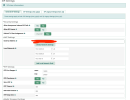
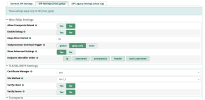
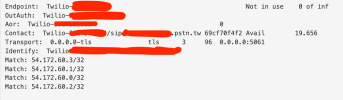
I am trying to use a cloud SIP from Twilio. I configured my Twilio account and PBX to communicate and establish SIP connection to my Twilio number. I am able to place encrypted Outbound calls. However, inbound calls are failing. I narrowed it down to the PBX not responding to the Twilio account when a call comes in. Both my twilio debug logs and my pfSense point that the issue is PBX not responding. Check the attached image.

Again, inbounds work great with my ATA which exists under the same lan as my PBX. Any ideas as to why the PBX is rejecting the connection? Something else to add is that the incoming call does not register anything on the Asterisk Log section of the PBX at all.

 

Attachments

  • error.png
    error.png
    59.3 KB · Views: 7
  • sip settings.png
    sip settings.png
    215 KB · Views: 8
  • pjsip1.png
    pjsip1.png
    168.8 KB · Views: 7
  • twilio trunk.png
    twilio trunk.png
    59.1 KB · Views: 6
Sounds like a firewall issue. Are Twilio IP addresses whitelisted with add-ip or add-fqdn?
 
Are IP's whitelisted in BOTH your pfSense AND Incredible PBX firewalls??
 
Only on pfSense. Under which tab can I find the PBX firewall? I am running the latest 2021 version
 
You log in as root and at the Linux prompt run ./add-ip for each IP address.
 
You log in as root and at the Linux prompt run ./add-ip for each IP address.
That is exactly what the problem was. I needed to allow Twilio's SIP ips to Incredible PBX's firewall. Thank you so much for the help!
 
You log in as root and at the Linux prompt run ./add-ip for each IP address.
One other thing. Do I need to run ./add-ip VLAN2 192.168.2.0/24 if I want to allow phones from another VLAN to register on my PBX?

I've added my local networks under the GUI SIP Settings, but phones on the secondary VLAN are not able to reach the PBX.

Note: It's not a network issue. Same scenario is already on production with an older IncrediblePBX I inherited. Using the same VLANs and the same phone.
 
Do I need to run ./add-ip VLAN2 192.168.2.0/24
I'd say so. Only your original LAN address would have been whitelisted in the PBX firewall. However, you'll probably have to edit the /usr/local/sbin/iptables-custom to get the whole subnet whitelisted. After manually editing the file, you'll need to run iptables-restart to load in the new values. Actually, the add-ip command does handle the /24.
 
Interesting. I ran the command for the local network, restarted ip tables, changed some aliases in the firewall rules and it worked. Not sure what did the trick. I'm going to have to replicate further if you are saying that /24 is not handled by the add-ip
 
Interesting. I ran the command for the local network, restarted ip tables, changed some aliases in the firewall rules and it worked. Not sure what did the trick. I'm going to have to replicate further if you are saying that /24 is not handled by the add-ip
I tested it and it did add the /24 when I tried that with add-ip.
 
Unless something changed?

>>By default, Incredible PBX whitelists all of the non-routable LAN subnets including 10.0.0.0/8, 172.16.0.0/12, and 192.168.0.0/16

192.168.0.0/16 = FIRST USABLE IP 192.168.0.1 - LAST USABLE IP 192.168.255.254
 
One other thing. Do I need to run ./add-ip VLAN2 192.168.2.0/24 if I want to allow phones from another VLAN to register on my PBX?

I've added my local networks under the GUI SIP Settings, but phones on the secondary VLAN are not able to reach the PBX.

Note: It's not a network issue. Same scenario is already on production with an older IncrediblePBX I inherited. Using the same VLANs and the same phone.
Have you confirmed there is inter-vlan routing between the vlans? VLANs shouldn't communicate with each other without some sort of routing between them.
 
Get 3CX - Absolutely Free!

Link up your team and customers Phone System Live Chat Video Conferencing

Hosted or Self-managed. Up to 10 users free forever. No credit card. Try risk free.

3CX
A 3CX Account with that email already exists. You will be redirected to the Customer Portal to sign in or reset your password if you've forgotten it.
Back
Top