SOLVED PBX Keeps crashing

Starburst

Member
Joined
Jun 4, 2020
Messages
86
Reaction score
21
Having a problem with the debian 10 pbx crashing between 10p and 1a.
This is a hard crash, and have to do a hardware reset to get the system back up.

I've already deleted all cron jobs from the system.

Any suggestions?

I really want to keep this up, but it seems like debian and the pbx software isn't too stable for a production system.
 
Having a problem with the debian 10 pbx crashing between 10p and 1a.
This is a hard crash, and have to do a hardware reset to get the system back up.

I've already deleted all cron jobs from the system.

Any suggestions?

I really want to keep this up, but it seems like debian and the pbx software isn't too stable for a production system.
Have you checked any logs for error messages?
 
No errors in the logs.

Just seems like at random times the system locks since install.

If it was around the same time, it might be a cron job. But it's not.
 
More details about your setup would be helpfull... Like IS this a VPS in the cloud, or is it bare metal?

If bare metal, is it modern hardware? If so, you may want to try the Ubuntu build, as Ubuntu seems to have better hardware support than Debian.

If you are running Virtualization, what kind?

I have tried running debian and Ubuntu in LXD containers, and they seem to work, except Hylafax. Which probably has to do with not passing the wright kernel module to the unprivileged container. I refuse to run privileged containers if I don't have to.

Proxmox VE seems to be a popular virtualization setup that uses KVM's and LXD containers. Although my running of them is from a Ubuntu 20.04 Server (Home) and Ubuntu 18.04 Server (Work)

If you are running at Cloud@cost, then Backup, Delete, and rebuild. IT is almost like Russian rullet there. Sometimes you can get a decent VM, others, it is just plain crap. I reccomend them only for testing, as they are not reliable. I trust politicians more than those VM's... Well, maybe them more than politicians... Used car sales people more.
 
It's a VPS at 1&1, and they use VMWare.

Trying to stick with Debian, but I'm ready to rebuild with CentOS 7. :/

Have the system backed up and also did a snapshot.
 
Many years ago I had a similar sort of issue and it was due to the server setup on the cloud provider I was using. I switched across to Vultr and the problem disappeared.
 
It's a VPS at 1&1, and they use VMWare.

Trying to stick with Debian, but I'm ready to rebuild with CentOS 7. :/

Have the system backed up and also did a snapshot.
Hmm... Cloud@cost uses Vmware also... I would try destroying your server, and creating it again.

Before you install Incredible PBX, do a apt update && apt upgrade, then you must Reboot!!! Then install Incredible PBX... If your update updates the Kernel, and you don't reboot, the install will fail.
 
Vultr does use kvm, while 1&1 uses VMware,

Going to try to install on a Debian 10 server using kvm, and see what happens.
 
I've got five VPS running Debian 10 IncrediblePBX 2021 across 3 different VPS providers. No issues since install on any of them. I suggest you install one per the instructions instead of "improving" things and see if it is stable.
 
I've got five VPS running Debian 10 IncrediblePBX 2021 across 3 different VPS providers. No issues since install on any of them. I suggest you install one per the instructions instead of "improving" things and see if it is stable.

So not wanting to use Gmail, and use a FQDN is "improving"... :skep:
 
So not wanting to use Gmail, and use a FQDN is "improving"... :skep:
In your first post you said "I've already deleted all cron jobs from the system." So what else have you done?
You also claim there's nothing in any logs so my advice is to nuke it and start again. If you want to use Gmail and an FQDN make those changes after you have the PBX running.
 
Last edited:
So not wanting to use Gmail, and use a FQDN is "improving"... :skep:
You already said you were trying to use exim instead of sendmail and this
I prefer csf to fail2ban, but that's a whole other story and not relevant to the PBX.

IncrediblePBX is designed to be a packaged install of components that work well together for less experienced users. If you start tinkering with things outside the packaged install, you run into unpredictable results. When you "go off the reservation" you invite trouble. There are many, many successful installs of the IncrediblePBX around the world. There is a lot of history behind the product in the forums and Nerd Vittles available to readers.

If the goal is to have a working PBX system, it is best to just follow the install instructions and let it be. If you want to learn by tinkering with different parts of it, that's great to do on a separate system.
 
When I began reading this thread, I kept recalling your comments about "wandering off the reservation" in a prior thread. My suggestion would be to proceed through the default install AND LEAVE IT ALONE FOR A FEW DAYS and let's see what we see. Then we will at least know whether your changes have injected some instability or whether this is a VMware issue. As noted by others, we have this running on numerous servers without any problems except at CloudAtCost which is also a VMware platform IIRC. Of course, CloudAtCost has its own boatload of issues that have little or nothing to do with VMware.

We also have a VMware ESXi server on site so I will spin up a couple of images and see if any issues arise.
 
@Starburst: Another thing... Don't trust the linux images that some of these VPS's install... They can even have some back doors. That is why i Reccomend installing from images.. Assuming that with 1&1 you can get console access. Open the console, and a terminal(Easy to copy and paste)

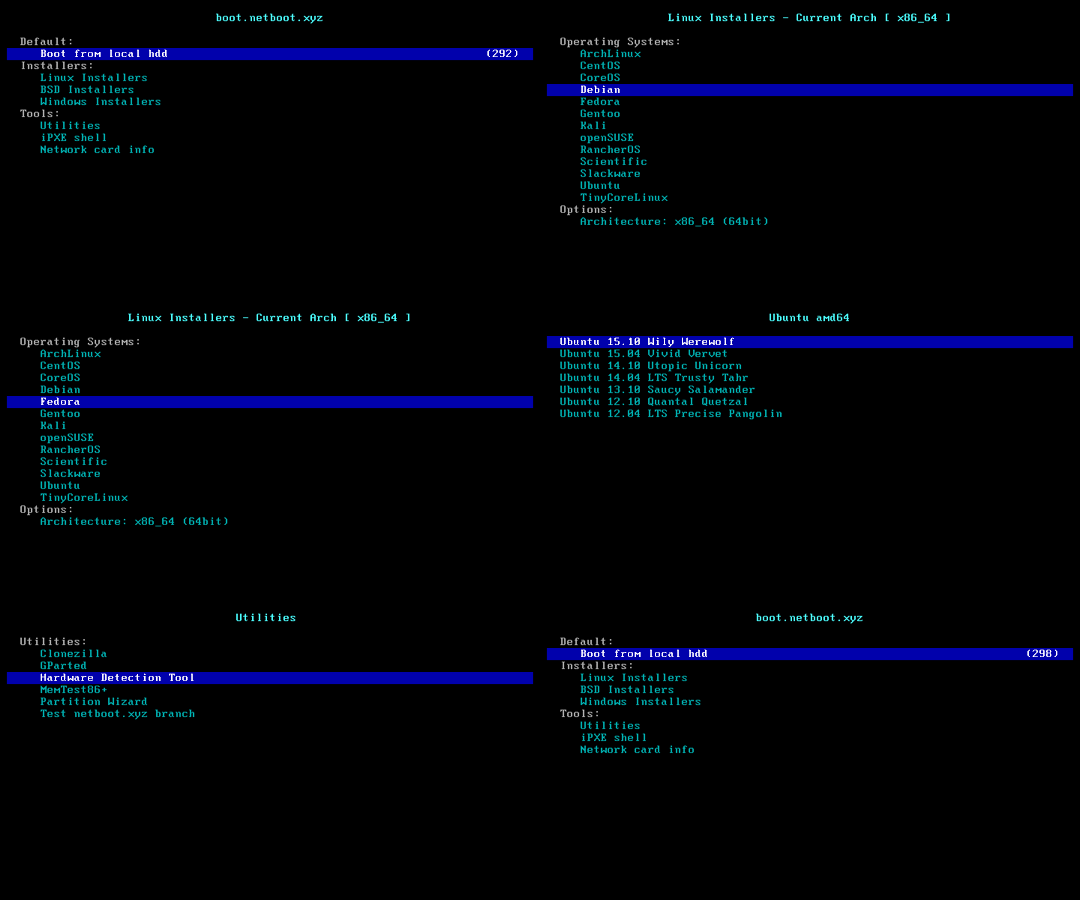
In your terminal enter: cd /boot && wget -c "https://boot.netboot.xyz/ipxe/netboot.xyz.lkrn" then reboot, and once you reboot, in your console, press the ESC key until you see a Grub menu, then press the letter C

After that type in linux16 /boot/netboot.xyz.lkrn, then boot
on some VPS's you need to do linux16 /netboot.xyz.lkrn instead.

Tip: type in linux16 , then /bo then TAB, and it should complete /boot/, then type in ne TAB, and it should complete the rest.... If it still doesn't see it, try just linux16 /netboot.xyz.lkrn

After the boot, if your VPS does not use DHCP to assign your static IP, then you will need to:
Quickly press "M" to bring up the menu.

Select "Manual network configuration".

Now you'll need to provide the following information in order for the script to download the image. This can all be found in your control panel:

IP address (found in panel)
Subnet mask (if you have issues relating to networking, try leaving this blank)
Default gateway (found in panel)
Set DNS to 8.8.8.8

Then you can select any Linux install you want.
netboot.xyz.gif


If you are installing Ubuntu 20.04, unless your VPS has a lot of RAM, use the legacy installer.

It is also a Good idea to install the OpenVmware tools after your install...

Bash:
sudo apt update
sudo apt install open-vm-tools
Then REBOOT before installing Incredible PBX.

I do this for all VPS's that arent Vultr, or Digital Ocean. May even do it on those too... Havent tried it.. But It gives me piece of mind of not having any bloatware that can cause problems. Or have some packages pre-installed that could cause problems.
 
That sounds like a good way to get on the wrong side of a VPS provider that has optimized its images with drivers and monitoring agents. It will also make it so you can't snapshot or backup on some platforms. Definitely will ruin things with DigitalOcean, Azure, Amazon, and Linode. Vultr maybe. VMware hosts need the vmware tools. I think if you're so concerned about VPS backdoors or other software you should run it on your own hardware.
 
You already said you were trying to use exim instead of sendmail and this


IncrediblePBX is designed to be a packaged install of components that work well together for less experienced users. If you start tinkering with things outside the packaged install, you run into unpredictable results. When you "go off the reservation" you invite trouble. There are many, many successful installs of the IncrediblePBX around the world. There is a lot of history behind the product in the forums and Nerd Vittles available to readers.

If the goal is to have a working PBX system, it is best to just follow the install instructions and let it be. If you want to learn by tinkering with different parts of it, that's great to do on a separate system.

I'm just trying to get regular email notifications working without having to use Gmail.
That fix worked one time, and not since. :/

I'm use to Postfix & Dovecot and csf (which also uses iptables) on the regular servers.
 
@Starburst: I think what we're trying to figure out is whether your preferences are causing the issues you're seeing or whether this is a more widespread issue with a platform such as VMware. Keep in mind you're a little late to the party. Many of us have been developing and testing Debian (and lately Ubuntu) since late December 2020. And your observations of crashes are new news to all of us.
 
Last edited:
@Starburst: I think what we're trying to figure out is whether your preferences are causing the issues you're seeing or whether this is a more widespread issue with a platform such as VMware. Keep in mind you're a little late to the party. Many of us have been developing and testing Debian (and lately Ubuntu) since late December 2020. And your observations of crashes are new news to all of us.

CentOS 7 on KVM is stable (Vultr & 1 other)

Just redid Debian 10.7 on VMware @ 1&1.
And this time sendmail worked right after installation. I actually yelled WTF this morning... As it hasn't been. Didn't do anything different as all the other tries.

Everything is setup stock, well except I changed the SSH port.
All else was inside Incredible PBX like the IVR's, Extensions, Streaming OHM, etc.

We will see if it locks tonight or not.
 
That sounds like a good way to get on the wrong side of a VPS provider that has optimized its images with drivers and monitoring agents. It will also make it so you can't snapshot or backup on some platforms. Definitely will ruin things with DigitalOcean, Azure, Amazon, and Linode. Vultr maybe. VMware hosts need the vmware tools. I think if you're so concerned about VPS backdoors or other software you should run it on your own hardware.
VMware only needs:
Bash:
sudo apt update
sudo apt install open-vm-tools

And after you get it running, it can still be snapshotted. The Vmware drivers are built in to the Debian and Ubuntu images, and installing open-vm-tools givea all the monitoring data needed for a Vmware host.

On Digital Ocean, if you install a freash image, and select Cloud Init (First option), openssh, and basic server, it will install all it needs. Then for better analytics, you need to install https://www.digitalocean.com/docs/monitoring/how-to/install-agent/ --- You have to do that from the original images they install anyways.

But, I think Digital Ocean is a trustworthy enough provider. I just spun up a droplet and tested :)
 
Get 3CX - Absolutely Free!

Link up your team and customers Phone System Live Chat Video Conferencing

Hosted or Self-managed. Up to 10 users free forever. No credit card. Try risk free.

3CX
A 3CX Account with that email already exists. You will be redirected to the Customer Portal to sign in or reset your password if you've forgotten it.
Back
Top