SOLVED SD card in Mini PC

MGD4me

Guru
Joined
Feb 3, 2009
Messages
524
Reaction score
122
Re: IncrediblePBX 2027-U on Mini PC

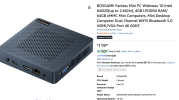
After having successfully installing IncrediblePBX on this Mini PC, I wonder if the SD card slot can be used to save backups. At the moment, I only have access to Local storage, which seems to defeat the purpose in case of a major crash.

The Filestore module might be the option to go with, but having access to the SD card would probably be a better option for me. Are there any "how to" articles that would explain in simple detail to mount the SD card for such use?

Thanks...


Mini PC.png
 
It should be a straightforward Linux operation. Mount the SD card and point the backup and restore module to it.
 
I figured as much. I know several languages, but linux is no where near the top of the list.

With some Googling, I got it figured out. The key (for me) was to identify the storage device as dev/mmcblk1p1 for this PC. Then the rest was easy.

Thanks.
 
I figured as much. I know several languages, but linux is no where near the top of the list.

With some Googling, I got it figured out. The key (for me) was to identify the storage device as dev/mmcblk1p1 for this PC. Then the rest was easy.

Thanks.
Yes, device names seem like random strings these days. Of course they aren’t really random and I’m sure there’s a reason for the new format.
 
Yes, device names seem like random strings these days. Of course they aren’t really random and I’m sure there’s a reason for the new format.
Actually the device names have been standardized a few years back and it's quite easy to decipher them. For instance, in your case mmcblk1p1 means that it's a block device (blk) of type Multi-Media-Card "mmc" and it's connected on the pcie bus number 1 (first 1) and you are accessing the partition 1 (p1).
If you want to access the entire SD card you would refer to it as /dev/mmcblk1. For a partition on it it will be /dev/mmcblk1p1 or /dev/mmcblk1p2 (if you had a second partition on it, etc).
For instance if you want to do a full hdd image copy with dd the command would look like dd if=/dev/sda of=/dev/mmcblk1, whereas if you want to do the same on only the partition 1 of your hdd, the command will become dd if=/dev/sda1 of=/dev/mmcblk1p1, etc. Note that here sda or sda1 follows the old unix convention whereas SD goes for the new standard.
If you deal with an NVME (which stands for Non Volatile Memory Express, express alluding to PCIe) drive, it's typically named along the same lines, aka nvme0, nvme1, nvme2, etc. And the partitions on them become nvme0p1, nvme1p1, etc.
This long post to simply say that these are not random strings :) , but also to remind you that SD cards are not the best storage for backups as their quality nowadays are iffy unless you go for expensive brand name cards especially made for photographers. The worst thing with backups is that you think you're doing the right thing and your data is safe until you need to restore and you find out that your backup is somehow defective.
If you asked me I would say backup on external USB attached hard disk drives.
 
@Halea Wow... such a treasure-trove of information!

I appreciate the detailed explanation. I don't often get down to this level, but it's coming back to me now. Thanks for that.

Ahh.... backup to an external USB hard drive. I think that makes perfect sense, and if I recall, is an easier installation.
 
Taking the advice of @Halea regarding the reliability of common SD cards, I installed an external USB attached hard drive.

This solution works works perfectly, and and backups can be made to both Local and External storage.

Consider this topic closed.
 
Get 3CX - Absolutely Free!

Link up your team and customers Phone System Live Chat Video Conferencing

Hosted or Self-managed. Up to 10 users free forever. No credit card. Try risk free.

3CX
A 3CX Account with that email already exists. You will be redirected to the Customer Portal to sign in or reset your password if you've forgotten it.
Back
Top