TUTORIAL Ubuntu 14.04.1 Incredible FAX

Marvin

Member
Joined
Feb 3, 2014
Messages
34
Reaction score
4
I have installed Incredible FAX per the instructions found at "http://nerdvittles.com/?p=11041" Midnight Mandess. I entered my email address and accepted all the defaults as directed. I rebooted and set the admin password then logged into the portal, but I don't see any options for Avant FAX. the login screen has buttons for FreePBX support, iSymphony and User Panel then all the normal icons for logging in (FreePBX Admin, User Control, Operator Panel and Get Support). When I login I don't see anything different menu wise either. Is there supposed to be somewhere where I can configure Avantfax?
Also, how does one use UCP (in the User Panel drop down), I have tried signing in with the information that was email'd to me but no luck.
 
I have installed Incredible FAX per the instructions found at "http://nerdvittles.com/?p=11041" Midnight Mandess. I entered my email address and accepted all the defaults as directed. I rebooted and set the admin password then logged into the portal, but I don't see any options for Avant FAX. the login screen has buttons for FreePBX support, iSymphony and User Panel then all the normal icons for logging in (FreePBX Admin, User Control, Operator Panel and Get Support). When I login I don't see anything different menu wise either. Is there supposed to be somewhere where I can configure Avantfax?
Also, how does one use UCP (in the User Panel drop down), I have tried signing in with the information that was email'd to me but no luck.


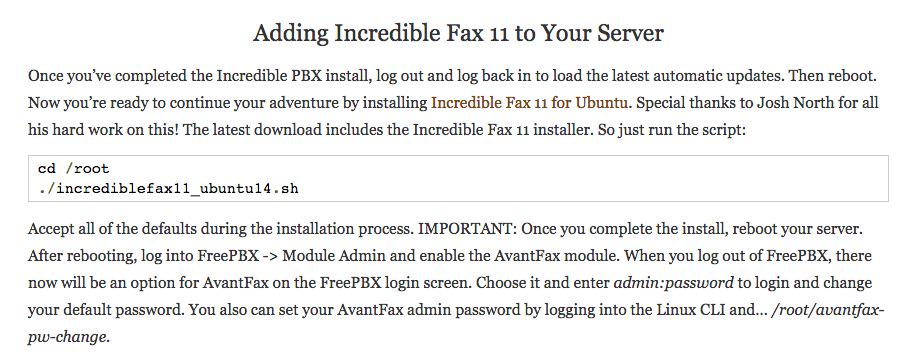
It would be nice if the instructions on how to install Incredible FAX included the part about needing to go to module admin and activate the module so it will show up:mad:
 
This sounds very much like the issue I am having using the Ubuntu template on RentPBX. I've used them for a couple of years, but I may favor going to a more DIY approach then just having someone else'e template. Not bashing RentPBX in anyway, in fact they have provided excellent uptime and gave me a very early warning they were changing racks in Chicago so I could build out a new pbx. By the way, I never did get the kennosoft menu to return. I just use the /foldername i.e. url.com/avantfax or similar to reach the apps. The menu is very nice, but i can survive without it. http://pbxinaflash.com/community/index.php?threads/missing-kennonsoft-gui-ubuntu-14-rentpbx.16294/
 
The Incredible PBX for Ubuntu tutorial now includes documentation on installing Incredible Fax. Thanks.

B7e5IVRIAAAy76V.jpg:large
 

Members online

No members online now.

Forum statistics

Threads
26,688
Messages
174,412
Members
20,259
Latest member
Fadeek86
Get 3CX - Absolutely Free!

Link up your team and customers Phone System Live Chat Video Conferencing

Hosted or Self-managed. Up to 10 users free forever. No credit card. Try risk free.

3CX
A 3CX Account with that email already exists. You will be redirected to the Customer Portal to sign in or reset your password if you've forgotten it.
Back
Top