sstasterisk
Member
- Joined
- Jul 12, 2019
- Messages
- 82
- Reaction score
- 2
How to pass incoming calls to pbx(trunks call processing) to the pbx(extentions only), over iax trunk connecting the two.


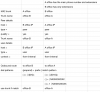
Kinda follow this guide, got the results i was looking for, concerning inbound, how ever i'm stuck sending outbound from extention server to primary server. using dial pattern prefixed7800 NXXNXXXXXX from a to b, and outbound route on b using 7800 hoping to catch the prefix of 7800
Thanks, I have done this server A is 3000 and 4000 set numbers and server B is 1000 and 2000 set numbers, some other last minute random numbers can be added, that wouldn't cross with either serverThis tip may be too late in your implementation, but I have found that it is easier if you design each site with their own distinct 'block' of numbers. For example, if you use 3-digit extensions, one site would all have 2xx-numbered extensions, and the next site might have 3xx-numbered extensions. I always avoid the 1xx temptation since that can get a little more confusing when dialing Long Distant 1+10-digits, or other International calls.
If you use 4-digit extensions, then use 2xxx, and 3xxx blocks, etc. I find the routing of calls from 3xxx (site b) to 2xxx (site a) so much simpler.
As I re-read your question, I'm not sure if you are actually talking about two servers at the same site, or if you have two unique physical sites, each with their own server. My "help" pertains to two sites... sorry for the confusion.
Kinda follow this guide ...
Thanks, I have done this server A is 3000 and 4000 set numbers and server B is 1000 and 2000 set numbers, some other last minute random numbers can be added, that wouldn't cross with either serverThe guide illustrated in post #5 actually works well. Of course, you have to tailor your extension range to suit, but it works.
Re: your post # 6:
If you could state exactly what your settings are (not kinda, sorta, or a bit like...), for your trunks and Outbound routes, we could probably spot any errors. At this point, we are both guessing.

When you want a call made on system A to be dialed out on a trunk of system B two things need to happen:The pdfs, does explain a little bit more, again system a is the trunking or provider system, and system be consist of mostly extensions only. System out has sever providers each with a prefix of 7800 through 7810, (skyetel, voip.ms, voip cheap, etc), having trouble calling out of system b(extensions), through system a, how would i configure the prefix or outbound in general to pass off what's required to call out of each provider.
When you want a call made on system A to be dialed out on a trunk of system B two things need to happen:
First, on system A an outbound rule needs to catch the call request, either because the user dialed a prefix, or there is an intercept on the country/area code, or still an intercept on who's dialing (extension on system A) which would send the call on the IAX2 trunk to system B.
Second, on system B, when such a call comes in from system A, it appears as if it was freshly dialed on a system B extension with whatever dial string and outbound caller id that was put out by the outbound rule of the system A.
Now, that hits another battery of tests on system B until it gets caught by an outbound rule of system B.
Much like with system A the outbound trunk selection on system B could be based on a prefix or country code or area code or whatever other criteria you may be using on your overall system.
I, for instance, have 4 offices internationally connected together with pfsense routers over tinc vpn. Each office has its own PBX and when I call a number in Japan my voip traffic hits the PBX in Kyoto and gets dialed out over there. Same way I dial out all my Europe bound calls through my Paris, France office and those to pacific region through Adelaide, Australia. My preferred way of dispatching the calls to different PBXs is by country code. I also use private call prefixes if I want to force the call routes.
Way to go! Good job.Answered: Figured It Out, on system B, I have to use (7800)7800|NXXNXXXXXX for it to get pass to system A, and processed out of the correctly configured route, that uses ()7800|NXXNXXXXXX through ()7810|NXXNXXXXXX

Link up your team and customers  Phone System Live Chat Video Conferencing
Hosted or Self-managed. Up to 10 users free forever. No credit card. Try risk free.

Check your inbox!
We’ve sent you an email. Click on the button in the email body to verify your email address – (if you can not find it, check your spam folder).
Upon verification you will be directed to the 3CX setup wizard.


