GO HERE Anveo Outgoing Help - No Audio either way - calls connect, does RTP channel connect?

Could this have anything to do with me having DSL Extreme (which buys business class AT&T DSL or Uverse-type-connections) and resells it to the end users needing an ISP like me? Hope not. It's just a thought.

I'll reboot the PBX Server and try it again in a few minutes.
 
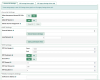
Lastly, check your Settings > Advanced Settings to be sure the RTP range is set correctly:
1610503118370.png
 
No luck after rebooting the PBX Server. I also put a block on Carrier # 25 (Bandwidth) which was Anveo's suggestion when I opened a ticket and they saw all my calls picked that carrier because I chose the low cost option. I really thought it worked after that but now I am thinking it just failed over to another trunk. For testing, I only have Anveo listed in my Outbound Routes now.
 
@kenn10 Although you did not highlight it, do you think I need the RTP Keep Alive packets because of my NAT home router?
Just a shot in the dark.
 
So it still connects but you get no audio? Go back and take out the forwards on the router for 5060/5061 and 10000-20000. Leave the IP of the PBX in the DMZ. Save the changes on the router and reboot the router.
 
It still rings, connects, but there is no audio. I removed the router forwards, put the IP of the PBX back into the DMZ, saved and rebooted but still nothing (i.e. no audio). I just remembered I have an AT&T branded router in front of it, but I thought I set it to "bridge" mode and tend to forget it's in front of my Tomato Router....
 
It still rings, connects, but there is no audio. I removed the router forwards, put the IP of the PBX back into the DMZ, saved and rebooted but still nothing (i.e. no audio). I just remembered I have an AT&T branded router in front of it, but I thought I set it to "bridge" mode and tend to forget it's in front of my Tomato Router....
If it isn't in Bridge mode you'll be getting double NAT and never get audio. At this point, the problem is not the PBX. Its the modem, router or the ISP blocking some ports.
 
I see. I have no problem making outbound calls with the same PBX to Voip.ms and to BulkVS, and thought they all used the same ports UDP 5060-5061 and 10,000-20,000. The NAT seems to be turned off, at least, I get anything else I've tried to work through it, that's why I forget about it. I researched the model of Arris Router when it was new to put it into bridge mode or as close as it was capable of acting that way. But there are some settings on it. I will try to review all of them tomorrow. It has SIP Alg but it's turned off. Thank you very much for all your help today.
 
All my systems are on cloud servers. It has been a long time since I had to fight with a local router. I really don't understand what else the issue could be. I'm surprised that your BulkVS and and VOIP.ms don't have issues. I wish I could figure it out.

If the Arris can't be put into Bridge mode, at least put the IP address of the router into the Arris DMZ and see what happens. The secondary router, ideally, would have a fixed IP address from the Arris router and also be on a different subnet from the Arris.
 
voip.ms proxies the RTP stream, which means that the IP address that the audio comes in from is the same as the IP address the audio goes out on. bulkvs proxies the outbound audio i believe (but not inbound). That's why it works - your router is permitting the traffic because it is the same IP. Your firewall / router is in the way for Anveo; they do not proxy either direction. Get a cheap one to try as an alternative and make sure you're in bridge mode.
 
@kenn10 - after all your help yesterday, I was able to get it working today using your last suggestion. :clap:

I'm starting to understand why many prefer the cloud servers. BTW, I've used various versions of Tomato since I started messing with Ward's PBX distributions and never had a single problem using any of his PBX's with it, and, it turns out, I still have not. For the future benefit of anyone else fighting the Arris NVG589 broadband modem: I understand it can't do pure bridge mode or be eliminated from the network because it contains a certificate needed to authenticate the customer to the ISP. Instead of true bridge mode, the device gives a choice of two settings: "PassThrough" and "Default Server". The former assigns the device's WAN IP to router behind it, and passes *ALMOST* all traffic like a bridge, the latter puts the IP Address of the router into the Arris DMZ. I used "Passthrough" successfully with many projects including Incredible PBX that needed open ports, ever since I owned the Arris modem. Looking at the old call logs, I believe this problem with Anveo began in 2014 when I switched ISP's and began using the Arris. At the time, I simply chose different outbound trunks in FreePBX to defer identifying the issue, never realizing that it was caused, only for Anveo, by the Arris configuration.

I am so so happy to finally have it working! The old Acer Revo running my PBX, with SSD, uses about $28 worth of extra electricity/year where I live and I am very happy to extend the use of it for longer rather than trashing yet another piece of perfectly good hardware.
 
Last edited:
The old Acer Revo running my PBX, with SSD, uses about $28 worth of extra electricity/year
I should send you the Acer Revo 3610 and Revo 3700 I have in a box somewhere. I opted for about $36/year for a cloud instance.
 
I am so so happy to finally have it working! The old Acer Revo running my PBX, with SSD, uses about $28 worth of extra electricity/year where I live and I am very happy to extend the use of it for longer rather than trashing yet another piece of perfectly good hardware.

You do realize you can move to a cloud-based platform for $25/year with a free snapshot of your server??
 
I do. Maybe someday when my Revo stops booting, I'll try a cloud-based platform. I have a beautiful NAS as the storage for my HTPC and for centralized snapshots of my workstation, all my servers, my photos, and all my personal documents, already running 24x7. The NAS is capable of virtualization though I've never learned it. I might look into virtualizing the IncrediblePBX 2021 on the NAS I already run before trying cloud-based.

The thing is, I used to run an OpenVPN server on the same PBX, that let me access the PBX and my HTPC media from my smartphone when I was away from home. I used Travelin' Man from the PBX, as an extra layer of security on the OpenVPN server. That has been the only remote access setup that left me extremely comfortable with the security.
 
I should send you the Acer Revo 3610 and Revo 3700 I have in a box somewhere. I opted for about $36/year for a cloud instance.
@kenn10 : That's very generous of you! They probably wouldn't go to waste. I tend to keep my hardware (& home appliances) going for a long time if you hadn't noticed :)
 
That has been the only remote access setup that left me extremely comfortable with the security.
Keep in mind that IncrediblePBX (not the Public version) allows access only from white-listed IP addresses. Hackers can't even see it because the firewall prevents access. Tavellin' Man does what it needs to in the cloud or on your local PC.
 
Keep in mind that IncrediblePBX (not the Public version) allows access only from white-listed IP addresses. Hackers can't even see it because the firewall prevents access. Tavellin' Man does what it needs to in the cloud or on your local PC.
Yes, I have as much confidence in it's effectiveness protecting a cloud-based server. My problem is that I wanted something like Travelin' Man available to guard remote access to my home network. I get the Travellin' Man service to use for that, by having the PBX run in my home network instead of in the cloud.
 

Members online

No members online now.

Forum statistics

Threads
26,689
Messages
174,413
Members
20,259
Latest member
Fadeek86
Get 3CX - Absolutely Free!

Link up your team and customers Phone System Live Chat Video Conferencing

Hosted or Self-managed. Up to 10 users free forever. No credit card. Try risk free.

3CX
A 3CX Account with that email already exists. You will be redirected to the Customer Portal to sign in or reset your password if you've forgotten it.
Back
Top