TIPS Obi 2182 - Config for FreePBX?

gvjensen

New Member
Joined
Apr 24, 2026
Messages
7
Reaction score
5
Guys,

I have tried a number of configurations in order to link my 2182 to FreePBX - in the past, I had it working, but new servers and time (the fog of IT) have gotten in my way.

I easily configured a Polycom VXX300 / Zoiper without a hitch - but these are quite different than the 2182 (with a bazillion settings). And I have not done anything funky with my server - typical 5060 SIP stuff.

Pointers - it's a good looking / sounding phone that I would like to avoid ditching.

Glenn
 
Guys,

I have tried a number of configurations in order to link my 2182 to FreePBX - in the past, I had it working, but new servers and time (the fog of IT) have gotten in my way.

I easily configured a Polycom VXX300 / Zoiper without a hitch - but these are quite different than the 2182 (with a bazillion settings). And I have not done anything funky with my server - typical 5060 SIP stuff.

Pointers - it's a good looking / sounding phone that I would like to avoid ditching.

Glenn
The Obi 2182 is a beauty of a phone and it works perfectly with both GV directly, and as a SIP phone on FreePBX or incredible or any SIP PBX e.g. FS PBX.

Assuming your 2182 is on the same LAN as your PBX server, if not, reply to this post!
Configuring the Obi2182 on FreePBX:
1. Login as admin in FreePBX or incredible, then Create a SIP extension.
2. Manually enter those credentials into the phone’s web UI, under SPx Service (typically SP1 or SP2).
3. Set the Proxy/Registrar to your FreePBX IP,
4. Enable the line, and
5. Set the auth user/password to match the extension's secret.
 
If you want to config for GV, you should follow this thread
...and the website obifirmware.com
 
Super... thanks Chris....
Not sure where my reply went, but .... I have yet to get the SIP working.

I will give the new firmware a try... I use GV nearly every day.

Glenn
 

Attachments

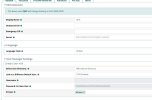
  • extention-1010-freepbx.jpg
    extention-1010-freepbx.jpg
    74.9 KB · Views: 2
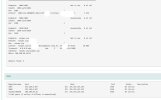
  • Freepbx Connectivity Report - edited.jpg
    Freepbx Connectivity Report - edited.jpg
    68.4 KB · Views: 2
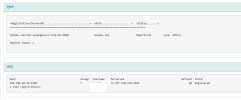
  • Freepbx-to-VoIPms-registrations-edited.jpg
    Freepbx-to-VoIPms-registrations-edited.jpg
    40.2 KB · Views: 2
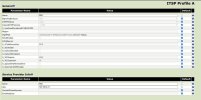
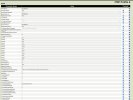
  • ITSP-Profile_A_General-Obi2182.jpg
    ITSP-Profile_A_General-Obi2182.jpg
    108.1 KB · Views: 2
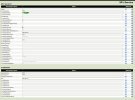
  • ITSP-Profile_A_SIP-Obi2182.jpg
    ITSP-Profile_A_SIP-Obi2182.jpg
    176.1 KB · Views: 2
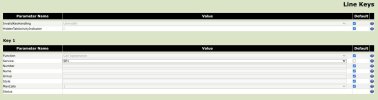
  • Line Key 1 - Obi2182.jpg
    Line Key 1 - Obi2182.jpg
    47.9 KB · Views: 2
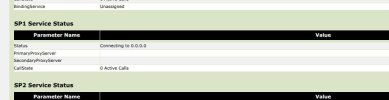
  • SP1_Service-Obi2182.jpg
    SP1_Service-Obi2182.jpg
    168.3 KB · Views: 2
  • System Status  - Obi2182.jpg
    System Status - Obi2182.jpg
    25 KB · Views: 2
Quick update - I completely reset the phone - and now SIP connectivity works (to FreePBX), after I went through the steps that you (Chris) shared. There must have been something toggled, holding up connectivity.

Next step, I will follow Ward's procedure to see if I can also recover GV connectivity.
 
Next step, I will follow Ward's procedure to see if I can also recover GV connectivity.
Awesome, I'm happy SIP lines in FreePBX work now for you.
I love the GV connectivity, it's so great having it in this SIP desk phone.
 
Thanks Chris - one thing, I can no longer get the *97 or star commands to work - I will take a look at the configs a bit more. I can dial extension to extension - say from 1002 to 1010... without issue.
 
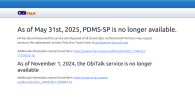
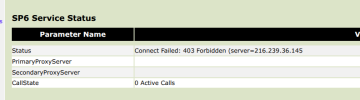
Well Bummer.... apparently GoogleVoice is no longer accessible with the revised firmware.

I went through the steps, and everything has been properly updated.

Even tried to access with the Poly Zero Touch... darn.

1777232779067.png


1777234485940.png
 
Last edited:
Well Bummer.... apparently GoogleVoice is no longer accessible with the revised firmware.

I went through the steps, and everything has been properly updated.

Even tried to access with the Poly Zero Touch... darn.

View attachment 6395


View attachment 6396
To get the GV to work, you have to follow the step by step instructions on obifirmware.com , and the thread I had posted above which has a backup link to the firmware download.
 
Chris - you are spot on.... The step that I missed, was unplugging the power from the phone (I thought a simple reboot would be sufficient).

Amazing... simply amazing. I ended up using SP6 for my GV connection.
 

Members online

No members online now.

Forum statistics

Threads
26,687
Messages
174,410
Members
20,257
Latest member
Dempan
Get 3CX - Absolutely Free!

Link up your team and customers Phone System Live Chat Video Conferencing

Hosted or Self-managed. Up to 10 users free forever. No credit card. Try risk free.

3CX
A 3CX Account with that email already exists. You will be redirected to the Customer Portal to sign in or reset your password if you've forgotten it.
Back
Top