NO JOY CallCentric Trunk Setup

jrglass

Guru
Joined
Oct 18, 2007
Messages
326
Reaction score
24
Trying to setup a call Centric trunk. I get the following error message

"2026-06-24 14:57:06] ERROR[2105]: res_pjsip/pjsip_options.c:886 sip_options_qualify_contact: Unable to create request to qualify contact sip:[email protected]/17735414611:5060 on AOR callcentric"

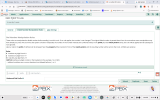
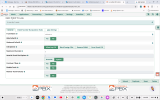
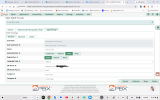
I am using IncrediblePBX 2026-Debian13. I have attached screen shots

TIA
Jeff


Attachments

  • Pjsip setting.png
    Pjsip setting.png
    362.1 KB · Views: 6
  • dialed.png
    dialed.png
    285.2 KB · Views: 6
  • callcentric trunk.png
    callcentric trunk.png
    255.8 KB · Views: 7
1. Create the Trunk
  • Navigate to ConnectivityTrunks.
  • Click Add Trunk and select Add SIP (chan_pjsip) Trunk.
  • Trunk Name: callcentric
  • Outbound CallerID: Enter your Callcentric 11-digit DID (e.g., 1555NXXXXXX) or your 1777XXXXXXX account number. [, 2, 3] see next comment for why you shouldn't do this.

2. Configure PJSIP General Settings [1]
Click on the pjsip Settings tab, then the General sub-tab: [1, 2, 3]
  • Username: Enter your Callcentric 1777XXXXXXX number.
  • Secret: Enter your Callcentric SIP Password (configured in your Callcentric extension dashboard).
  • Authentication: Outbound
  • Registration: Send
  • SIP Server: sip.callcentric.net
  • SIP Server Port: 5060 [1, 2]

3. Configure PJSIP Advanced Settings [1]
Switch to the Advanced sub-tab within the PJSIP settings: [1, 2, 3]
  • Contact User: Enter your Callcentric 1777XXXXXXX number.
  • From Domain: sip.callcentric.net
  • From User: Enter your Callcentric 1777XXXXXXX number.
  • Match (Permit): 199.87.144.0/21,204.11.192.0/22 (This allows incoming calls from all Callcentric server ranges).
  • Send RPID/PAI: Both
  • Click Submit at the bottom of the page. [, 2, 3]

4. Create an Outbound Route [1]
Callcentric requires domestic US/Canada calls to be sent in an 11-digit format (1 + area code + number). [1]
  • Go to ConnectivityOutbound RoutesAdd Outbound Route. [1]
  • Name the route (e.g., cc_outbound) and scroll down to Trunk Sequence for Matched Routes. [1, 2, 3]
  • Select your callcentric trunk from the dropdown list. [1, 2]
  • Go to the Dial Patternstab and add this rule to automatically prepend a 1 for 10-digit dialing:
    • Prepend: 1
    • Prefix: Leave blank
    • Match Pattern: NXXNXXXXXX [1, 2, 3]
  • Click Submit.

5. Create an Inbound Route [1]
  • Go to ConnectivityInbound RoutesAdd Inbound Route.
  • DID Number: Enter your 1777XXXXXXX account number. (Note: Callcentric sends the 1777 number as the DID header for incoming traffic; if this does not work, change this field to your actual 11-digit phone number).
  • Set Destination: Choose where you want incoming calls to ring (e.g., an Extension, Ring Group, or IVR).
  • Click Submit. [, 2, 3, 4, 5]

6. Apply Changes
Click the red Apply Config button in the top right corner of the FreePBX GUI to push the new configurations live. [1, 2]
To verify registration, go to ReportsAsterisk InfoChan_PJSip Info. You should see your trunk listed as Registered and Avail. [1, 2]
 
Last edited:
Outbound CallerID: Enter your Callcentric 11-digit DID (e.g., 1555NXXXXXX) or your 1777XXXXXXX account number. [, 2, 3]
Note: This is rarely ever used and it's for the actual outbound CallerID. Setting this to your non-DID account number will fail STIR/SHAKEN and have this marked as a C. That is, if it's not blocked for being an improper CallerID number. It's basically:

Direct Outbound:
-- Extension Outbound CallerID (unless overridden by route)
-- Outbound Route CallerID (this is where you really want to make sure CallerID is set, can force route CallerID)
-- Trunk CallerID (only set if no other CallerID is set, so rarely used) since a trunk can be used by multiple outbound routes, this is last resort.

Anything that "forwards" an incoming call out:
-- Incoming CallerID (unless overridden by a module)
-- FollowMe or other feature that allows a CallerID to be manipulated
-- Outbound Route CallerID (same as above)
-- Trunk CallerID (same as above)
 

Members online

No members online now.

Forum statistics

Threads
26,714
Messages
174,588
Members
20,282
Latest member
lahensd
Get 3CX - Absolutely Free!

Link up your team and customers Phone System Live Chat Video Conferencing

Hosted or Self-managed. Up to 10 users free forever. No credit card. Try risk free.

3CX
A 3CX Account with that email already exists. You will be redirected to the Customer Portal to sign in or reset your password if you've forgotten it.
Back
Top