Hey
@wardmundy ,
Here's what I found...
I SSH'd into my incrediblepbx running on a VPS at hotlinservers after not logging in for a few weeks and so I let it execute the incrediblepbx update utility. There was one update, I believe it was Deb9 or Deb09 (any way, it is the very last recent update as the script found only one update).
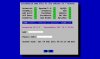
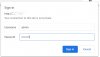
Once that ran, I could no longer login into AvantFax and the screen that I got was the same as that in thread #9 above.
Note, prior to logging in at root and letting the update utility run, I have been using AvantFAX login without any issues. Either by clicking on the AvantFAX link on the incrediblepbx menu gui or by directly going to mypbx.com/avantfax
So, I believe each time I execute the update utility script, it continues to break the AvantFax login.
I experimented this by rolling back to my VPS backup. Once I roll back, all is back to normal and checks out fine and then I login it the root console and let the incredidblepbx update script execute and it finds the latest update and applies that patch and then I can't login to AvantFax anymore as going to it give the same screenshots given here in thread #9 above.
Then I rolled my prior VPS backup again and this time logged into the root console and I did NOT let the update script execute, so no last update patch was applied and I am still able to login to AvantFax as normal.
I thought that I'd give you some feedback on what I have discovered..
Thank you
My system is:
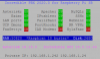
Incredible PBX/FAX 2020.01 for Debian 10.7 Buster
Asterisk: UP Apache: UP MySQL: UP
SendMail: UP IPtables: UP SSH: UP
LAN port: UP Fail2Ban: UP Webmin: UP
UCP Dmon: UP PortKnock: UP NR VPN: UP
FaxGetty: UP IAX Modem: UP HylaFax: UP
RAM:106440 *Debian 10 buster* Disk:12G
Asterisk 18.1.1 Incredible GUI 15.0.12.44
Private IP: <hidden>
Public Info: <hidden>






 Phone System