
You are using an out of date browser. It may not display this or other websites correctly.
You should upgrade or use an alternative browser.
You should upgrade or use an alternative browser.
TIPS Cellular.everything
- Thread starter w1ve
- Start date

wardmundy
Nerd Uno
- Joined
- Oct 12, 2007
- Messages
- 20,217
- Reaction score
- 5,974
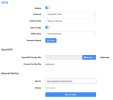
Cudy SMS Options (row 2, column 2 from System Status) are pretty basic, but it's easy to send and receive SMS messages from the web interface using either the Cudy local IP address (192.168.10.1) or from the Cudy's configured OpenVPN address.


jt1001001
New Member
- Joined
- Jun 20, 2023
- Messages
- 3
- Reaction score
- 2
Amazon has this on eon sale today; only difference I see is Cloudflare support.

atsak
Guru
- Joined
- Sep 7, 2009
- Messages
- 2,473
- Reaction score
- 487
Imagine if this could forward or had a public internet facing option (appropriately secured). Killer.Cudy SMS Options (row 2, column 2 from System Status) are pretty basic, but it's easy to send and receive SMS messages from the web interface using either the Cudy local IP address (192.168.10.1) or from the Cudy's configured OpenVPN address.
View attachment 4987
wardmundy
Nerd Uno
- Joined
- Oct 12, 2007
- Messages
- 20,217
- Reaction score
- 5,974
@atsak: It's not quite public-facing, but adding an OpenVPN client lets you get to the GUI from any OpenVPN connection anywhere in the world. Not sure you'd want the general public hammering the GUI trying to break the password. Today's Nerd Vittles article.
Last edited:
atsak
Guru
- Joined
- Sep 7, 2009
- Messages
- 2,473
- Reaction score
- 487
Agreed. I could actually put this behind my home firewall, connect to that VPN, and send/receive from there, then just set it up as WAN2 on the firewall and configure it as a bit of a dumb modem for anyone at home when the cable goes out. I really should spend more time looking for an easier option than the Yeastar.It's not quite public-facing, but adding OpenVPN lets you get to the GUI from any OpenVPN connection anywhere in the world. Not sure you'd want the general public hammering the GUI trying to break the password.
OpenWRT can be public-facing, be multi-WAN'ned and provide ssh access
for a gui
for scripting use AT commands
 openwrt.org
for a gui
ROOter by Of Modems and Men
www.ofmodemsandmen.com
for scripting use AT commands
[OpenWrt Wiki] Send SMS from Shell
wardmundy
Nerd Uno
- Joined
- Oct 12, 2007
- Messages
- 20,217
- Reaction score
- 5,974
It's got a WAN failover option built into the firmware so you don't have to manually switch over unless you want to. Just plug your cable modem into port 1 and set the failover to WAN mode.Agreed. I could actually put this behind my home firewall, connect to that VPN, and send/receive from there, then just set it up as WAN2 on the firewall and configure it as a bit of a dumb modem for anyone at home when the cable goes out. I really should spend more time looking for an easier option than the Yeastar.
wardmundy
Nerd Uno
- Joined
- Oct 12, 2007
- Messages
- 20,217
- Reaction score
- 5,974
Neither Telnet nor SSH are enabled... at least for those not of Chinese descent.OpenWRT can be public-facing, be multi-WAN'ned and provide ssh access
for a gui
ROOter by Of Modems and Men
www.ofmodemsandmen.com
for scripting use AT commands
[OpenWrt Wiki] Send SMS from Shell
wardmundy
Nerd Uno
- Joined
- Oct 12, 2007
- Messages
- 20,217
- Reaction score
- 5,974
Hard to tell because the only access is through the web interface. But the SSH failed response looks Linux-like.Is the Cudy's OS a closed source Chinese one ?
wardmundy
Nerd Uno
- Joined
- Oct 12, 2007
- Messages
- 20,217
- Reaction score
- 5,974
But the Cudy's LTE self-configuring modem and cable modem failover are killer additions. We plug a TP-Link Deco router into the back of the Cudy device and string together Deco repeaters for a gigantic WiFi footprint.Seems to be a tp-link like device given the 'whole home mesh' thingy,. Personally I would feel more secure behind OpenWRT where ssh keys can be used and you know every service running
I am confused -- To me there does not appear to be anything new here that CradlePoint, Sierra Wireless, Digi, PepLink and others have not been providing for years. What am I missing --
Also, got a kick out of the fact that when I went to the amazon Link above, the nRadio device is also on the page, and if you go there the terminology is almost identical in the specs word for word..
The world seems to be full of solutions like this, racing to see who is the cheapest. While the basic issue of Cellular SIM and Cellular Plans is still front and center. Typical problems like my MP70 from Sierra that worked great for years on Sprint, does not work on T-Mobile "Towers" which they moved all Sprint users to recently even with the new SIM they sent but hey, they will sell me a new unit.. But it does work on ATT, Verizon and US Cellular as well as some prepaid Walmart cards.
Also, got a kick out of the fact that when I went to the amazon Link above, the nRadio device is also on the page, and if you go there the terminology is almost identical in the specs word for word..
The world seems to be full of solutions like this, racing to see who is the cheapest. While the basic issue of Cellular SIM and Cellular Plans is still front and center. Typical problems like my MP70 from Sierra that worked great for years on Sprint, does not work on T-Mobile "Towers" which they moved all Sprint users to recently even with the new SIM they sent but hey, they will sell me a new unit.. But it does work on ATT, Verizon and US Cellular as well as some prepaid Walmart cards.
atsak
Guru
- Joined
- Sep 7, 2009
- Messages
- 2,473
- Reaction score
- 487
I am confused -- To me there does not appear to be anything new here that CradlePoint, Sierra Wireless, Digi, PepLink and others have not been providing for years. What am I missing --
Also, got a kick out of the fact that when I went to the amazon Link above, the nRadio device is also on the page, and if you go there the terminology is almost identical in the specs word for word..
The world seems to be full of solutions like this, racing to see who is the cheapest. While the basic issue of Cellular SIM and Cellular Plans is still front and center. Typical problems like my MP70 from Sierra that worked great for years on Sprint, does not work on T-Mobile "Towers" which they moved all Sprint users to recently even with the new SIM they sent but hey, they will sell me a new unit.. But it does work on ATT, Verizon and US Cellular as well as some prepaid Walmart cards.
Cradlepoint, and Peplink, both suffered from lockups anywhere I ever deployed them. Maybe they've gotten better. However, both are expensive for small business relative to this as well. It's just another choice which is good.
I got my Yealink TG200 working better last night for calls and texts (speaking of expensive). Next to setup is email to text, then I can leave my sim card home when I travel and handle it all without paying the absurd roaming charges we get charged up here.
wardmundy
Nerd Uno
- Joined
- Oct 12, 2007
- Messages
- 20,217
- Reaction score
- 5,974
@phonebuff: If you're using a different device with good results, by all means post some information about it here. Nobody was suggesting that the Cudy unit was the only available choice. It just happens to be dirt cheap (the MP70 costs almost 10 times as much). It's also extremely versatile and it works™.

Jake
Active Member
- Joined
- Aug 27, 2010
- Messages
- 449
- Reaction score
- 90
Do you mean Yeastar TG200? I've looked into this for a client but haven't ordered one yet. Let me know what you think.Cradlepoint, and Peplink, both suffered from lockups anywhere I ever deployed them. Maybe they've gotten better. However, both are expensive for small business relative to this as well. It's just another choice which is good.
I got my Yealink TG200 working better last night for calls and texts (speaking of expensive). Next to setup is email to text, then I can leave my sim card home when I travel and handle it all without paying the absurd roaming charges we get charged up here.
atsak
Guru
- Joined
- Sep 7, 2009
- Messages
- 2,473
- Reaction score
- 487
Do you mean Yeastar TG200? I've looked into this for a client but haven't ordered one yet. Let me know what you think.
Yes sorry, Yeastar. It works well; They have a 3 minute video that shows you how to route calls, the SMS to email works fine i just used gmail as the relay. I am not going to setup nor do I need to test the email to SMS but I suspect that's fine too as long as you can setup POP on the account where you'll get that from. I tested with my AT&T (US) and Bell Canada SIM cards and they both worked in it (though AT&T doesn't have this device on it's approved IOT list unsurprisingly so they might shut the SIM card down unexpectedly if it's in there too long). Tmobile and the associated MVNO's would be fine I'm sure. I tested inbound calls to a SIP extension on my very old PBX In a Flash server (Incredible PBX's predecessor) and those were passed through to my softphone on my cell no issue. I tested a couple outbound calls that worked too. The connection from the TG200 (at home for testing) to my PBX (in a datacenter) is sub 10ms ; this might be latency sensitive I feel. It was expensive but works exactly how it want it to without routing my calls via China like my simbox does. Make sure you get the right LTE model; I think they still have some 3G ones around.


Get 3CX - Absolutely Free!
Link up your team and customers  Phone System Live Chat Video Conferencing
Hosted or Self-managed. Up to 10 users free forever. No credit card. Try risk free.

Verify your Email
Check your inbox!
We’ve sent you an email. Click on the button in the email body to verify your email address – (if you can not find it, check your spam folder).
Upon verification you will be directed to the 3CX setup wizard.