
You are using an out of date browser. It may not display this or other websites correctly.
You should upgrade or use an alternative browser.
You should upgrade or use an alternative browser.
NEED MORE INFO Connecting to Incredible Pi behind NAT
- Thread starter sarichter
- Start date


sarichter
Member
- Joined
- Jun 9, 2013
- Messages
- 40
- Reaction score
- 0
I offered remote help youdid not wanted it, try service iptables stop and try to connect outside your lan that is how to know if iptables is blocking you
That is absolutely not true. I never declined help. In fact I messaged you giving you some feedback on what I thought might be the problem.
sarichter
Member
- Joined
- Jun 9, 2013
- Messages
- 40
- Reaction score
- 0
I need access to it in order to help you
I know... I can't do it right at this instant. I'm currently getting something done for work.
sarichter
Member
- Joined
- Jun 9, 2013
- Messages
- 40
- Reaction score
- 0
Miguel, no luck on the permit/deny entries... thanks a million for your help. I'm thinking there is something broken with this version of Incredible Pi. I reinstalled, followed the setup exactly per the tutorial, yet I still cannot connect from outside the network. It has something to do with the IncrediblePBX system because even when the Pi is on the DMZ, I can't connect. I even tried to change the SIP port and when my phone is on the network, it can connect via 5060 but not the port I set it up for. Something fishy is going on with the software.

wardmundy
Nerd Uno
- Joined
- Oct 12, 2007
- Messages
- 20,217
- Reaction score
- 5,974
If it were broken, it wouldn't work on 5060.  Have you read and followed the Travelin' Man 3 tutorial?? Did you run secure-iptables after logging in as root? Did you add the IP address of your remote phone using add-ip or add-fqdn? Are you sure you have an Internet connection? Can you ping pbxinaflash.com? What does status show?
Have you read and followed the Travelin' Man 3 tutorial?? Did you run secure-iptables after logging in as root? Did you add the IP address of your remote phone using add-ip or add-fqdn? Are you sure you have an Internet connection? Can you ping pbxinaflash.com? What does status show?
sarichter
Member
- Joined
- Jun 9, 2013
- Messages
- 40
- Reaction score
- 0
It has always worked while I'm on the network but it won't outside the network. That being said, I changed the port it should work on and it still works on 5060. That shouldn't happen, right?If it were broken, it wouldn't work on 5060.
I have and followed it step by step. I even had Miguel remote in and work with me on it to make sure I didn't miss anything.Have you read and followed the Travelin' Man 3 tutorial??
I did run secure-iptables loggin in as root.Did you run secure-iptables after logging in as root?
I did add the IP address of my phone using add-fqdn.Did you add the IP address of your remote phone using add-ip or add-fqdn?
Yes.Are you sure you have an Internet connection?
Yes.Can you ping pbxinaflash.com?
I get replies back for all pings. 0% lost.What does status show?

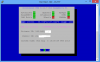
sarichter
Member
- Joined
- Jun 9, 2013
- Messages
- 40
- Reaction score
- 0
Sorry, I forgot about the last request for status... above is the status screen. I followed the Travelin Man 3 tutorial. I have dynamic dns's for my home IP and my phone IP. I've added them to 'secure-iptables'. I have all ports forwarded.
Strangely, when I run the command 'iptables -F' to try and disable iptables... it freezes my Pi now and I have to unplug it. I've reinstalled since then and it did the same thing so I reinstalled asterisk another time just to be safe.
Strangely, when I run the command 'iptables -F' to try and disable iptables... it freezes my Pi now and I have to unplug it. I've reinstalled since then and it did the same thing so I reinstalled asterisk another time just to be safe.


Get 3CX - Absolutely Free!
Link up your team and customers  Phone System Live Chat Video Conferencing
Hosted or Self-managed. Up to 10 users free forever. No credit card. Try risk free.

Verify your Email
Check your inbox!
We’ve sent you an email. Click on the button in the email body to verify your email address – (if you can not find it, check your spam folder).
Upon verification you will be directed to the 3CX setup wizard.