QUESTION fake callers filling voicemail

Zitro

New Member
Joined
Sep 18, 2008
Messages
20
Reaction score
1
For some time now, I've been getting calls from robo callers to my numbers, during the day the calls don't make it past my ivr as they're not pressing buttons so the system just kills the calls but in after-hours the calls go directly to voicemail, which then runs for the max time allowed for the general voicemail. The recordings they leave are never really anyone speaking it's like white noise some times and other times just keyboard typing. My question, is there a way to test the caller prior to letting them leave a vm. I was just thinking of creating another ivr where they just have to press 1 to leave a message otherwise it just hangs up. Any suggestions? Thank you.
 
i had to setup another IVR just for Voicemail to avoid the same thing to filter out Robots and Humans.
- its a pain but, you got to do what you got to do to save money and time.

if hope others have a better option.
 
i had to setup another IVR just for Voicemail to avoid the same thing to filter out Robots and Humans.
- its a pain but, you got to do what you got to do to save money and time.

if hope others have a better option.

I send every call to an annoucement that is 1 second of silence. It is then routed to an IVR that asks the caller to press 1.
If they press 1 the call is sent to a Ring Group otherwise I send the call to Lenny. It work really well. YMMV
 
Yes, my household calls go an IVR that asks friends and family to press 1 to be put through, and everyone else to leave a message.

Business uses a standard IVR and requires people to interact. It's an extra step but these days people are largely used to that, especially after hours.
 
Thanks everyone, made another ivr just to press 1, and it seems to have worked for the past day.
 
I send every call to an annoucement that is 1 second of silence. It is then routed to an IVR that asks the caller to press 1.
If they press 1 the call is sent to a Ring Group otherwise I send the call to Lenny. It work really well. YMMV

what would the 1sec announcement be used for?
do you manual send them to Lenny or dose it somehow detect and send them
 
what would the 1sec announcement be used for?
do you manual send them to Lenny or dose it somehow detect and send them
It is there so that the 'please press one' IVR announcement is not spoken before the call connects.
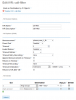
Here is my IVR settings.
1586325280564.png
 
Instead of Lenny I send my Timeout to SIT tone. Lenny keeps the call nailed up and costs me minutes, I know, it's pennies but I'm a stickler. Most of these callers don't respond to Lenny anymore anyway, so not as fun as it used to be.
 
That's a good idea. If it's a robot it may eventually stop calling after hearing SIT tone a few times.
 

Members online

No members online now.

Forum statistics

Threads
26,688
Messages
174,412
Members
20,259
Latest member
Fadeek86
Get 3CX - Absolutely Free!

Link up your team and customers Phone System Live Chat Video Conferencing

Hosted or Self-managed. Up to 10 users free forever. No credit card. Try risk free.

3CX
A 3CX Account with that email already exists. You will be redirected to the Customer Portal to sign in or reset your password if you've forgotten it.
Back
Top