PIONEERS Incredible PBX Repository

wardmundy

Nerd Uno
Joined
Oct 12, 2007
Messages
20,217
Reaction score
5,974
As most of the old-timers know, SourceForge turned into a huge piece of :shit: once the new owners demonstrated zero interest in hosting open source projects.

So we turned to pCloud which has been an excellent service... until it wasn't. While uploads are always free, monthly downloads are capped at 2TB without paying more and more. Once the bad guys found our big files (4GB and beyond), they unleashed their bots and basically rendered pCloud next to worthless as an open repository. The problem is pCloud currently has no throttling mechanism either based on bandwidth or file size. And they at least claim that GDPR bars them from monitoring individual IP addresses. I have since spoken with their developers and they've taken my suggestions "under advisement" which probably means any solution will be a long time coming. I also suggested they remove the caps on downloads and, of course, they howled at that one for the same reason I'm howling. It seems they don't mind unrestricted downloads so long as someone else is picking up the bandwidth tab.

We're now populating a new service called filen.io. They impose no limits on uploads up to your storage limit or on downloads. The problem is the unlimited duration plan is limited to 120GB. But that will take care of most of our large files in all the various Incredible PBX flavors.

If anyone else has suggestions on how best to proceed, I'm all ears. Here are the options. The site must either provide unlimited downloads or provide a throttling mechanism to keep the bots at bay. We also don't want to pay by the month or year. One terabyte of lifetime storage would be great. Two terabytes would be better.
 
Last edited:
The filen.io repo is ready for the pioneers. The download links below include the folders with Incredible PBX app, the Linux OS if required, and the Nerd Vittles tutorial for the specific platform. The tutorials have not been updated with the new download links so just assume you need the ones on filen.io, not the ones referenced in the tutorials.

IncrediblePBX/Fax 2022 for Raspberry Pi
IncrediblePBX2027 for Raspberry Pi

IncrediblePBX2027-Debian11

IncrediblePBX2027-Ubuntu22.04

IncrediblePBX2027-Rocky8

IncrediblePBX2027-VirtualMachines (incl LinuxContainersLXC, MacUTM, Proxmox,VirtualBox,VMware,Windows11WSL)
 
Last edited:
Does filen.io allow download via wget? So far I only see manual download from the web site.
 
Does filen.io allow download via wget? So far I only see manual download from the web site.
I think you have to download to your desktop using a web browser and then copy over. That's probably the only way they can easily monitor traffic.
 
Sadly, it makes it more complicated to do a script to download all the pieces of things like the IncrediblePBX module and other add-ons that we could wget before.
 
Sadly, it makes it more complicated to do a script to download all the pieces of things like the IncrediblePBX module and other add-ons that we could wget before.
I'm leaving everything on pCloud as well unless the downloads go crazy again. The real problem with pCloud is you can't tell which files are really getting hammered. All the stats are solely for the Public Folder, and it houses everything in subdirectories.

I'm thinking I will leave everything but the huge files on pCloud. And you typically need to download the huge files to your desktop anyway, e.g. to build virtual machines or ISOs for flash drives or microSD cards. So you could download the huge files with a browser from filen.io.
 
Last edited:
Sadly, it makes it more complicated to do a script to download all the pieces of things like the IncrediblePBX module and other add-ons that we could wget before.
It's due to the E2EE that they use. Everything is encrypted so in order to download it and have it decrypted so you can use it, you need to use their clients.
 
Why isn't Github on the table for being used for this?
 
I'm also going to go back and test Internxt which now supports WebDav. That solves the decryption issue.
 
For 2TB storage, currently $199 for life.
Yep. And I've already got 1TB. I quit using it previously because of the lack of wget support. @Samot explained why.

Looks like Internxt WebDav client is all you need to get things working with Internxt now.

Sign up for free Internxt account to begin. No credit card required. Make note of your email & PW. Then...

Here were the steps after logging into Ubuntu 22.04 as root:

Code:
wget -qO- https://raw.githubusercontent.com/nvm-sh/nvm/v0.34.0/install.sh | bash
node --version ; make sure your version matches 14.21.3 version on next line or replace 14.21.3 below
nvm install 14.21.3
nvm install 20
nvm alias default 14.21.3
export NVM_DIR="$HOME/.nvm"
[ -s "$NVM_DIR/nvm.sh" ] && \. "$NVM_DIR/nvm.sh"
[ -s "$NVM_DIR/bash_completion" ] && \. "$NVM_DIR/bash_completion"
nvm use 20
npm i -g @internxt/cli
; see below for download procedure
nvm use 20 ; start here for future downloads
internxt --help
internxt login ; you'll be prompted for your Internxt email address and password
internxt list
internxt list --id=f5cc46e9-05f9-473b-b529-038f5743c905  ; where id is shown in browser of folder to list)
; repeat above with subfolder id as necessary to get to folder desired.
;For example, here is Ubuntu22.04 folder contents
internxt list --id=3e6a3d5f-9782-47fc-87a4-edc08cc49dbf
internxt download --id=1fecdc8f-feab-42a4-84e3-65fbba7adcd2 --directory=/root ; where id is file ID of iPBX-U.sh)
internxt logout
nvm use default ; needed for FreePBX

This may sound complicated but, if there are installers you use all the time, you can build a simple script to grab them. Be sure you have first installed Internxt CLI client on your Linux platform by executing first 10 steps above.
Then here is script to download the latest IncrediblePBX2027-U installer:
Code:
nvm use 20
internxt login
internxt download --id=1fecdc8f-feab-42a4-84e3-65fbba7adcd2 --directory=/root
internxt logout
nvm use default

Special thanks to Digital Ocean for an awesome tutorial.
 
Last edited:
Why are you storing ISOs in the repo? I am not quite sure the purpose of it.
 
Why are you storing ISOs in the repo? I am not quite sure the purpose of it.
You'd need to refer to the individual tutorials. Depends on the platform. For some, like Debian, I got tired of downloads blowing up when Debian released a new point release and deleted the old one when the updates got addressed in the install script anyway. For others, you need the image to burn to microSD card, e.g. Raspberry Pi.
 
Last edited:
Here are the web links to download all of the Incredible PBX 2027 folders from Internxt:

Ubuntu 22.04

Debian 11

Raspberry Pi

Rocky 8

Linux-LXC VM

Mac-UTM VM

Proxmox VM

VirtualBox VM

VMware VM

Windows11-WSL VM
 
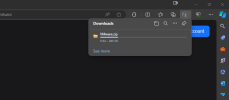
having issues downloading them1720970171799.png
 
Last edited:
nope i tries them but use internxt instead which is slow, do u know proper prevision file server address is?
 

Members online

Forum statistics

Threads
26,687
Messages
174,410
Members
20,257
Latest member
Dempan
Get 3CX - Absolutely Free!

Link up your team and customers Phone System Live Chat Video Conferencing

Hosted or Self-managed. Up to 10 users free forever. No credit card. Try risk free.

3CX
A 3CX Account with that email already exists. You will be redirected to the Customer Portal to sign in or reset your password if you've forgotten it.
Back
Top