
You are using an out of date browser. It may not display this or other websites correctly.
You should upgrade or use an alternative browser.
You should upgrade or use an alternative browser.
TUTORIAL Incredible Wazo Upgrade to 17.17
- Thread starter wardmundy
- Start date

wardmundy
Nerd Uno
- Joined
- Oct 12, 2007
- Messages
- 20,217
- Reaction score
- 5,974

Incredible PBX for Wazo 17.16 is now available including the new admin GUI and Asterisk 15.1.1. See steps above for upgrade procedure for existing servers and new upgraded security model info. Details here. Changelog here. Updated tutorial here.

Sylvain Boily
Active Member
- Joined
- Apr 30, 2016
- Messages
- 259
- Reaction score
- 144
Have you tried google voice with the native xmpp/motif channel?
wardmundy
Nerd Uno
- Joined
- Oct 12, 2007
- Messages
- 20,217
- Reaction score
- 5,974
Have you tried google voice with the native xmpp/motif channel?
Can't even get chan_motif to load:
Code:
Error loading module 'chan_motif.so': /usr/lib/asterisk/modules/chan_motif.so: undefined symbol: ast_xmpp_client_send_messageSylvain Boily
Active Member
- Joined
- Apr 30, 2016
- Messages
- 259
- Reaction score
- 144
Can't even get chan_motif to load:
Code:Error loading module 'chan_motif.so': /usr/lib/asterisk/modules/chan_motif.so: undefined symbol: ast_xmpp_client_send_message
You need to load res_xmpp before motif.
wardmundy
Nerd Uno
- Joined
- Oct 12, 2007
- Messages
- 20,217
- Reaction score
- 5,974
We are pleased to announce that Google Voice with OAuth 2 now is supported in Wazo 17.16 with Asterisk 15. The new Incredible PBX 15 installer uploaded this afternoon now includes the new version of /root/add-gvtrunk that you will need to use to add Google Voice trunks with your OAuth 2 refresh token. Updated tutorial to obtain OAuth token included here.
If you're upgrading from an earlier version of Wazo, you'll first need to remove your existing Google Voice trunks:
1. Copy down your credentials from /etc/asterisk/oauth_xmpp.conf
2. Delete the file: /etc/asterisk/extensions_extra.d/gv.conf
3. Reload your Google Voice trunks after upgrading: /root/add-gvtrunk
If you previously installed Wazo 17.16 or 17.15, you can add Google Voice support directly by issuing the following commands:
If you're upgrading from an earlier version of Wazo, you'll first need to remove your existing Google Voice trunks:
1. Copy down your credentials from /etc/asterisk/oauth_xmpp.conf
2. Delete the file: /etc/asterisk/extensions_extra.d/gv.conf
3. Reload your Google Voice trunks after upgrading: /root/add-gvtrunk
If you previously installed Wazo 17.16 or 17.15, you can add Google Voice support directly by issuing the following commands:
Code:
cd /root
wget http://incrediblepbx.com/gvtrunk15.tar.gz
tar zxvf gvtrunk15.tar.gz
rm -f gvtrunk15.tar.gz
Last edited:
wardmundy
Nerd Uno
- Joined
- Oct 12, 2007
- Messages
- 20,217
- Reaction score
- 5,974

Last edited:

wardmundy
Nerd Uno
- Joined
- Oct 12, 2007
- Messages
- 20,217
- Reaction score
- 5,974
Good ol'404 error never ceases to amaze.
... coming to Nerd Vittles on Monday. Checking calendar now... that's tomorrow

Last edited:
wardmundy
Nerd Uno
- Joined
- Oct 12, 2007
- Messages
- 20,217
- Reaction score
- 5,974
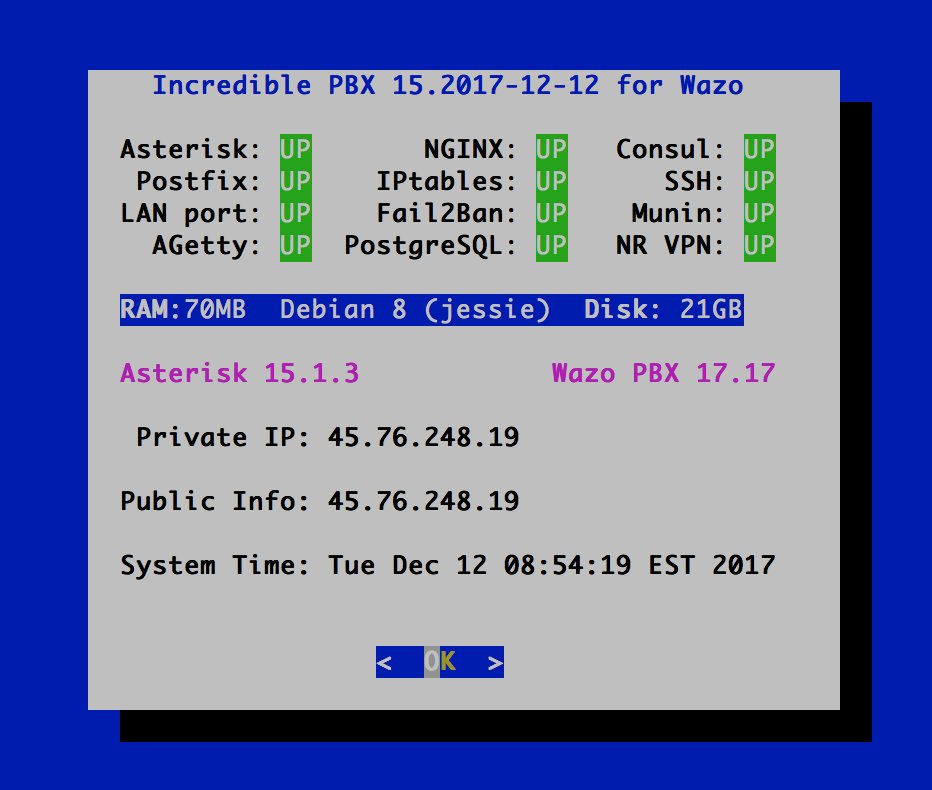
Incredible PBX for Wazo 17.17 is now available including the new admin GUI, Asterisk 15.1.3, and Google Voice OAuth 2 support. See steps above for upgrade procedure for existing servers and new upgraded security model info. Details here. Changelog here. Updated tutorial here.
Be sure to check out the new API-driven Admin interface: https://server-ip/admin/
Last edited:

Hometech
Active Member
- Joined
- Mar 9, 2008
- Messages
- 257
- Reaction score
- 30
updated from 17.13 to 17.17 and looks like Asterisk is the only service wont start looking into it. message is below if you know how to correct please let know
starting asterisk ...Job for asterisk.service failed. See 'systemctl status asterisk.service' and 'journalctl -xn' for details.
starting asterisk ...Job for asterisk.service failed. See 'systemctl status asterisk.service' and 'journalctl -xn' for details.
if you know how to correct please let know
I'd start with
See 'systemctl status asterisk.service' and 'journalctl -xn' for details.
seriously though, those logs will tell you the reason

the last time i had a botched update, it was the modules config file that was the problem. I accidentally overwrote it with the vanilla one from the repository. To fix it, i installed fresh in another vps and copied the modules config file over.
I don't remember the specifics, but let me know if you're still stuck and i can dig up my current modules config file.
I don't remember the specifics, but let me know if you're still stuck and i can dig up my current modules config file.
Hometech
Active Member
- Joined
- Mar 9, 2008
- Messages
- 257
- Reaction score
- 30
when I run the command below all I see that is an issue the host wazo ....not sure what to correct this to or were it is?
root@wazo:~# journalctl -xn
-- Logs begin at Mon 2018-03-05 03:27:46 EST, end at Tue 2018-03-06 13:44:48 EST
Mar 06 13:44:42 wazo sudo[32486]: root : unable to resolve host wazo
Mar 06 13:44:42 wazo sudo[32486]: root : TTY=pts/1 ; PWD=/root ; USER=root ; COM
root@wazo:~# journalctl -xn
-- Logs begin at Mon 2018-03-05 03:27:46 EST, end at Tue 2018-03-06 13:44:48 EST
Mar 06 13:44:42 wazo sudo[32486]: root : unable to resolve host wazo
Mar 06 13:44:42 wazo sudo[32486]: root : TTY=pts/1 ; PWD=/root ; USER=root ; COM
that sounds like a hostname issue. i've always used a custom domain with letsencrypt certificate. There are details about getting this working here: http://documentation.wazo.community/en/stable/system/https_certificate.html
wazo requires your hostname to resolve to 127.0.0.1, some vps's use 127.0.1.1 for some reason, and there is command to fix it on the page above. It may not be related, but that's the first thing that came to my mind.
You might also try reinstalling fresh to make it work, and then compare config files to find the culprit.
i recommend making a post on the wazo forum, they've been very helpful on previous issues i've had.
https://projects.wazo.community/projects/xivo/boards/1
wazo requires your hostname to resolve to 127.0.0.1, some vps's use 127.0.1.1 for some reason, and there is command to fix it on the page above. It may not be related, but that's the first thing that came to my mind.
You might also try reinstalling fresh to make it work, and then compare config files to find the culprit.
i recommend making a post on the wazo forum, they've been very helpful on previous issues i've had.
https://projects.wazo.community/projects/xivo/boards/1
@wardmundy has Incredible PBX for Wazo been discontinued?
I'm not trying to rush, or demand ETAs or anything. i just want to know if Incredible PBX for Wazo 18.x is being worked on, or if i should start investigating other alternatives.
EDIT: I've since found : https://pbxinaflash.com/community/threads/not-quite-soup-incredible-pbx-wazo-18-03.22359
sorry i didn't see it when looking around.
I'm not trying to rush, or demand ETAs or anything. i just want to know if Incredible PBX for Wazo 18.x is being worked on, or if i should start investigating other alternatives.
EDIT: I've since found : https://pbxinaflash.com/community/threads/not-quite-soup-incredible-pbx-wazo-18-03.22359
sorry i didn't see it when looking around.
wardmundy
Nerd Uno
- Joined
- Oct 12, 2007
- Messages
- 20,217
- Reaction score
- 5,974
As you've noted, Incredible PBX for Wazo 18.03 is a work in progress. Debian 9 "improved things" insofar as networking is concerned, and that appears to be causing problems with the Wazo wizard which is extremely temperamental when it comes to host names.


Get 3CX - Absolutely Free!
Link up your team and customers  Phone System Live Chat Video Conferencing
Hosted or Self-managed. Up to 10 users free forever. No credit card. Try risk free.

Verify your Email
Check your inbox!
We’ve sent you an email. Click on the button in the email body to verify your email address – (if you can not find it, check your spam folder).
Upon verification you will be directed to the 3CX setup wizard.