SOLVED iPBX 2020 - Anveo Direct for international calling

Brianmac

Active Member
Joined
Oct 7, 2014
Messages
676
Reaction score
194
I have a sandbox iPBX that uses Anveo for international calling. Everything was working fine as of November 2020. I tried it a few days ago as a friend has a hosted PBX and wanted to add international to his PBX. The international calls fail, with generic all circuits are busy.
I have searched and see the IP for anveo have changed and made the changes. I still cannot make a call from iPBX to anveo - there is no connection. I am using pjsip for the trunk. I have tried looking at the logs and the only thing I notice is, one I don't think I am "registered" with anveo anymore and one error:
Code:
[2021-02-14 08:29:04] ERROR[23007]: res_pjsip_header_funcs.c:410 remove_header:                                                                                                                        No headers had been previously added to this session.' (type 'core show help [2021-02-14 08:29:04]' for other possible commands)

my custom dial string is : SIP/[email protected]

Nothing on Anveo direct website has been changed.

This is ONLY for outgoing international calls, no incoming..

any help would be greatly appreciated!

brian
 
Last edited:
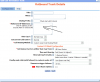
A couple of suggestions: 1) Get rid of the prefix and whitelist your IP to Anveo on the portal's outbound route.. Update the PBX outbound route accordingly.
1613322442343.png
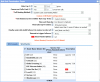
2) Check to be sure they haven't gotten rid of some of the destination providers you had selected. I recommend using their least cost routing option or select a good variety of providers.
1613322588373.png
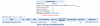
3) Make sure you have enough money:
1613322824622.png
 
Anveo's dialing strings don't start with 011, you send the country code instead; eg for the UK it's

4420XXXXXXXX (for London for example, I might have one to many X's in there).

Yours seem to start with a 0 - that may just be an example, but if it isn't . . .
 
I removed the prefix, then played with custom dialing string - no good, never hitting Anveo server. So I created a new sandbox and built from scratch, using custom trunk and not PJSIP - whic hwas the original directions I used from Nerdvittles...
everything works fine, can calls go out - yeah!!!!
So went back to original sandbox and duplicated all the settings(trunk, outbound...), and still not working - all circutis are busy.. and never hitting anveo.

Will keep at it - thanks for all the responses, they DID help!!!!
brian
 
aghhhhhhhhhhhhhhh!!!!!!!:banghead:
dial pattern snafu - all working now... well once I finish banging my head on the table(poor table).. it was forcing through non anveo trunk...

Thanks for all the help and sorry for wasting your time!!!
Brian
 

Members online

No members online now.

Forum statistics

Threads
26,688
Messages
174,412
Members
20,259
Latest member
Fadeek86
Get 3CX - Absolutely Free!

Link up your team and customers Phone System Live Chat Video Conferencing

Hosted or Self-managed. Up to 10 users free forever. No credit card. Try risk free.

3CX
A 3CX Account with that email already exists. You will be redirected to the Customer Portal to sign in or reset your password if you've forgotten it.
Back
Top