TIPS iptables offline after Travelin Man 3 installation

SergZh

New Member
Joined
Aug 2, 2013
Messages
4
Reaction score
1
I ran PIAF-2.0.6.4.4 off OpenVZ, so no hardware-based Firewall.
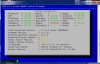
When I tried to install Travelin Man 3, I go an error message:
FATAL: Could not load /lib/modules/2.6.32-042stab078.26/modules.dep: No such file or directory
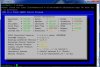
And right after that status indicates "iptables offline".
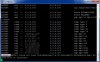
See screenshots.

However, it seems like it does block non-whitelist ips (tested).

Any ideas what it may be and how to fix that?
 

Attachments

  • b4.jpg
    b4.jpg
    78.5 KB · Views: 7
  • after.jpg
    after.jpg
    64.1 KB · Views: 7
  • err.jpg
    err.jpg
    68.8 KB · Views: 8
Travelin' Man doesn't mess with the iptables app, only the config file.

Looks like you are missing an eth0 IP address which typically means your OpenVZ template may be misconfigured.

What is the result of issuing the following command:
Code:
ls /lib/modules

You can compare /etc/sysconfig/iptables and /etc/sysconfig/iptables.orig to see where the problem lies. We don't support OpenVZ templates any longer so there may be a major difference in your original setup and the one that was installed as part of Travelin' Man.

You can revert back to your original setup by swapping the above 2 files and restarting IPtables; however, you will lose Travelin' Man functionality: iptables-restart.
 
The difference between iptables and iptables.orig is that iptables specifies the "administrator's ip" (pointed during the Travellin Man 3 setup) and the trusted providers ips -that is exactly what we want, aren't we :)

Now the interesting part. If I swap the iptables with original one and do the iptables-restart:
Code:
root@pbx:~ $ iptables-restart
iptables: Flushing firewall rules:                                                [  OK  ]
iptables: Setting chains to policy ACCEPT: raw mangle filte [  OK  ]
iptables: Unloading modules:                                                    [  OK  ]
iptables: Applying firewall rules:                                              [  OK  ]
No IPtables problems found.

But I still have the " Iptables = OFFLINE " in a status. Swap it back, restart iptables - same thing:
No IPtables problems found.
Iptables = OFFLINE

Checked my ports - they are closed. Weird :wacko:
 
Looks like you need to read up about openvz, container virtualization... iptables is netfilter, kernel stuff.
With openvz OS level virtualization you get one kernel, the host kernel. Meaning stuff like iptables don't work the same way with openvz technology then normally or compare to full virtualization like KVM.
Probably one of the main reason why openvz was abandoned by piaf. Lots of stuff to take into account that are specific to using openvz... With KVM or ESX (full virt) the vm is a lot more like a physical machine.

Starting point to get what I'm refering to:
http://openvz.org/Setting_up_an_ipt...ewall_that_allows_per-container_configuration
(Modifications on the HOST so that iptables can "work" in the container)

Don't get me wrong, openvz is not a bad thing nor is it awafully complicated, it's better then KVM for some people, it's just that right now your mental schema is not bended to openvz. (ports blocked... yes the container is behind the HOST... you haven't even talk about your HOST configurations/networking/firewall and how the host and its container are networked together to reach eachother and the outside world)

Do you even have control of the host? I can't tell from your post...
 
Thanks, Hyksos. Forgot all about that. IPtables runs on the server, NOT the virtual machine.
 
Thank you guys for the explanation.
Unfortunately, I do not control the host, so there is not much I can do about it. I just got my hands on abandoned VPS with OpenVZ and came across the PiAF OpenVZ template.. So I thought I can play a bit with it, since it's completely free. Nah.... Let's get back to the old good RentPBX.

PS: PiaF community rules :)
 

Members online

Forum statistics

Threads
26,687
Messages
174,411
Members
20,257
Latest member
Dempan
Get 3CX - Absolutely Free!

Link up your team and customers Phone System Live Chat Video Conferencing

Hosted or Self-managed. Up to 10 users free forever. No credit card. Try risk free.

3CX
A 3CX Account with that email already exists. You will be redirected to the Customer Portal to sign in or reset your password if you've forgotten it.
Back
Top