
hecatae
resident hecatae
- Joined
- Feb 7, 2014
- Messages
- 1,073
- Reaction score
- 328
/grabs popcorn, see you in two hours.
apt install curl
curl http://repo.issabel.org/install-debian-install_amp | bash
Last edited:

apt install curl
curl http://repo.issabel.org/install-debian-install_amp | bash

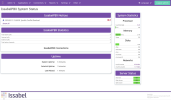
cd /var/lib/vz/template/cache
wget https://filedn.com/lBgbGypMOdDm8PWOoOiBR7j/IssabelPBX-2.12/issabel212.tar.zst
Because it has a dependency of Sys Admin which is commercial.I wonder why they wouldn't implement FreePBX firewall module though. ??
cd /root
wget http://incrediblepbx.com/Firewall-IssabelPBX.tar.gz
tar zxvf Firewall-IssabelPBX.tar.gz
rm -f Firewall-IssabelPBX.tar.gz
./iptables-issabel.shFor Debian...We're not big fans of Wide Open PBXs so here's a quick installer for the Travelin' Man 3 firewall tailored to the new IssabelPBX release plus a pbxstatus script for Issabel:
Code:cd /root wget http://incrediblepbx.com/IncrediblePBX-IssabelPBX.tar.gz tar zxvf IncrediblePBX-IssabelPBX.tar.gz rm -f IncrediblePBX-IssabelPBX.tar.gz ./iptables-issabel.sh
pbxstatus, iptables-restart, add-ip, add-fqdn, and del-acct work exactly as they do on all Incredible PBX builds.
iptables -nL will show you the status of your firewall and its whitelists.
Are you sure about that ? Debian is not Ubuntu although Ubuntu is based on Debian they are different enough.
Indubitably.and Bullseye is probably what you want, lets ask Ward. . . . . . .Ward ?
It's Postfix so this tutorial should work if you're using Gmail as a relayhost.Anyone worked out how to setup email?
cd /etc/apt/preferences.d
rm preferences
nano /etc/apt/sources.list
add
deb http://deb.debian.org/debian bullseye-backports main contrib non-free
deb-src http://deb.debian.org/debian bullseye-backports main contrib non-free

save file

apt update

 apt list --upgradable
Listing... Done
asterisk-config/oldstable-security 1:16.28.0~dfsg-0+deb11u4 all [upgradable from: 1:16.16.1~dfsg-1+deb11u1]
asterisk-doc/oldstable-security 1:16.28.0~dfsg-0+deb11u4 all [upgradable from: 1:16.16.1~dfsg-1+deb11u1]
asterisk-modules/oldstable-security 1:16.28.0~dfsg-0+deb11u4 amd64 [upgradable from: 1:16.16.1~dfsg-1+deb11u1]
asterisk-voicemail/oldstable-security 1:16.28.0~dfsg-0+deb11u4 amd64 [upgradable from: 1:16.16.1~dfsg-1+deb11u1]
asterisk/oldstable-security 1:16.28.0~dfsg-0+deb11u4 amd64 [upgradable from: 1:16.16.1~dfsg-1+deb11u1]

Configuration file '/etc/asterisk/queues.conf'
 ==> Modified (by you or by a script) since installation.
 ==> Package distributor has shipped an updated version.
   What would you like to do about it ?  Your options are:
    Y or I  : install the package maintainer's version
    N or O  : keep your currently-installed version
      D     : show the differences between the versions
      Z     : start a shell to examine the situation
 The default action is to keep your current version.
*** queues.conf (Y/I/N/O/D/Z) [default=N] ? nasterisk (1:16.28.0~dfsg-0+deb11u1) bullseye-security; urgency=high
Special care should be taken when upgrading to this new upstream release.
Some configuration files and options have changed in order to remedy
certain security vulnerabilities. Most notably the pjsip TLS listener only
accepts TLSv1.3 connections in the default configuration now. This can be
reverted by adding method=tlsv1_2 to the transport in pjsip.conf. See also
https://issues.asterisk.org/jira/browse/ASTERISK-29017.
-- Markus Koschany <[email protected]> Thu, 17 Nov 2022 10:29:05 +0100
Link up your team and customers  Phone System Live Chat Video Conferencing
Hosted or Self-managed. Up to 10 users free forever. No credit card. Try risk free.

Check your inbox!
We’ve sent you an email. Click on the button in the email body to verify your email address – (if you can not find it, check your spam folder).
Upon verification you will be directed to the 3CX setup wizard.


