SOLVED Moved from voip.ms to BulkVS, problem connecting calls to Incredible PBX 2020

RoboLord

Member
Joined
Aug 18, 2017
Messages
58
Reaction score
5
I have a 3CX install for phones and I was able to move everything over easily. I use IncrediblePBX 2020 for the Fax Server and I'm having problems. Inbound calls appear to reach the PBX but they hang up after a few seconds. Same with outbound. Attached is a log dump from an incoming call.

Also, since following the BulkVS tutorial on Ward's blog, whenever I make changes to the FreePBX interface and click "Apply Changes", I get this error: "Unknown Error. Please Run: fwconsole reload --verbose"

Thanks for any suggestions
 

Attachments

I have a 3CX install for phones and I was able to move everything over easily. I use IncrediblePBX 2020 for the Fax Server and I'm having problems. Inbound calls appear to reach the PBX but they hang up after a few seconds. Same with outbound. Attached is a log dump from an incoming call.

Also, since following the BulkVS tutorial on Ward's blog, whenever I make changes to the FreePBX interface and click "Apply Changes", I get this error: "Unknown Error. Please Run: fwconsole reload --verbose"

Thanks for any suggestions
Looks like you're using chan_sip. I've had better luck with PJSIP. I'd setup an extension first to a phone to test voice calls with BulkVS before sending it to Hylafax to answer.
 
OK, I moved over to PJSIP. Calls no longer automatically hang up after 5 seconds, they just stay connected with no audio. Attached is the new log. One entry stands out:
Code:
 Log("SIP/69.12.88.198-0000000c", "WARNING,"Rejecting unknown SIP connection from 69.12.88.198"") in new stack

I did add that IP to the whitelist as per Ward's tutorial
 

Attachments

Test outgoing fax worked. So I just have an inbound problem at this point...
 
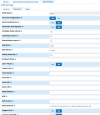
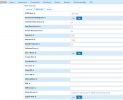
You need to add the four bulkvs IP addresses to the the match field in the PJSIP advanced settings:

1632179328597.png
 
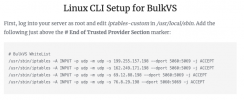
Yes, I have the same. I also followed this instruction from Ward's tutorial:
Screen Shot 2021-09-20 at 4.10.43 PM.pngScreen Shot 2021-09-20 at 4.11.32 PM.png
 
Restart Asterisk to see if that fixes it.
 
Thanks for your help here. My config looks exactly the same as yours. I'll try a full reboot nevertheless. Tried it, no change to the logs. Doh!
 
In FreePBX go-to Reports -> Asterisk Info. Look for your BulkVS Endpoint. Does it look like this:

Code:
Endpoint:  BulkVS                                               Not in use    0 of inf
Aor:  BulkVS                                             0
Contact:  BulkVS/sip:sip.bulkvs.com:5060             af0266cd3a Avail        56.376
Transport:  0.0.0.0-udp               udp      3     96  0.0.0.0:5060
Identify:  BulkVS/BulkVS
Match: 199.255.157.198/32
Match: 162.249.171.198/32
Match: 69.12.88.198/32
Match: 76.8.29.198/32
 
Essentially, yes, except my registration is a little different. You must be using IP? Mine is registration
Also, I notice a port mismatch. I wonder where mine is pulling a port 5061 from...

Code:
Endpoint:  BulkVS                                               Not in use    0 of inf
OutAuth:  BulkVS/611133_MobilityFax
Aor:  BulkVS                                             0
Contact:  BulkVS/sip:[email protected] 1c03ed0aef Avail        41.486
Transport:  0.0.0.0-udp               udp      3     96  0.0.0.0:5061
Identify:  BulkVS/BulkVS
Match: 199.255.157.198/32
Match: 162.249.171.198/32
Match: 69.12.88.198/32
Match: 76.8.29.198/32

Endpoint:  anonymous                                            Unavailable   0 of inf


Objects found: 2
 
Do you have Chan_SIP on port 5060 and PJSIP on 5061? If so reverse those. Looking at your log again it shows the Chan_SIP driver is answering BulkVS incoming calls.
 
Last edited:
Hi Jake,

Thanks for your support here. I am now all sorted out and I believe it was a port mismatch issue that was tripping me up. Cheers! ~Sean
 
Hi Jake,

Thanks for your support here. I am now all sorted out and I believe it was a port mismatch issue that was tripping me up. Cheers! ~Sean
I'm glad you got it working!
 

Members online

Forum statistics

Threads
26,688
Messages
174,412
Members
20,257
Latest member
Dempan
Get 3CX - Absolutely Free!

Link up your team and customers Phone System Live Chat Video Conferencing

Hosted or Self-managed. Up to 10 users free forever. No credit card. Try risk free.

3CX
A 3CX Account with that email already exists. You will be redirected to the Customer Portal to sign in or reset your password if you've forgotten it.
Back
Top