NO JOY No outbound on OBi110 POTS

jmcman

Guru
Joined
May 28, 2013
Messages
112
Reaction score
13
I'm finally trying to get two POTS lines tied into the PIAF box here where I work...

Running 2.0.6.4 under hardware. (2) OBi110's are tied to our 2 POTS lines. Both register to the PIAF box just fine.

Incoming is working perfect. Outgoing isn't working at all. I get "all circuits are busy" when trying to dial out. If I put the voip.ms outbound route first in line, the call goes out through voip.ms just fine. When I move an OBi110 back up to the top, I get no joy and the "ACAB" message.

Both OBi110's are setup with SP2 handling the POTS line and nothing on SP1. They are dedicated to handling the POTS lines and don't use any gvoice or other service for SP1.

I've searched high and low, found some things to try and tried them. No joy yet. What have I missed? It must be something stupid, I just can't seem to figure it out.
 
You have log files ? trunk and outbound route setups ? clean them of personal info before you post them. check the sticky post at the top of this forum.
 
I just finished up setting up my Obi110 as a pstn gateway this weekend. I had done this before but I had to do it again for another project. I followed the old Michigan Telephone blog post as a guide. Try this link.
 
Yes, the trunk and routes are setup.

I just finished up setting up my Obi110 as a pstn gateway this weekend. I had done this before but I had to do it again for another project. I followed the old Michigan Telephone blog post as a guide. Try this link.
That is the guide I used, yes.

I have done it prior as well, but it was over a year ago. I didn't have any issues that time.
 
Honestly, I haven't tested my new setup on a POTS line yet as I only have voip at the office. I'll bring my setup to another location and test the Obi on a POTS line and let you know. Are you using PIAF Green?
 
Yes, green.

1112 is the extension I'm dialing from.
5555551234 is the POTS line I've got as a trunk coming from the OBi (changed actual number to this for display).
5554321 is the number I'm trying to call (again, changed for display purposes).

The only thing I can see that might be a problem is where 17755554321 is being passed to the Obi, when it is in reality just a local number and doesn't need the 1775 part. I don't know though...

Couldn't post it here, too many characters, so it's here:
http://pastebin.com/eVWpHNfT
 
I've looked over your logs and I wonder if your obi is registered with Asterisk? I had to check my IP address that I had listed in my trunk information under the peer section.

As for me I finished my testing and gave up for the moment. I am also having trouble dialing out over my Obi 110. I receive a busy signal after it tries for a few seconds. My Asterisk CLI shows that my Obi is registered but I receive the busy response from Obi when the digits are passed to it. I think I may have found the answer here. I'll test some more tomorrow.

Another funny thing is when I dial in my Cisco 7961 with SCCP phone rings for a split second, shows that it missed a call in between rings, and then ring again. If I try to pickup it doesn't answer. It's another fun problem to track down.
 
I've looked over your logs and I wonder if your obi is registered with Asterisk? I had to check my IP address that I had listed in my trunk information under the peer section.

As for me I finished my testing and gave up for the moment. I am also having trouble dialing out over my Obi 110. I receive a busy signal after it tries for a few seconds. My Asterisk CLI shows that my Obi is registered but I receive the busy response from Obi when the digits are passed to it. I think I may have found the answer here. I'll test some more tomorrow.

Another funny thing is when I dial in my Cisco 7961 with SCCP phone rings for a split second, shows that it missed a call in between rings, and then ring again. If I try to pickup it doesn't answer. It's another fun problem to track down.
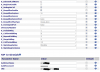
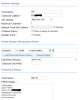
Yes, they are. Here's a shot from each OBi:
Screen Shot 2013-06-25 at 6.20.18 AM.png
Screen Shot 2013-06-25 at 6.21.01 AM.png

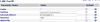
Here's what Asterisk says in Asterisk Info under Peers:
Screen Shot 2013-06-25 at 6.21.24 AM.png

Again, I've got incoming calls working just fine. Line 1 is the first OBi and it rings through perfect to my call group for testing. Line 2 is the second OBi and it rings through to another call group just fine as well. When it goes to dial out is when everything stops working. If I put my Voip.ms outgoing route first in line, it will dial through immediately through Voip.ms. I spent a few hours yesterday trying things I found through various searches online to no avail. I'm still pretty frustrated but now just really determined to get this working.

Here is all of my trunk info, scrubbed of anything personal. I think I set everything back to the way it was yesterday when I was messing with it, but nonetheless this still has incoming working fine (just tested, called both lines via my cell).


OBi #1:
Trunk Name: OBi110
Outbound CID: 7755551234
CID Options: Allow Any CID
Maximum Channels: 1
Asterisk Trunk Dial Options: Tt

Dialed Number Manipulation Rules: 1+|NXXNXXXXXX

Outgoing Settings
Trunk Name: OBi110
PEER Details:
type=peer
host=192.168.1.16
port=5060
disallow=all
allow=ulaw
dtmfmode=rfc2833

Incoming Settings
USER Context: 7755551234
USER Details:
type=friend
secret=veryverybigpassword
host=dynamic
context=from-trunk-sip-OBi110
canreinvite=no
nat=yes
port=5060
qualify=yes
dtmfmode=rfc2833
disallow=all
allow=ulaw
deny=0.0.0.0/0.0.0.0
permit=192.168.1.0/255.255.255.0

Inbound Route Settings:
Description: OBi110
DID Number: 7755551234
CID Name Prefix: LINE1-
Destination: Ring Group Tech (1111)

Outbound Route Settings:
Route Name: Line1OUT
Route CID: 7755551234
Route Type: Emergency is checked

Dial patterns that will use this route:
1800NXXXXXX
1855NXXXXXX
1866NXXXXXX
1877NXXXXXX
1888NXXXXXX
1NXXNXXXXXX
NXXXXXX
911

Trunk Sequence for Matched Routes:
0 OBi110

Destination on Congestion:
Normal Congestion


OBi #2:
Trunk Name: OBi1102
Outbound CID: 7755554321
CID Options: Allow Any CID
Maximum Channels: 1
Asterisk Trunk Dial Options: Tt

Outgoing Settings
Trunk Name: OBi1102
PEER Details:
type=peer
host=192.168.1.17
port=5060
disallow=all
allow=ulaw
dtmfmode=rfc2833

Incoming Settings
USER Context: 7755554321
USER Details:
type=friend
secret=veryveryverybigpassword
host=dynamic
context=from-trunk-sip-OBi1102
canreinvite=no
nat=yes
port=5060
qualify=yes
dtmfmode=rfc2833
disallow=all
allow=ulaw
deny=0.0.0.0/0.0.0.0
permit=192.168.1.0/255.255.255.0

Inbound Route Settings:
Description: OBi1102
DID Number: 7755554321
CID Name Prefix: LINE2-
Destination: Ring Group Tech2Test (1112)

Outbound Route Settings:
Route Name: Line2OUT
Route CID: 7755554321
Route Type: Emergency is checked

Dial patterns that will use this route:
1800NXXXXXX
1855NXXXXXX
1866NXXXXXX
1877NXXXXXX
1888NXXXXXX
1NXXNXXXXXX
NXXXXXX
911

Trunk Sequence for Matched Routes:
0 OBi1102

Destination on Congestion:
Normal Congestion

I think that's all the pertinent info from the PIAF box. As for the settings in the OBi devices, I used the aforementioned blog posting and followed it to a T, as you can pretty much see from the settings. Anyone have any ideas?
 
Another strange thing is I just hooked up my Obi to another production PIAF box and I was able to make incoming and outgoing calls just fine with the same settings. It is running PIAF 2.0.6.3 and Asterisk 11.2.1 I'm going to grab my brand new loaded out box and try it again with that. I'm wondering if it is a newer version of Asterisk problem? I don't see how but I'll try it again.
 
Another strange thing is I just hooked up my Obi to another production PIAF box and I was able to make incoming and outgoing calls just fine with the same settings. It is running PIAF 2.0.6.3 and Asterisk 11.2.1 I'm going to grab my brand new loaded out box and try it again with that. I'm wondering if it is a newer version of Asterisk problem? I don't see how but I'll try it again.
That is strange indeed. I guess anything is possible though, since us PIAF folks here seem to alway find the strangest Asterisk bugs, LOL!

Looking forward to hearing your results.
 
Everything is working now. What exactly it was I cannot say. I will post my configuration in hopes that it will help you out.
 
Ahh, well that is nuts! I appreciate the update and look forward to checking out your config.

BTW, do you have X_InboundCallRoute set to LI? I find conflicting information on that in some places...
 
On my Obi I am using the Profile A for everything and I'm only using the Obi as a FXO.

ITSP A I have the IP Address of my PIAF box under the ProxyServer & X_SpoofCallerID checked.

This is my Voice Services -> SP1 Service

See attached: Voice.png

With the AuthUserName matching the Incoming Settings user context under the Trunk menu in FreePBX along with the password. The URI is the "AuthUserName@PIAFboxIPaddress"

Make sure that the X_InboundCallRoute is LI that is "I" not the number 1.

Line port settings:

See attached: Line.png

These are the FPBX Settings for the Trunk:

See attached: FPBX.png

I removed the dialed number manipulation rule that the MichiganTelephone guide has as it is not necessary for me. Also, I'm using port 5060 instead of 5061.

Here are my Incoming Settings for the trunk:

The user context is the number that will match the OBi's SIP Credentials. In my case it is the DID number but really I think it can be any number.

Code:
type=friend
secret=SuperSecretPassword
qualify=yes
port=5060
permit=10.10.10.0/255.255.255.0
nat=yes
host=dynamic
dtmfmode=rfc2833
disallow=all
deny=0.0.0.0/0.0.0.0
context=from-trunk-sip-OBi110
canreinvite=no
allow=ulaw


My Incoming and Outbound settings for FPBX are very simple and I did not include a DID Number or Route CID. I would confirm everything is working first before changing these fields.

I don't know if this will be of any help but this is how I have mine setup and it is working at the moment.

What version of firmware do you have on your Obi?

Jake
 

Attachments

  • Voice.png
    Voice.png
    51.6 KB · Views: 16
  • FPBX.png
    FPBX.png
    27.7 KB · Views: 15
  • Line.png
    Line.png
    14.7 KB · Views: 13
Thank you very much for posting this. I'm going to work through these settings over the next day or so and I'll give an update when I've got one.

As far as the OBi software, here is what I've got...
HardwareVersion3.4
SoftwareVersion1.3.0 (Build: 2712M)
 
I updated my OBi firmware on both units, as well as performed a full reset and deleted everything on the PIAF box. I then re-set everything up and got them registered to the PIAF box.

I still cannot get outgoing to work, even with your settings. Incoming works just fine, but there still is no outgoing joy. I'll give this another shot or two and then I'm over it and the OBi devices go back on a shelf...
 
Well, this is strange... I can get incoming working fine on both lines and I can now get outgoing working on the first line as well. When the first line is occupied and the call should move to the second line's trunk, I get the same "all circuits are busy" message. As long as outgoing is working on the one POTS line, I can live with it. The second line is an older line that we keep because of the old number, so as long as the incoming is working fine on that - we're OK. The first line's CID is what I've set to be re-written from the VoIP.ms trunk for all other outgoing calls. I believe the next step is to disable call waiting and enable forward-on-busy to the VoIP.ms DID I have setup. I hope it all works well!

Thanks to everyone who helped me with the OBi problem. I greatly appreciate the assistance.
 
That is very strange indeed. I'm glad it is working for you somewhat. As you probably already know you can use VOIP.ms to spoof callerid for the one DID number that is not working on the outbound if you need to.
 
Yes, thanks again for your help and sharing your settings.

Yep, I have used CID rewrite successfully for several years on VoIP.ms (but mostly in a home setting). In this instance, I use it to write the CID for any calls on the outgoing VoIP.ms route to look like the first POTS line.
 

Members online

Forum statistics

Threads
26,687
Messages
174,410
Members
20,257
Latest member
Dempan
Get 3CX - Absolutely Free!

Link up your team and customers Phone System Live Chat Video Conferencing

Hosted or Self-managed. Up to 10 users free forever. No credit card. Try risk free.

3CX
A 3CX Account with that email already exists. You will be redirected to the Customer Portal to sign in or reset your password if you've forgotten it.
Back
Top