
Hi there ...I was just installing the latest version of pbxinaflash on new puter
I would really appreciate some help on a setup and config issue that is making me pull my hair out ..... it’s probably pretty simply for you guys but I cannot figure it out
the “ issue is this ....
our pbx is hidden behind a good firewall, but My friends and co-workers cannot seem to connect to my pbx from the outside world @ all it times out etc... ( my preferred means) Sooooooooooo I set them up a subaccount @ voip.ms and “ of course they can make calls anywhere np.... we can call ext to ext ... ( big deal even I can figure THAT out ) but I cant seem to figure out how to “ allow “ ( for lack of a better word ) them to call the “ office pbx.... other than dialing my DID which is kinda lame ... but more importantly I set up extensions on our pbx but cannot figure out how to forward the “ calls “ to their “ extension “ on voip.ms subaccount ....
YES I know it’s kinda a hack .. doing that way ( setting up a subaccount on voip.ms) it’s temporary until I get this figured out ....
I even tried following these instructions .... maybe it’s outdated not sure .....
nerdvittles.com/?p=684
regards
Sheldon Steele
I would really appreciate some help on a setup and config issue that is making me pull my hair out ..... it’s probably pretty simply for you guys but I cannot figure it out
the “ issue is this ....
our pbx is hidden behind a good firewall, but My friends and co-workers cannot seem to connect to my pbx from the outside world @ all it times out etc... ( my preferred means) Sooooooooooo I set them up a subaccount @ voip.ms and “ of course they can make calls anywhere np.... we can call ext to ext ... ( big deal even I can figure THAT out ) but I cant seem to figure out how to “ allow “ ( for lack of a better word ) them to call the “ office pbx.... other than dialing my DID which is kinda lame ... but more importantly I set up extensions on our pbx but cannot figure out how to forward the “ calls “ to their “ extension “ on voip.ms subaccount ....
YES I know it’s kinda a hack .. doing that way ( setting up a subaccount on voip.ms) it’s temporary until I get this figured out ....
I even tried following these instructions .... maybe it’s outdated not sure .....
nerdvittles.com/?p=684
regards
Sheldon Steele

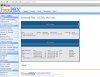
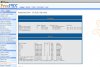
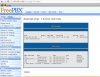


 ort xxx.xxx.xxx.xxx:1515)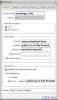


 Phone System