TIPS UCP not working on Piaf 16-15 / Rasp 10

kmullen

New Member
Joined
Nov 30, 2009
Messages
10
Reaction score
0
When I get to the logon screen of the PBX it show System Administration and User Control Panel. However, when I select UCP all it shows is a blank page with no errors.

Not sure how to resolve this issue but it has become critical because Voicemail to Email isn't working either.

Can someone point me in the right direction?

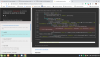
I tried to install it and received the following:
1586560603210.png
 
Last edited:
Move up to Incredible PBX 2020 on either the CentOS. 7 or Raspbian 10 platform.
 
Ward, thanks for your help. Is there a script for the upgrade to run on an existing 16-15 on Raspi 10
 
Not without injecting some of the same problems you're seeing. Sorry.
 
Ward, I have it loaded and running, but when I try to log into UCP I just get the login page with a spinning gear and it doesn't allow a login attempt.
 
Is this is a new Incredible PBX 2020 install or your old platform??
 
fwconsole restart should tell you if there is a problem.

Please post the last few lines from the restart process.
 
Started Clearly Devices Daemon. PID is 7865
Running Asterisk post from Clearlytrunking module
No valid token found for Clearly Trunking
Running Asterisk post from Core module
Running Asterisk post from Ucp module
Starting UCP Node Server...
[>---------------------------] < 1 sec
Started UCP Node Server. PID is 8008
 
If all else fails, (1) remove and reinstall UCP module. Then (2) restore a working backup.
 

Members online

No members online now.

Forum statistics

Threads
26,688
Messages
174,412
Members
20,257
Latest member
Dempan
Get 3CX - Absolutely Free!

Link up your team and customers Phone System Live Chat Video Conferencing

Hosted or Self-managed. Up to 10 users free forever. No credit card. Try risk free.

3CX
A 3CX Account with that email already exists. You will be redirected to the Customer Portal to sign in or reset your password if you've forgotten it.
Back
Top