
Hi,
I was wondering if someone had already experience with using the latest IPBX image with the latest RPI Buster and the latest RPI-EEPROM-updates on an SSD?
Using SSD (just a small cheap USB SSD-drive) autonomously (without SD-card) works since a couple of weeks, standard, using the latest RPI bootloader. It works perfectly with the standard RPI Buster image on multiple RPI4B systems (mine are 4G).
The opportunity of getting rid of the SD-cards made my day and I decided to also upgrade my very old perfectly working IPBX to the latest that was just released for the RPI4.
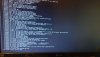
The problem is: I can't get it working with the latest IPBX image. The IPBX image does work from SD, but as soon as I switch to bootloading from SSD it halts during halfway booting. I assume there is no hard-coding of mmcblk0 (the SD-card), do you have any hints on what could go wrong here?
I am using the same procedure as for the standard Buster image:
I was wondering if someone had already experience with using the latest IPBX image with the latest RPI Buster and the latest RPI-EEPROM-updates on an SSD?
Using SSD (just a small cheap USB SSD-drive) autonomously (without SD-card) works since a couple of weeks, standard, using the latest RPI bootloader. It works perfectly with the standard RPI Buster image on multiple RPI4B systems (mine are 4G).
The opportunity of getting rid of the SD-cards made my day and I decided to also upgrade my very old perfectly working IPBX to the latest that was just released for the RPI4.
The problem is: I can't get it working with the latest IPBX image. The IPBX image does work from SD, but as soon as I switch to bootloading from SSD it halts during halfway booting. I assume there is no hard-coding of mmcblk0 (the SD-card), do you have any hints on what could go wrong here?
I am using the same procedure as for the standard Buster image:
- Full-upgrade
- Set power_save_off in rc.local for WLAN
- Get RPI-Clone from GIT
- Set rpi-eeprom-update to stable
- EEPROM update to pieeprom-2020-06-15.bin
- RPI-Clone SD-card (32 GB) to two prepared partitions (32 GB) on SSD
- Put dtparam=sd_poll_once in config.txt to prevent repeating the miss of SD
- Poweroff and pull SD-card
- Start system
Last edited:

 ) can we add the haveged package
 .
.


 Phone System