GO HERE Where are my backups living?

Joined
Sep 29, 2014
Messages
259
Reaction score
13
Hello:
Through the PIAF adim GUI, I set up a back up every mid-night.

Where are these back ups? How do I get to them or just view them? Are they taking up disk space somewhere?

Sorry for my ignorance but I truly have no idea even if a back up is being done, although I do get an email every night saying it was successful.

Thanks for any direction on this,
 
Please check /var/spool/asterisk/backup/ and its sub-directories.
 
Please check /var/spool/asterisk/backup/ and its sub-directories.
Hello:
I found this:
root@PBX:/var/spool/asterisk/backup/Default_backup $
20141107-084909-1415368149-536567809.tgz
20141201-000002-1417410002-1594212526.tgz
20150101-000002-1420088402-738832135.tgz
20150201-000001-1422766801-300502950.tgz
20150301-000002-1425186002-1442619258.tgz


Are these the backups? If so, does this look correct to you? Can I view the [contents] of these files?

Did this:

WARNING: Always run Incredible PBX behind a secure hardware-based firewall.
root@PBX:/var/spool/asterisk/backup/Default_backup $ tar -tvf 20141107-084909-1415368149-536567809.tgz
drwxr-xr-x asterisk/asterisk 0 2014-11-07 08:49 ./
-rw-r--r-- asterisk/asterisk 3559 2014-11-07 08:49 ./astdb
-rw-r--r-- asterisk/asterisk 540673 2014-11-07 08:49 ./mysql-3.sql
-rw-r--r-- asterisk/asterisk 706 2014-11-07 08:49 ./manifest
-rw-r--r-- asterisk/asterisk 4 2014-11-07 08:49 ./.lock
WARNING: Always run Incredible PBX behind a secure hardware-based firewall.
root@PBX:/var/spool/asterisk/backup/Default_backup $

(randy7376: There does not seem to be a file or sub-directory called: backups or backup in /var/lib/asterisk/)

Thank you.
 
Code:
locate -r '\/backups*$'
will give you a list of all folders named backup or backups
 
Robert.Thompson

I guess the backups location has changed since I deployed the home system a few years ago. Good to know as I wasn't aware it had moved.

I have a weekly backup that gets FTP'd up to the home server every Sunday so nothing ever resides in /var/lib/asterisk/backup.

Regardless, it looks like synack has you covered.
 
Robert.Thompson

That Default_backup folder contains the backup files from the monthly "Default Backup" as configured in your "Backup and Restore" GUI in FreePBX.

If I remember correctly, the default backup only contains the database and a few other things, it is not a complete backup. You will need to create and run a full backup using the GUI if you want everything covered.
 
Robert.Thompson

That Default_backup folder contains the backup files from the monthly "Default Backup" as configured in your "Backup and Restore" GUI in FreePBX.

If I remember correctly, the default backup only contains the database and a few other things, it is not a complete backup. You will need to create and run a full backup using the GUI if you want everything covered.

Thanks.

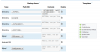
I figured out how to use the 'Full Backup' template and ran it - produced a much bigger backup!

Do you think that this is a complete backup of my PIAF system?

Thanks,PIAF2.png
 
If you used the Full Backup template, should be good :)

Don't forget to download the backup(s) to your local PC just to be safe.
 

Members online

No members online now.

Forum statistics

Threads
26,688
Messages
174,412
Members
20,259
Latest member
Fadeek86
Get 3CX - Absolutely Free!

Link up your team and customers Phone System Live Chat Video Conferencing

Hosted or Self-managed. Up to 10 users free forever. No credit card. Try risk free.

3CX
A 3CX Account with that email already exists. You will be redirected to the Customer Portal to sign in or reset your password if you've forgotten it.
Back
Top