QUESTION Yealink phones - creating extensions

cymruchris

New Member
Joined
Feb 14, 2024
Messages
4
Reaction score
0
Hi everyone - new post - new user - have searched google until I'm blue in the face, read lots of stuff, and still can't quite get my head around what I need to do, and I'm sure that it's really, really simple, but could do with a point in the right direction.

I've just installed 3 x Yealink handsets into a local foodbank/church and put them onto a VOIP system. Almost everything is working perfectly - in that external line dial out - dial in - answerphone - all the usual features are set up and operational.

Two of the handsets are in one building, and the third handset is in another building, but all on the same network.

I have access to the IP addresses/browser menus of each handset - and can't see anything that relates to what I'm trying to do.

I want to label each handset with an extension number - so for example '100' for the church, '200' for the foodbank cordless handset, and '300' for the foodbank fixed line handset - so that someone in the church can dial 200 to connect to the foodbank - and someone in the foodbank can dial 100 to reach the church on the internal line.

We have 2 x T33G handsets and one cordless handset connected to a W70B base.

Would someone be able to point me to an idiot's guide of what I'm trying to do - or prod me in the right direction of what needs to happen to achieve the above? Thanks very much indeed. Happy to answer questions and provide screenshots if needed.
 
Hi everyone - new post - new user - have searched google until I'm blue in the face, read lots of stuff, and still can't quite get my head around what I need to do, and I'm sure that it's really, really simple, but could do with a point in the right direction.

I've just installed 3 x Yealink handsets into a local foodbank/church and put them onto a VOIP system. Almost everything is working perfectly - in that external line dial out - dial in - answerphone - all the usual features are set up and operational.

Two of the handsets are in one building, and the third handset is in another building, but all on the same network.

I have access to the IP addresses/browser menus of each handset - and can't see anything that relates to what I'm trying to do.

I want to label each handset with an extension number - so for example '100' for the church, '200' for the foodbank cordless handset, and '300' for the foodbank fixed line handset - so that someone in the church can dial 200 to connect to the foodbank - and someone in the foodbank can dial 100 to reach the church on the internal line.

We have 2 x T33G handsets and one cordless handset connected to a W70B base.

Would someone be able to point me to an idiot's guide of what I'm trying to do - or prod me in the right direction of what needs to happen to achieve the above? Thanks very much indeed. Happy to answer questions and provide screenshots if needed.
What type of service do they use now?
 
What type of service do they use now?
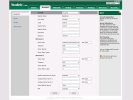
Thanks for replying. We're based in the UK - so using a UK based VOIP provider called Bonline. The register and username have been blanked out here - but are a random series of letters that are the same in both fields.

I've worked out how to 'name' each phone - in this case 'Church' - but it's how I can set up the ability to call the 'Church' extension from the 'Foodbank' extension and vice versa.

Is this the info that would help answer your question?


Screenshot 2024-02-15 132839 copy.jpg
 
Thanks for replying. We're based in the UK - so using a UK based VOIP provider called Bonline. The register and username have been blanked out here - but are a random series of letters that are the same in both fields.

I've worked out how to 'name' each phone - in this case 'Church' - but it's how I can set up the ability to call the 'Church' extension from the 'Foodbank' extension and vice versa.

Is this the info that would help answer your question?


View attachment 5303
So it sounds like you have three different accounts with them. They would need to offer a service that allows you to create internal extensions that can be pointed to each of these accounts.
 
You'll need the extensions provided by the carrier for this setup. If bonline doesn't do this voip.ms does and they have a london point of presence.
 
Thanks both for your replies - I'll give them a call to see if it's something that's possible. I was thinking it was a local setup option that we'd be in control of - but if it's something they do - I'll see if it can be done.
 
Just FYI, Voip.ms allows you to have one master account and then you can create subaccounts and extensions for each phone. It would not surprise me if your current provider does not have that feature as many providers do not.
 
Just to update the thread for anyone searching the same question (although it's been answered above) - it's not a feature that can be programmed to the phones, it is something that can be done at the provider end, in the case of ours - they'd create a new 'user' - but that would bring additional cost, which for the odd phone call between both buildings isn't really worth it for us. We're in a new contract - so further down the line I can look at other providers that offer the service - it's only a small setup with 1 active phone number and 3 handsets - so not a big mega-corp. Thanks for the pointers though - very much appreciated.
 

Members online

Forum statistics

Threads
26,699
Messages
174,466
Members
20,268
Latest member
mmmx123456777
Get 3CX - Absolutely Free!

Link up your team and customers Phone System Live Chat Video Conferencing

Hosted or Self-managed. Up to 10 users free forever. No credit card. Try risk free.

3CX
A 3CX Account with that email already exists. You will be redirected to the Customer Portal to sign in or reset your password if you've forgotten it.
Back
Top