PIONEERS Awesome FS PBX

When I do:
wget https://filedn.com/c83dd01aa69b0bc64ce5a6baeb944ca2/FusionPBX/ipset-additions.tar.gz with my key get response:
Resolving filedn.com (filedn.com)... 23.109.93.100
Connecting to filedn.com (filedn.com)|23.109.93.100|:443... connected.
HTTP request sent, awaiting response... 404 Not Found
2025-08-06 14:36:28 ERROR 404: Not Found.
What can I do?
It's not something you can fix. It doesn't exist from the looks of it. So either the file is missing or that link is bad.
 
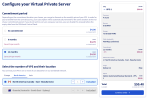
For those considering FS PBX, I thought this new OVH deal might be of interest. It's blazing fast AND cheap.

Screenshot 2025-08-07 at 10.26.25 AM.png
 
Last edited:
According to @pbxgeek, this functionality has been moved to Status -> Firewall and should show both the Event Guard AND Fail2Ban entries, but neither of our servers is showing anything in the Firewall tab. If your results are different, please comment below.
 
According to @pbxgeek, this functionality has been moved to Status -> Firewall and should show both the Event Guard AND Fail2Ban entries, but neither of our servers is showing anything in the Firewall tab. If your results are different, please comment below.
My Status -> Firewall is populated with all the info of blocked attempts including info from event guard.
 
I added Event Guard earlier. My Status > Firewall is always empty. I'm surprised on this cheap Colo Crossing VM that I don't have more hits. Of course, I am running the APIban and VoipBL so they seem to filter out the hackers.
 
It sounds like @kenn10 and @ward are running modified Firewalls, could that be causing your issues with the gui not showing the info.
 
It sounds like @kenn10 and @ward are running modified Firewalls, could that be causing your issues with the gui not showing the info.
With the exception of an entry for a modified SSH port and the addition of port support for OpenVPN, our FS PBX firewall is exactly as installed from the FS PBX installer script.
 
You may want to post that over on the FS PBX forum.
That forum keeps refusing my registration.

FusionPBX Forums
unfortunately, the account you registered on FusionPBX Forums did not meet membership requirements. Your account is no longer accessible.

Visit FusionPBX Forums
 
It sounds like @kenn10 and @ward are running modified Firewalls, could that be causing your issues with the gui not showing the info.
I worked with Ward, and his firewall page wasn't showing anything because the hostname of the machine changed. This is not something that happens in production often. Since it was changed, there were no new blocks, so the page was empty. It filters by current hostname and works well with clustered environments.

For anyone interested, the Firewall page shows not only event guard blocks but also Fail2ban blocks. So it's superior to the original FusionPBX Event Guard page.
 
@pbxgeek I've reported another bug in FS PBX. When you set up find me/follow me on an extension (called call forward sequencing on FS PBX), add a cell phone into the forwarding mix and enable answer confirmation, FS PBX will ring the cell phone but when you answer, it cuts the call thru without doing the "Press 1 to accept.." dialog. I posted the bug on their bug list.
 

Members online

Forum statistics

Threads
26,705
Messages
174,506
Members
20,272
Latest member
voipgreene
Get 3CX - Absolutely Free!

Link up your team and customers Phone System Live Chat Video Conferencing

Hosted or Self-managed. Up to 10 users free forever. No credit card. Try risk free.

3CX
A 3CX Account with that email already exists. You will be redirected to the Customer Portal to sign in or reset your password if you've forgotten it.
Back
Top