TIPS Call Audio

NatGarrison

New Member
Joined
Aug 8, 2015
Messages
26
Reaction score
2
I've set up a new Incredible PBX 2021 system and calls work to and from some cell phones but not others. I have a Samsung Galaxy S10 that uses T-Mobile. I can call the new system and they can call me with no problems both ways. But the employees at the company have Apple cell phones and you can't hear anything on them when you try to call them from the new system. They ring and when you answer them, there is no audio in or out. Where do I need to look to fix this problem?
 
Look at the CODECs enable on your trunks and your system's telephones. I use g.722, g.711 and gsm. I've never experienced what you are detailing. Another consideration is to look at your trunks and check the advanced settings for direct media. You might have to turn that off so Asterisk can do conversion of the CODEC's if the cell phone and your office phones are not using the same ones.
 
kenn10, I went to SIP settings to add you suggested CODEC's and noticed that at the top of the CODEC list it says: This is the default Codec setting for new Trunks and Extensions. Does this mean that I have to recreate the trunk after setting the new CODEC's?
 
kenn10, I also don't see g.711 or PCM in the list. Am I trying to enable the CODEC's in the wrong location?
 
I went to my trunk provider and turned on the g.722 and gsm CODEC's. g.711U and g.729a were already enabled. Like I stated earlier, I can't find g.711 in the Incredible PBX 2021 GUI. kemm10 mentioned that I may need to disable direct media in the trunk advanced settings in Incredible PBX. I can't find a setting for "direct media" anywhere.
 
Are your trunks chan_sip or chan_pjsip?
 
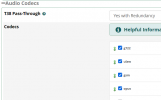
Under Settings > Asterisk SIP Settings > General SIP Settings go to the bottom where Codecs are listed. Here is what I have:
1634146118169.png
 
To clarify, g.711 is ulaw. These terms are interchangeable but you see it both ways between the PBX and some vendors.

I was referring to the Codecs used on your PBX trunk on the PBX, not on your provider's website.
 
kenn10, the trunk is SIP. I didn't know that g.711 is ulaw, it is enabled. The "Helpful Information" says that these settings are for new trunks. Does this mean that after enabling CODEC's that you have to delete the existing trunk(s) and create them again?
 
kenn10, the trunk is SIP. I didn't know that g.711 is ulaw, it is enabled. The "Helpful Information" says that these settings are for new trunks. Does this mean that after enabling CODEC's that you have to delete the existing trunk(s) and create them again?
No, you just hit the submit button, and reload. It will start using after the reload.
 
kenn10, the trunk is SIP. I didn't know that g.711 is ulaw, it is enabled. The "Helpful Information" says that these settings are for new trunks. Does this mean that after enabling CODEC's that you have to delete the existing trunk(s) and create them again?
No. It only affects new trunks you create.
 
OK. If you are using chan_sip trunks, you need something like this in the settings for incoming and outgoing. Pay attention to the allow= and the disallowed_methods and the direct_media lines. Add those to your settings if they aren't there.
Code:
type=peer
context=from-pstn
host=<your provider.com>
fromdomain=<your provider.com>
defaultuser=<userid>
fromuser=<userid>
secret=<password>
insecure=port,invite
disallowed_methods=UPDATE
directmedia=no
videosupport=no
disallow=all
allow=ulaw&g722&gsm
 
The trunk Codecs should not really matter. Most providers only support ulaw. What matters is the directmedia setting and the disallowed_methods. That is what keeps the PBX in the talk path.

You did not mention if the employees are all running a SIP softphone on their phones or just using straight cellular service. If you are talking a softphone client, that is a whole different scenario and will require much more discussion.
 
They are using regular cell phones on a straight cellular service. They use iPhones, some on AT&T and others on Verizon. My Samsung uses T-Mobile. I will now add the above peer settings to the trunk. Yours are much different than what voip.ms suggested.
 
Make sure to take note of your current settings before adding any lines to them from my suggestion above. If the settings don't work or don't help, you need to have discussion with Voip.ms as to why. I've never heard of an issue quite like this. Most of the cellular companies have begun using IPV6 but that should not affect traffic through your PBX as IncrediblePBX2021 does not support IPV6. Plus the calls are terminated through your provider and they should handle all of that.

Considering all the pain voip.ms has been through with the hackers and all, they may have issues on their end and will need to know some cell numbers of your people so they can test. Try the changes to the trunks first and if that does not help, open a trouble ticket with voip.ms.

Also, consider learning how to convert your trunks from chan_sip to PJSIP. Support for chan_sip has ended and it is not included (by default) in new releases of Asterisk.
 
Would the Linux OS have anything to do with this crazy problem? I installed Ubuntu 20.04.3 last month before installing Incredible PBX 2021. I just modified the peer SIP settings to this:

username=xxxxxxxxxx
type=peer
context=from-pstn
trustrpid=yes
sendrpid=yes
secret=xxxxxxxxxxx
qualify=yes
nat=yes
insecure=port,invite
host=atlanta2.voip.ms
fromuser=xxxxxxxxxxxx
canreinvite=nonat
disallowed_methods=UPDATE
directmedia=no
videosupport=no
disallow=all
allow=ulaw&g722&gsm

And still I can make and receive calls to and from my T-mobile Samsung, but they can't get voice to an AT&T iPhone nor to a Verizon Samsung. I didn't add the fromdomain, defaultuser, fromuser lines to the settings.
 
Last edited:
Edit your post and remove your username and password that you posted in the trunk settings!
 
I don't have voip.ms but the trunk settings look normal for a chan_sip trunk. Next step is to open a ticket with voip.ms. They may well have issues with their own trunks to Verizon and at&t.
 
I have a printed copy of SIP peer settings that I originally had set. I have IPV6 disabled in the gateway and in the router.
I will convert the trunk from chan_sip to PJSIP and open a voip.ms ticket.
 

Members online

No members online now.

Forum statistics

Threads
26,687
Messages
174,410
Members
20,257
Latest member
Dempan
Get 3CX - Absolutely Free!

Link up your team and customers Phone System Live Chat Video Conferencing

Hosted or Self-managed. Up to 10 users free forever. No credit card. Try risk free.

3CX
A 3CX Account with that email already exists. You will be redirected to the Customer Portal to sign in or reset your password if you've forgotten it.
Back
Top