
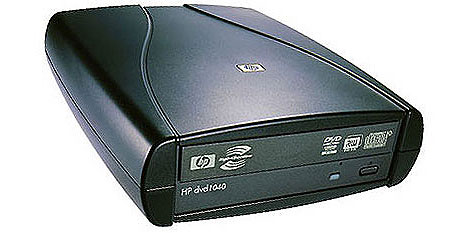
I am trying to install PBXIF on the recommended Acer Aspire that I bought today at Best Buy. I also purchased an Asus external DVD player.
The CD boots properly and the install starts after I type "ksalt" or "ks16alt". In the documentation on the Nerdvittles website, it says:
"On some systems you may get a notice that CentOS can't find the kickstart file. Just tab to OK and press Enter. Don't change the name or location of the kickstart file! This will get you going."
However, when I press OK and hit Enter, it will not go on. I have to press Cancel to go on. I am not sure if this is the source of the problem or not.
After pressing cancel, it takes me through a couple of config screens, then it asks where the source files are located. I select External CD Rom. It asks for a driver. When I select USB Mass Storage Driver, it finds the drive and starts asking for network, partitioning and other info. (Interestingly enough, on the 3rd time I did this, it brought up a GUI for the configuration. Maybe because I selected ks16alt.) After all of that is entered, it formats the hard drive and transfers the install image to the hard drive. Then it loads the files and prompts me to reboot. When I reboot, the CDRom disk it ejected and the system starts rebooting. However, in the documentation, it says to choose A after the reboot. No such choice is offered. Instead, it starts rebooting and ends up with a login prompt. I login, and get the following prompt:
-bash-3.2#
When I try to run the update-scripts, update-fixes and status commands, it says:
command not found
When I go ahead and try to run the Incredible PBX Installer, it lets me do the first 3 lines, but on the 4th line gives me an error message.
Warning: The Incredible PBX Installer only works with PBX In a Flash. You appear to be running and incompatible version. DO NOT PROCEED.
So, this is where I am at. Anyone have any tips/solution for me?
The CD boots properly and the install starts after I type "ksalt" or "ks16alt". In the documentation on the Nerdvittles website, it says:
"On some systems you may get a notice that CentOS can't find the kickstart file. Just tab to OK and press Enter. Don't change the name or location of the kickstart file! This will get you going."
However, when I press OK and hit Enter, it will not go on. I have to press Cancel to go on. I am not sure if this is the source of the problem or not.
After pressing cancel, it takes me through a couple of config screens, then it asks where the source files are located. I select External CD Rom. It asks for a driver. When I select USB Mass Storage Driver, it finds the drive and starts asking for network, partitioning and other info. (Interestingly enough, on the 3rd time I did this, it brought up a GUI for the configuration. Maybe because I selected ks16alt.) After all of that is entered, it formats the hard drive and transfers the install image to the hard drive. Then it loads the files and prompts me to reboot. When I reboot, the CDRom disk it ejected and the system starts rebooting. However, in the documentation, it says to choose A after the reboot. No such choice is offered. Instead, it starts rebooting and ends up with a login prompt. I login, and get the following prompt:
-bash-3.2#
When I try to run the update-scripts, update-fixes and status commands, it says:
command not found
When I go ahead and try to run the Incredible PBX Installer, it lets me do the first 3 lines, but on the 4th line gives me an error message.
Warning: The Incredible PBX Installer only works with PBX In a Flash. You appear to be running and incompatible version. DO NOT PROCEED.
So, this is where I am at. Anyone have any tips/solution for me?




 Phone System