TUTORIAL Incredible Wazo Upgrade to 17.17

New XiVO 16.15 and Wazo 16.16 API Support

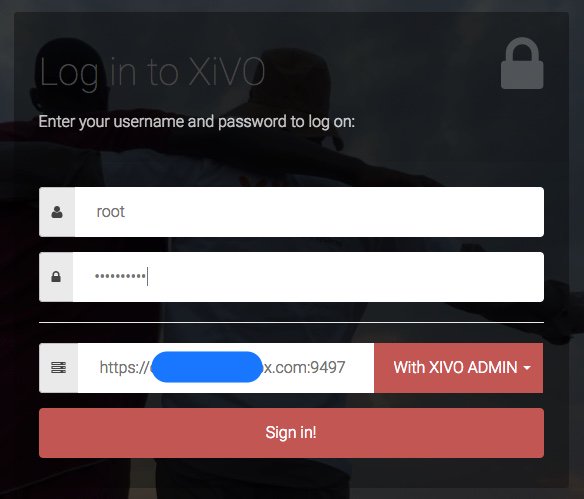
1. Get XIVO ADMIN token: https://auth.xivo.io using your XiVO GUI credentials and https://yourIP:9497 choosing With XIVO ADMIN:
Cx4NmcWW8AAXVmF.jpg


2. Navigate to: https://serverIP/api/

3. Choose XiVO Confd

4. Insert your token at top and click Explore

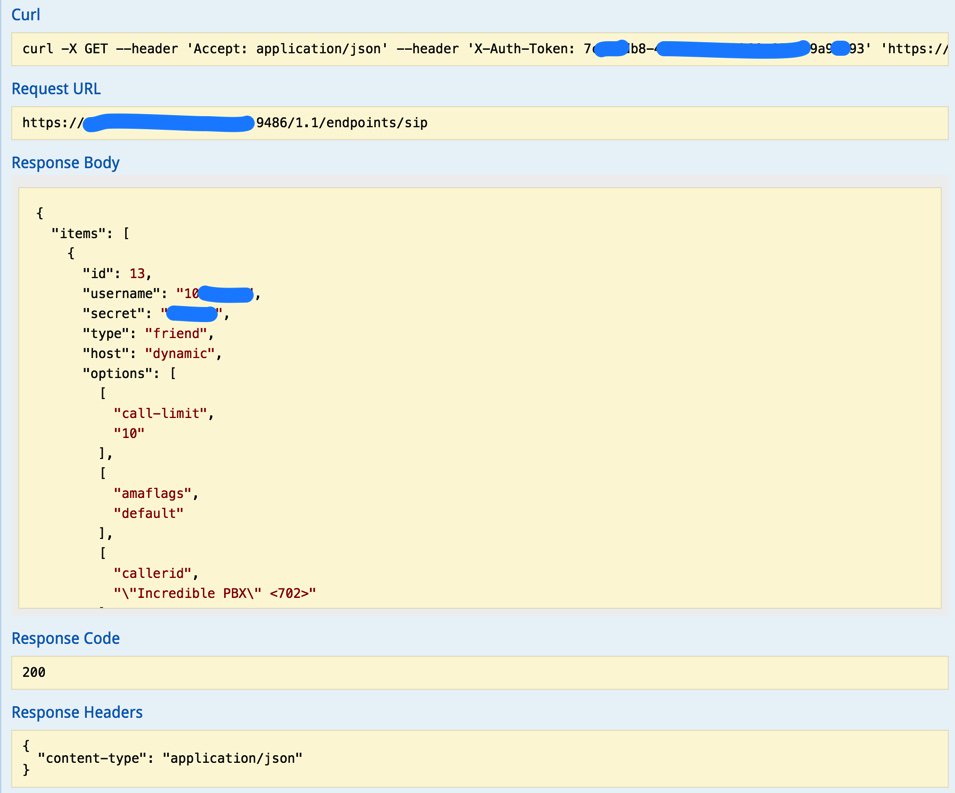
5. Choose desired API (e.g. ENDPOINTS)

6. Choose a GET option (e.g. GET /endpoints/sip )

7. Scroll down and click Try It Out button

Token expires in 5 minutes!

CyQv9cUUUAAaw09.jpg

CyQwfSkVQAAnsBu.jpg
 
Last edited:
ok, Ward, need your help. I did a successful xivo upgrade to 16.16 and xivo restarts correctly
Now, I am at the point of pulling down the nginx files to restore the web config. Somehow I got my directories and symlinks wrong in the process.
Is there an easy way to clean my mess up? I am afraid the /etc/nginx/locations/ are all messed up
Can I run incredible 14 script?
Suggestions welcome
 
Please excuse me if I didn't see this in the how-to - when using the 2 minute xivo-upgrade I see the script run flawlessly. A question at the end has me stumped, however.

To finish the upgrade, you must merge the new version with the old
one. For example:

vimdiff FILENAME FILENAME.dpkg-old

Once this is done, remove the old files and run "xivo-service restart".

Which files need to be merged? Where are the old files I should delete?

Sorry. I'm just coming to grips on XiVO, er, Wazo. Great ride so far. Thank you!
 
Everything in the upgrade works great EXCEPT for the new CDR CEL viewer. We're not seeing any results on IPX->Call Management -> Call logs.

any separate installs we could do? Ideas to fix?

Thanks!
 
Wow - that was easy enough. Thank you so much!
I'm assuming the file merge is an optional item. Since this is a green field install it sounds like I'm good to go.
Much appreciated!
 
Wow - that was easy enough. Thank you so much!
I'm assuming the file merge is an optional item. Since this is a green field install it sounds like I'm good to go.
Much appreciated!

Just copy over the old versions as shown since Incredible PBX needs some of the packages that XiVO doesn't usually load with Asterisk.
 
XiVO is not a good fit with the RasPi. There's too much constant disk activity in a real time deployment of Asterisk.
 
Ok -- When I get some $ free, I'm looking at a NUC. But that may take a few weeks.
 
Two commands I needed to run to patch the google Oauth that were missing in my install might be useful for others:

apt-get install asterisk-dev

apt-get install libiksemel-dev

without these the "make" command will halt with errors for asterisk.h and iksemel.h

However this command

sed -i 's|13.|14.|' /etc/pbx/.version

tells me there is "no such directory" and it is right

should I be worried? All the other commands executed successfully. Anyway to check/troubleshoot?

xivo web interface says everything is running fine, however under IPBX service it tells me

  • Software: Asterisk
  • Version: 13.11.2
But this is an error. Inside CLI:

core show version

Asterisk 14.1.2 built by builder @ builder-64 on a x86_64 running Linux on 2016-11-17 13:08:40 UTC
 
Last edited by a moderator:
@sedgington: Not sure what your original build was?? The Google Voice components including asterisk-dev and libiksemel-dev have been in the IncrediblePBX13 installer for a very long time.
 
OK, thank you for that, I went back and looked at the xivo server and apparently I got as far as installing the xivo server on a new box before a trip last summer and then when I went to upgrade the install as per these instructions above I forgot that incrediblePBX13 had not yet been installed and proceeded as if it was--thus the errors. So I installed incrediblepbx13 last night and everything looks fine. Thanks again for your comment.
 
So, as I read this? Xivo version 16.10 (the version in the announced Rpi PIAF Distro, is effectively the most recent. (No .14 or .16 for a Rpi).
 
when I follow these instructions on a amd64 debian VM, I get 16.15. Is 16.16 not ready/in the repos yet?
 

Members online

No members online now.

Forum statistics

Threads
26,687
Messages
174,410
Members
20,257
Latest member
Dempan
Get 3CX - Absolutely Free!

Link up your team and customers Phone System Live Chat Video Conferencing

Hosted or Self-managed. Up to 10 users free forever. No credit card. Try risk free.

3CX
A 3CX Account with that email already exists. You will be redirected to the Customer Portal to sign in or reset your password if you've forgotten it.
Back
Top