TIPS Multiple GV Trunks - Multpile Extensions - 1:1 inbound & outbound calling - Help please

Hyksos : The Extension Routing module is nowhere to be seen. The System Admin module is installed and registered. I even opened up a couple of ports on the router to allow the User Control panel and HTTP Provisioning through just in case there was something there blocking it. Still nothing.
 
Just an update:
I have been utterly unsuccessful installing the Extension Routes module from Schmoozecom.com
I have meticulously followed every known instruction to utter failure on that.

I can receive an inbound call from a GV account and it is properly directed to the extension I want it to go to.
Dialing out on that same extension presents me with "your call cannot be completed as dialed".

6 hours of searching Google and every forum post I can find and this is where I'm at.

I do want to thank you guys so far though: there are some real "special people" out there with no interpersonal skills at all. I appreciate the attempts to help.

Still trying to solve this, so if anyone has any suggestions, I'd appreciate it.
 
You never did answer the question of did you "purchase" the module on the Schmoozes website?
 
One second... searching for ANYTHING that remotely says "buy" on it
 
I am on this page:
http://www.schmoozecom.com/extension-routing.php
I have created an account. I have installed tha admin module.. I have validated my account. It says I am registered. It gives me a number.
I have tried to install the mentioned module (at least a dozen times) and not once have I seen anything on any of the links I have been sent to or clicked that say "buy" the module that is free.
 
Log into the portal. Once logged in, click on the store. Click on software. In the drop down list, select your system. Add the routing module and check out.

Have you done that?
 
Now, back to my original problem, which is:
I can receive an inbound call from a GV account and it is properly directed to the extension I want it to go to.
Dialing out on that same extension presents me with "your call cannot be completed as dialed".

6 hours of searching Google and every forum post I can find and this is where I'm at.
 
No, those are trunks. Have you created an outbound route under the trunk that will dial out no matter what phone you dial out from. If you don't have a basic one, then anything you implement won't work. Keep it simple before you start making it harder.
 
I have 2 outbound routes. One for each of the GV trunks.
Is there a basic setup for a default route that I should have somewhere?

Also, still unable to see licensing information for that module

==================
I'm really not an idiot, but I play one on TV
 
Now that you bought the module, you may have to download it and maybe do the http restart thing. You should see the license for it to show up under the Admin Module.

Take screen shots and post them for your outbound routes.

Also, have you tried making calls between two SIP phones?
 
License is still unavailable. Have downloaded, uninstalled, reinstalled exhaustively (including httpd restarts)
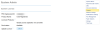
FreePBX Administration 2013-12-27 16-03-04.png
 
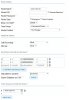
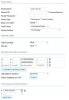
Here are the outbound routes I have. They are identical except the trunk they use and their names.
FreePBX Administration 2013-12-27 16-06-53.jpg FreePBX Administration 2013-12-27 16-06-54.jpg
 
As far as the license goes, I don't know what to tell you. Reboot, try a different browser. Could be something stuck in your cache. Even so, you don't need the module for basic calls, hence the reason why I asked for screen shots of your routes.
 
Yeah, the license won't show up until they complete the order. Forgot about that. Haven't purchased a module for a while.
 

Members online

No members online now.

Forum statistics

Threads
26,688
Messages
174,412
Members
20,258
Latest member
RandomPerson
Get 3CX - Absolutely Free!

Link up your team and customers Phone System Live Chat Video Conferencing

Hosted or Self-managed. Up to 10 users free forever. No credit card. Try risk free.

3CX
A 3CX Account with that email already exists. You will be redirected to the Customer Portal to sign in or reset your password if you've forgotten it.
Back
Top