DEAL Obi2182 : $59.99

just out of curiosity, can the following procedure be used to make GV trunks for iPBX with OBi2182?
GV trunks for iPBX? I'm not certain but suspect GV will be detecting the device or maybe requires the setup connection to be via Obitalk - and who knows what the connecting exchange was about?


Configuring OBi Sip Trunk for Asterisk

About Credentials:
Code:
In the Service Providers/ ITSP Profile [C or whatever] / Credentials:

AuthUserName                703
AuthPassword                 [longsecretforexten703]
DTLSPeerCertAltName    [if none left blank]
URI                                  703@IP_or_fqdn_or local-name[obi2182]:port[5080]

(Configuring OBi Sip Trunk for Asterisk) am I going to mess up my current (plain vanilla ObiTalk generated) configuration?
Anyone can confirm that it works with Obi2182 ?
Not having used #7 recipe but the vanilla config can be tweeked on the obitalk.
You can make changes in the obi2182 web interface, but when you submit and when done reboot, phone has a nasty habit of rrebooting again a couple of times; and some settings get reverted.
Best to make a backup

Backup Configuration (before and after changes)
Choose Backup Options:
Check all 3 boxes: Incl. Running Status; Incl. Default Value; Use OBi Version

Of course in
System Management/Auto Provisioning/ Obitalk Provisioning /Method can Disable when you want it left alone.


About factory reset: AFAIK there is no pinhole switch. The hole on bottom edge under the green speaker button is the microphone.
@Halea mentioned the on line images and instead of the rear Label sticker you can see there is a hole under the sticker. Could not tell if there is a switch behind the hole but YMMD.


Noted the obi200 recipe differs from the obitalk vanilla config.
Noted you can upload your config to the obitalk/ obi expert dashboard
Regards
 
Last edited:
Thank you @ostridge , I appreciate your brainstorming on my inquiry.
I think I'll wait until I receive my second unit and then start experimenting a bit.
Regarding GV's state of mind on allowing users turning OBi devices into SIP trunk drivers, I didn't follow the whole debate when Obi200 was being researched for that purpose but I was under the impression that it was the GV sanctioned way of doing it (for whatever reason and/or in exchange for some royalties they were getting from Obihai).
If its going to be another round of cat and mouse game with Google then it's probably not worth it!
 
So long as you use the OBiTALK web interface, these phones work perfectly out of the box with Google Voice and SIP trunks.

E-hugEAXsAY9Izs
I can not find examples for how to configure the OBi2182 for IncrediblePBX, lots of pieces. Does someone have a more details list of steps.
 
I can not find examples for how to configure the OBi2182 for IncrediblePBX, lots of pieces. Does someone have a more details list of steps.
Problem Solved: I found the common settings with my OBI110
 
Problem Solved: I found the common settings with my OBI110
That is good, let us know how - if obitalk config etc. or have you turned off the obitalk reboots?
They are quite easy to config once you know how - but still easy to break the config.

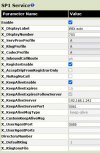
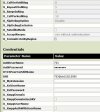
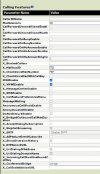
When it comes to setup of your SPn for PJSIP exten 7xx which I reckon the hardest part. see the thumbnails; or if you need something else just ask but tell us how you are provisioning the obi2182.
 

Attachments

  • 2182sp1service-01.JPG
    2182sp1service-01.JPG
    56.2 KB · Views: 34
  • 2182sp1service-02.JPG
    2182sp1service-02.JPG
    62 KB · Views: 34
  • 2182sp1service-03.JPG
    2182sp1service-03.JPG
    56.7 KB · Views: 35
Last edited:
That is good, let us know how - if obitalk config etc. or have you turned off the obitalk reboots?
They are quite easy to config once you know how - but still easy to break the config.

When it comes to setup of your SPn for PJSIP exten 703 which I reckon the hardest part. see the thumbnails; or if you need something else just ask bu tell us how you are provisioning the 2182.
I got it working without creating an OBitalk account. or registering it with OBi. I have the OBiTalk disabled. Installed as exten 800 for now. I have an Oi110 as a gateway to landline and VOIP to older phone gateway. I finally realized the screens were different, but the phone settings were almost the same configuration settings. It is working so far without a keep-alive server. Thanks for the pictures, I did not have MailboxId and CheckVoiceMail set. Only issue is I have not found the setting to display the phone name at the top.
 
I have 4 of these phones installed and I set all of mine up on a OBiTalk account. None of mine display any phone name at the top. They all display the date and time at the top
 
They raised the price on these again. They are currently $59 again.
 
So I purchased one and am playing with it. I am NOT using obitalk. I can easily add a sip account. What I want to know is how to make the front screen show the extension name and green button lit that it is registered...

anyone using this outside of obitalk?
Thanks,
brian
 
I have 5 of them used outside of obitalk. None of mine have any green button lit even when I have 5 lines registered on each phone. The service status displays registered but no green lights. I"m not sure what you mean by the front screen show the extension name. The only screen on my phones all display the extension name/number that I set by accessing the phone setup using the phone's ip address and set the display label and display number settings.
 
On a grandstream or yealink, when you add an account(extension), it shows up as a green LED light on that line. This tells you that the line is registered otherwise it would show red. When you hit the button to make a call the button itself turns green. In essence, a BLF key. Can't figure out how to make that happen with this phone. so buy just looking at the phone you can tell how many of your 6(left side) accounts are registered and ready to go....
 
None have green light until you select that line. No green light just to show the line is registered. If you select a line that is not registered, the light will be red or amber instead of green. But feel free to get the admin manual from the link posted above and read it. Even google voice lines don't illuminate a green light unless you select a registered line.
 
On a grandstream or yealink, when you add an account(extension), it shows up as a green LED light on that line.
I noticed on most recent firmware on Grandsream GRP26xx phones you can swap red/green or tailor them somewhat like having the BLF's not light up when idle. I'm not familiar with the OBI2182 but look for LED settings or something to see if it has those options.
 
How's the wifi connection on these things?

Solid enough to take to a hotel room or other public/random wifi and get good call quality?
 
Why take that, just put a sip app on cell phone? Haven't tried wifi, but don't use wifi to stream tv either...
 
wifi is working just fine. No issues with any of the other 14 wifi networks around here. No interference from microwaves, other phones, and I prefer the sound on obi2182's better than grandstream phones
 

Members online

Forum statistics

Threads
26,709
Messages
174,552
Members
20,277
Latest member
bikerlady
Get 3CX - Absolutely Free!

Link up your team and customers Phone System Live Chat Video Conferencing

Hosted or Self-managed. Up to 10 users free forever. No credit card. Try risk free.

3CX
A 3CX Account with that email already exists. You will be redirected to the Customer Portal to sign in or reset your password if you've forgotten it.
Back
Top