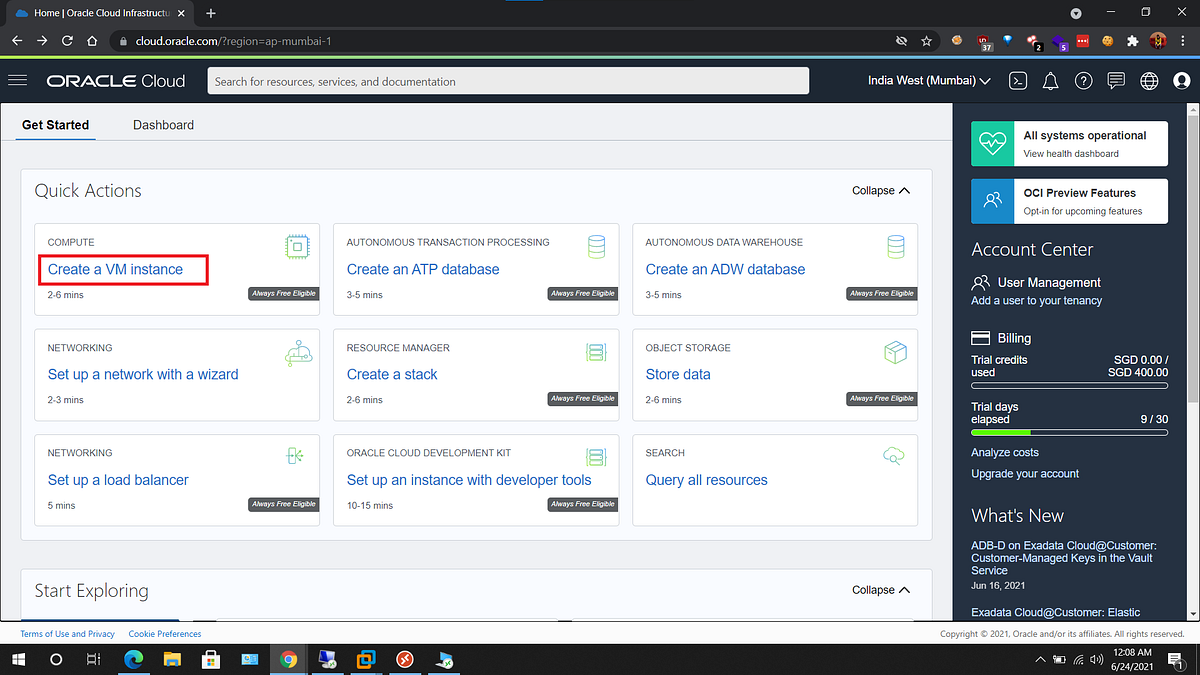
NEW Free Oracle Cloud Instance

I got the account, but now it states "Out of capacity" when I try to make the ARM virtual macine
Ouch Try again later but it does seem to mean danger if you want to terminate the instance and try again.

EDIT: Maybe try the smaller version(s) Ampere 1 / 6, 2 / 12, or 3 / 18 versions
 
Last edited:
chmod 700 .ssh/ubuntu
ssh -i .ssh/ubuntu ubuntu@server-ip-address

Safest course is to be sure you install OpenVPN before you reboot. All of the 10.8.0.x subnet is whitelisted.

To autostart OpenVPN client, copy .ovpn into /etc/ and name it incrediblepbx.ovpn. Then reboot.
This should already work but, if not, go here.
On ubuntu cannonical whilst reading about ubuntu security (in relation to cloud instance) I read here
Code:
"WireGuard® is a new, simplified VPN with modern cryptography defaults.
WireGuard is included in Ubuntu 20.04 LTS and will be backported to Ubuntu 18.04 LTS to support widespread enterprise adoption.
“Including WireGuard by default in all recent versions of Ubuntu means that users will finally have a great out-of-the-box
 secure tunnel on Ubuntu,” said Jason A. Donenfeld, creator of WireGuard."

Anyone have opinion or a recipe for Wireguard - seems to me if its already there waiting to be installed - ?? it may be worth consiidering ?? you might know different?
 
Last edited:
@ostridge: Before yesterday's updates to the Ubuntu platform, there was a problem whitelisting your client PC's IP address which meant you got locked out on reboot. That now has been fixed even though I swore off maintaining this a couple days ago. OpenVPN client setup was also tweaked.:death:
 
@ostridge: Before yesterday's updates to the Ubuntu platform, there was a problem whitelisting your client PC's IP address which meant you got locked out on reboot. That now has been fixed even though I swore off maintaining this a couple days ago. OpenVPN client setup was also tweaked.:death:
Oops still lockedout

tutorial "Once the installation completes, reboot and you should be good to go."
Code:
 hit enter to reboot or ctrl c abort
# enter
Press N to shut down NOW
[>---------------------------] < 1 sec
[--->------------------------] < 1 sec
[---------------->-----------] < 1 sec
DAHDI NOT FOUND [Suggest Uninstalling the Dahdi Configuration Module]!
Shutting down MySQL...
Shutting down Apache...
Rebooting...

Then
Bash:
ssh -i .ssh/ubuntu ubuntu@server-ip-address
## session hangs

Cloud instance dashboard shows 'Running'

But still got locked out
 
Last edited:
Oops still lockedout
tutorial "Once the installation completes, reboot and you should be good to go."

QUERY: But at this point don't we need instruction to setup passwords, add-fqdn, add-ip etc surely before reboot??
Code:
 I hit enter to reboot or ctrl c abort
# enter
Press N to shut down NOW
[>---------------------------] < 1 sec
[--->------------------------] < 1 sec
[---------------->-----------] < 1 sec
DAHDI NOT FOUND [Suggest Uninstalling the Dahdi Configuration Module]!
Shutting down MySQL...
Shutting down Apache...
Rebooting...

Then from ssh session on RPi
Bash:
ssh -i .ssh/ubuntu ubuntu@server-ip-address
## session hangs

Cloud instance dashboard shows 'Running'

But still got locked out
Query I had not set any password for ubuntu user
 
Oops still lockedout

Query I had not set any password for ubuntu user
You don't set a password for the ubuntu user, it always uses keys.

And before you reboot, *make sure* your public IP and port 22 is open in /etc/iptables/rules.v4 that is the only way I've been able to make sure I have access after the reboot.
 
@ostridge: Before you reboot, break out of the script and issue command:
Code:
tail /etc/iptables/rules.v4
You should see your desktop machine's IP address whitelisted at the very bottom. If you see two lines like this instead of one, let me know:
Code:
#-A INPUT -s  -j ACCEPT
 
Oops still lockedout

Query I had not set any password for ubuntu user
I did an Ubuntu install and I am able to log into is using SSH keys. I installed OpenVPN and WireGuard using angristan script for both. I am not able to log into the server by using either OpenVPN or WireGuard. I wonder if there is some sort of firewall on Oracle side. Any suggestions?
 
@ostridge: Before you reboot, break out of the script and issue command:
Code:
tail /etc/iptables/rules.v4
You should see your desktop machine's IP address whitelisted at the very bottom. If you see two lines like this instead of one, let me know:
Code:
#-A INPUT -s  -j ACCEPT
need to add this to the tutorial, and the final message should be echo "Before .....
 
I used an AMD instance. To make the OpenVPN work I had to first create a VCN and I had to add the OpenVPN port to be accepted. Then I created the instance and I choose the newly created VCN which has the OpenVPN port.
 
Oracle is a special case. I'm reluctant to change the tutorial based solely on Oracle's quirky platform.
 
Oracle is a special case. I'm reluctant to change the tutorial based solely on Oracle's quirky platform.
indeed Oracle platform is quirky. I am using it just as a VPN server, I don't dare to even try a PBX install
 
@ostridge: Before you reboot, break out of the script and issue command:
Code:
tail /etc/iptables/rules.v4
You should see your desktop machine's IP address whitelisted at the very bottom. If you see two lines like this instead of one, let me know:
Code:
#-A INPUT -s  -j ACCEPT
I can log in by creating annother instance log into the 'NEW' instance and then ssh to the 10.0.0.xxx # private-ip-of-PBX-instance.
Code:
tail  /etc/iptables/rules.v4
# this is a snapshot of where you were when you installed Incredible PBX
# It assures that you can log back in from there once we lock down IPtables
# NO RESTRICTIONS are placed on these 3 addresses or private LAN subnets!
# The IP addresses are your server, user, and public addresses respectively
-A INPUT -s 10.0.0.xxx -j ACCEPT  ## where xxx is address of the pbx instance
#-A INPUT -s  -j ACCEPT
# your own additions go above here
COMMIT
# Generated by iptables-save v1.3.5 on Tue Apr  1 11:35:49 2014
 
Last edited:
I can log in by creating annother instance log into the NEW instance and then ssh to the 10.0.0.xxx # private-ip-of-pbx-instance.
Code:
tail  /etc/iptables/rules.v4
# this is a snapshot of where you were when you installed Incredible PBX
# It assures that you can log back in from there once we lock down IPtables
# NO RESTRICTIONS are placed on these 3 addresses or private LAN subnets!
# The IP addresses are your server, user, and public addresses respectively
-A INPUT -s 10.0.0.xxx -j ACCEPT
#-A INPUT -s  -j ACCEPT
# your own additions go above here
COMMIT
# Generated by iptables-save v1.3.5 on Tue Apr  1 11:35:49 2014
after doing an
Code:
 ~/add-fqdn mylocation xxx.dyndns.org

~/add-ip mylocation myip
I then did the# /usr/sbin/iptables-restore but it just takes forever and had to abort 'ctrl + c'
and same with /etc/alternatives/iptables-restore #(which it is symlinked to)

There is also plenty of xtables scripts for nftables stuff.
 
I can log in by creating annother instance log into the NEW instance and then ssh to the 10.0.0.xxx # private-ip-of-pbx-instance.
Code:
tail  /etc/iptables/rules.v4
# this is a snapshot of where you were when you installed Incredible PBX
# It assures that you can log back in from there once we lock down IPtables
# NO RESTRICTIONS are placed on these 3 addresses or private LAN subnets!
# The IP addresses are your server, user, and public addresses respectively
-A INPUT -s 10.0.0.xxx -j ACCEPT
#-A INPUT -s  -j ACCEPT
# your own additions go above here
COMMIT
# Generated by iptables-save v1.3.5 on Tue Apr  1 11:35:49 2014
Fixed in the latest build. Same issue as with Amazon EC2.
The -A INPUT -s 10.0.0.xxx -j ACCEPT entry is harmless since it only gives access from your own server, but the 10.0.0.0/8 entry above it is what causes the security hole. Here's the fix to adjust to OpenVPN subnet:
Code:
sed -i 's|10.0.0.0/8|10.8.0.0/24|'  /etc/iptables/rules.v4
iptables-restart
 
Last edited:
after doing an
Code:
 ~/add-fqdn mylocation xxx.dyndns.org

~/add-ip mylocation myip
I then did the# /usr/sbin/iptables-restore but it just takes forever and had to abort 'ctrl + c'
and same with /etc/alternatives/iptables-restore #(which it is symlinked to)

There is also plenty of xtables scripts for nftables stuff.
You have to use the iptables-restart command after using add-ip or add-fqdn or you'll hose your IPtables setup.
 
Make sure to uninstall ufw, it kind of messes with iptables.
 

Members online

No members online now.

Forum statistics

Threads
26,687
Messages
174,410
Members
20,257
Latest member
Dempan
Get 3CX - Absolutely Free!

Link up your team and customers Phone System Live Chat Video Conferencing

Hosted or Self-managed. Up to 10 users free forever. No credit card. Try risk free.

3CX
A 3CX Account with that email already exists. You will be redirected to the Customer Portal to sign in or reset your password if you've forgotten it.
Back
Top